
jpcmhcelnjdmblfmjabdeclccemkghjk
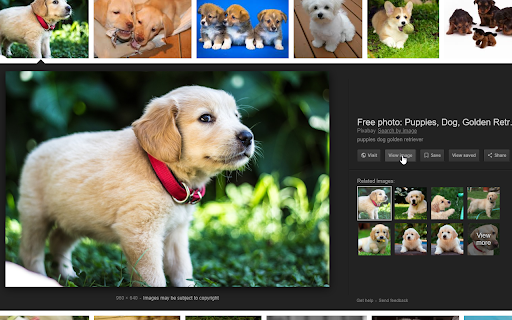
Re-implements the Google Images' "View Image" button. ViewImage adds the "View Image" button back to the google images results page. The code for this extension is available on GitHub: https://github.com/bijij/ViewImage Please feel free to make any PR's or submit an issue.

Old Reddit Redirect
Ensure Reddit always loads the old design Dislike Reddit's redesign? Old Reddit Redirect will ensure that you always load the old (old.reddit.com) design instead. Forces all reddit.com links to old.reddit.com, including navigating to the site, opening links or using old bookmarks. Unlike the account setting for turning off the design, this works regardless of whether you are logged in or not or in incognito mode. - Remove the undismissable cookie banner - Prevent reddit from rendering raw image URLs as HTML - Rewrite links to galleries to the raw old reddit comments page Old Reddit Redirect is free and open source software. The code is available at https://github.com/tom-james-watson/old-reddit-redirect. Pull requests are more than welcome.

Quick Image Search
Right click an image or some selected text and use that for a secure search using Google Images. Seen an image on a website and you'd like to know who or what it is? Found someone's name and you like to know what that person looks like? After installing this extension there will be a new entry in the context menu (right-click menu) when an image or some selected text is right-clicked. Selecting this menu option will start a secure Google Image search via HTTPS. Release notes: - v5.0 (2025-11-23): Open the results tab directly next to the active tab - v4.0 (2022-12-11): Reverse image search now uses Google Lens. Google Images does not support reverse image search anymore.

Image Search
Search by images using most popular search engines like Yandex™ and TinEye™ - Find people's pages in social media by their photos - Find cloned and fake profiles in networks like Facebook™ and Instagram™ - Find stolen or illegally re-published images - Find free equivalents of images from payed photo directories - Find people contacts in other social networks using search by their profile photos from LinkedIn™ To use this extension, right click on an image and select 'Find similar image'. Use different options to search in a particular search engine or in all of them at same moment!

Disable Google Lens
Redirects Google Lens to the normal image results This extension bypasses "Google Lens" results and takes you to the normal image results like how it used to be. It also adds a "Search Google for image" context menu item that will open the image results in a new tab. Post-installation instructions for manually removing the old "Search image with Google Lens" context menu item (the one that opens results in the Side Bar) can be found at https://github.com/fanfare/disablegooglelens/blob/master/CHROME.md
