
ihbfgploaolhdcfohgmkgeelahfghngd


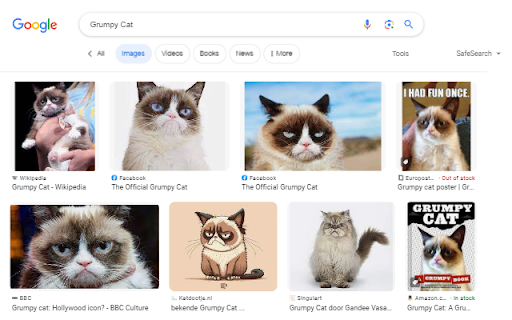
Right click an image or some selected text and use that for a secure search using Google Images. Seen an image on a website and you'd like to know who or what it is? Found someone's name and you like to know what that person looks like? After installing this extension there will be a new entry in the context menu (right-click menu) when an image or some selected text is right-clicked. Selecting this menu option will start a secure Google Image search via HTTPS. Release notes: - v5.0 (2025-11-23): Open the results tab directly next to the active tab - v4.0 (2022-12-11): Reverse image search now uses Google Lens. Google Images does not support reverse image search anymore.

DetailedTime
YouTube動画の公開時刻を表示するやつ ◆どんな機能? YouTube動画の公開時刻を表示します。 ◆使い方 動画タイトルの横に「詳細」の文字が出るのでそれをクリックしてください。 ◆注意事項 ※ライブ配信の場合は配信開始時刻になります。 ※完璧な動作保証はできません。ご利用は自己責任で。 ※ブラウザの横幅が狭い場合・動画タイトルが長すぎる場合には「詳細」の文字が出ないことがあります。 ◆他の機能 YouTube用の自作拡張まとめ https://null.style/app ◆不具合を見つけたら 作者Twitter(@nulltypo)までご連絡お願いします。レビューには回答できません。 ◆免責事項 このChrome拡張によりいかなる損失や損害などが発生しても責任を負いかねます。ご了承ください。

Reverse Image Search
"Reverse Image Search" extension helps you to find similar images or the original image source and its name. This is a useful tool to find for instance the actual image name or detect whether this image is unique or is just a copy or a modified copy of an already existed image on the web. In most cases, images are embedded in the background page and hence it is not straightforward to find the actual source of them to be passed to a reverse image search engine. Also, the image you are looking for maybe just part of a video stream. This extension solves these problems by providing a capturing tool in the right-click context menu. Simply select the item and capture a portion of the screen. The captured image is automatically sent to either "TinEye" or "Google Images" search engine, and after a successful upload, a new page with the matching results is displayed. This extension adds three items to the context menu of your browser: 1. Google Images (Image URL) 2. Tineye (Image URL) 3. Google Images (Capture) The first two items are added to the image context menu, and the third one is added to the page context to activate the capturing tool. Instead of the third option, you can alternatively press the browser action button. Links: FAQs Page: https://add0n.com/reverse-image-search.html GitHub Page: https://github.com/schomery/reverse-image-search/

x-zombie-killer
X(旧Twitter)のインプレゾンビを一気に非表示にします。 Androidスマホをご利用の方はKiwi Browserをインストールし設定の「拡張機能」から本拡張機能をインストールいただくことでご利用いただけます!… X(旧Twitter)のインプレゾンビを一気に非表示にします。 Androidスマホをご利用の方はKiwi Browserをインストールし設定の「拡張機能」から本拡張機能をインストールいただくことでご利用いただけます! 詳しい使い方:https://itokoba.com/x-zombie-killer-support 更新履歴:https://itokoba.com/x-zombie-killer-support/updates インストール時点で以下の文字、単語を自動で非表示にします。 非表示対象 - アラビア文字 - サンスクリット文字 - デーヴァナーガリ文字 - (古)マラーティー語 - 絵文字のみの投稿 - その他日本語のスパム表現 「api.itokoba.com上にある自分のデータ読み取りと変更」という権限はライセンスキーの認証を行うために利用しています。 各種設定などについてはサポートページをご覧ください。 https://itokoba.com/x-zombie-killer-support また、各種規約も必ずご確認ください。インストール時点で同意したものとみなします。 利用規約:https://itokoba.com/x-zombie-killer-support/terms-of-service プライバシーポリシー:https://itokoba.com/x-zombie-killer-support/privacy-policy 特定商取引法に基づく表記:https://itokoba.com/x-zombie-killer-support/tokushoho

nico downloader
ニコニコからの動画保存をサポートする他、ニコニコを便利に使うための非公式の拡張機能です。 【帰ってきたニコニコ 対応済】ニコニコの動画を保存するためのリンクを、動画ページのタイトル直下に作成します。 さらに、ニコニコ大百科を始めとするニコニコのサービスの拡張・機能向上を行う拡張機能です。 これらは全て自動でリンクを作成するため従来に比べ手間が省けており、かつシンプルです。 ◆設定方法 こちらを読んでいただくのが一番わかり易いと思います。 https://note.com/masteralice3104/n/na2e2325b50a3?sub_rt=share_pb ◆バグの報告はここから https://github.com/masteralice3104/nico_downloader/issues ◆ソースコードはここにあります https://github.com/masteralice3104/nico_downloader ■動画保存の事前準備 ① 当拡張機能をインストール ② 当拡張機能のオプションに記載された初期設定を行う ③ 初期設定モードをOFFにする ■基本的な動画保存の使用方法 ① 任意の動画ページ(sm~~~の動画)を開きます。(nm~やso~等は基本的に対応しません) ② 動画の右下にある「~~~~~.mp4を保存」をクリック ③ 自動でダウンロード・変換処理を行った後、保存ダイアログが開くor既定のフォルダにダウンロードされます(Chromeの保存設定に依存します)。 ■注意事項 ○ 様々な法的規制に十分に注意してご利用ください。 ○ 保存方法③の処理は回線速度とCPU速度に依存します。また通信量などにご注意ください。
