
cnafldpjebmpkibjdogkhifhnljdifae
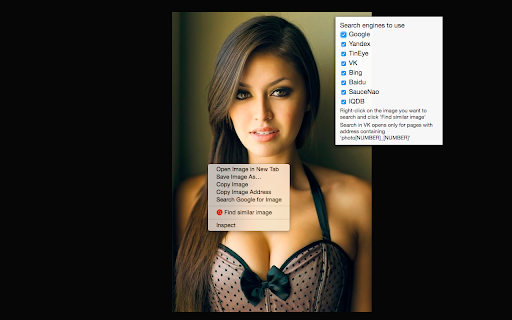

Search by images using most popular search engines like Yandex™ and TinEye™ - Find people's pages in social media by their photos - Find cloned and fake profiles in networks like Facebook™ and Instagram™ - Find stolen or illegally re-published images - Find free equivalents of images from payed photo directories - Find people contacts in other social networks using search by their profile photos from LinkedIn™ To use this extension, right click on an image and select 'Find similar image'. Use different options to search in a particular search engine or in all of them at same moment!

Reverse Image Search
"Reverse Image Search" extension helps you to find similar images or the original image source and its name. This is a useful tool to find for instance the actual image name or detect whether this image is unique or is just a copy or a modified copy of an already existed image on the web. In most cases, images are embedded in the background page and hence it is not straightforward to find the actual source of them to be passed to a reverse image search engine. Also, the image you are looking for maybe just part of a video stream. This extension solves these problems by providing a capturing tool in the right-click context menu. Simply select the item and capture a portion of the screen. The captured image is automatically sent to either "TinEye" or "Google Images" search engine, and after a successful upload, a new page with the matching results is displayed. This extension adds three items to the context menu of your browser: 1. Google Images (Image URL) 2. Tineye (Image URL) 3. Google Images (Capture) The first two items are added to the image context menu, and the third one is added to the page context to activate the capturing tool. Instead of the third option, you can alternatively press the browser action button. Links: FAQs Page: https://add0n.com/reverse-image-search.html GitHub Page: https://github.com/schomery/reverse-image-search/

I'm on the map
Adds context menu item for selected text "Find address on map" (Google, Bing, Yandex, 2GIS and others) You need to select an address on the page, right-click and you have the option "Find address on the map". Quick and convenient. By default, the search is enabled only on Google map. You can activate other options in the extension parameters. Also in the parameters you can add any other service in which you want to search for the selected text, the main thing is that this service supports the transfer of text parameters via URL.

Reverse Image Search
Adds an option to the context menu to reverse search an image on various services Adds an option to the context menu to search with an image on various predefined or custom search engines with your own URL. If you choose more than one search engine, they will all be shown in a handy submenu! If more than one search engine is selected, a new entry "Open All" will also be shown. You can even choose the tab behaviour that suits your needs! Submit translations to the GitHub repo: https://github.com/Brawl345/Image-Reverse-Search-WebExtension

Reverse Image Search
Right click on an image and find it's origin in Google image search. Search by image! Reverse image search extension allows you to search Google by image. Right-click on an image and discover where else it has been used of find it's origin. This tool is powered by Google Image Search.
