
jopgcfpfajmdhngaldhlhpedjncpjmle
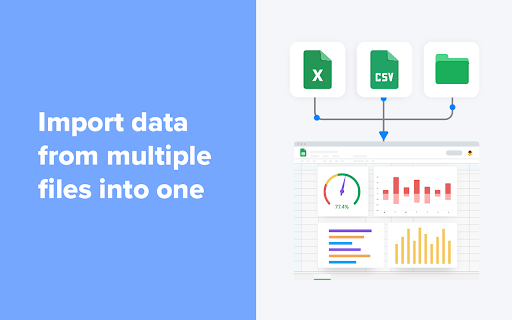
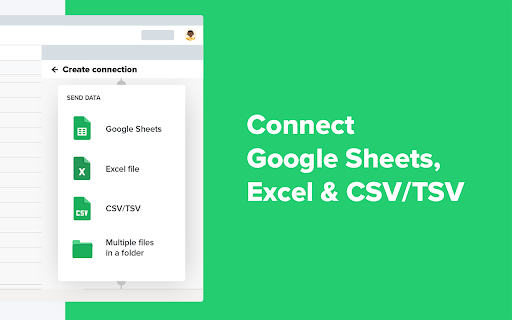
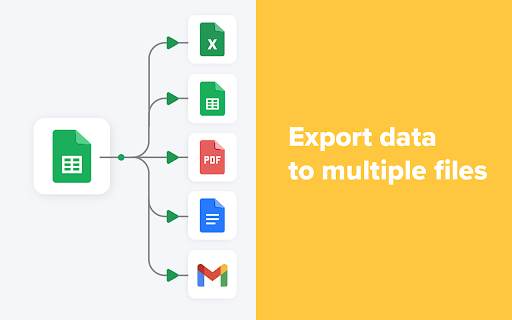


Connect Google Sheets, Excel, CSV, BigQuery, Google Docs and Gmail to import, export, merge, split and filter data automatically. Welcome to Sheetgo! The simple way to automate your data management directly within your spreadsheet. Sheetgo is an all-in-one data management tool that allows you to build custom workflows to automate entire business processes. Connect, transfer, merge, split or filter your spreadsheet data and use intelligent integrations such as Google Sheets™, Google Docs™, Gmail™, Excel and CSV files to build powerful workflows that streamline your data management. With Sheetgo you can: Connect Google Sheets™ to Google Sheets™, Excel and CSV files ► Transfer data between different files automatically, consolidate spreadsheets by combining multiple sheets into one central file and build an automated workflow that moves and manages your data for you. A more reliable and scalable Importrange alternative ► Sheetgo is a quick and easy-to-use tool which is a great alternative to the Importrange function. It's more reliable, less prone to errors and easier to use because it doesn't require complex formulas or any advanced knowledge of spreadsheets. In addition, Sheetgo retains the formatting of the original data. Control data privacy with custom workflows ► Share data without sharing your entire spreadsheet and send selected information to multiple sheets. Better business intelligence ► Create custom solutions that provide accurate data through automated reports and dashboards for any business process. Merge data from multiple sheets into one ► Merge data from many spreadsheets into one automatically, pulling data into one master sheet for analysis, reporting and dashboards. Automate Google Sheets™ and save time on your spreadsheet work ► Schedule automatic updates (hourly, daily, weekly or monthly) to move data between spreadsheets without any manual work. Expert automation support ► Get support through access to tutorials and 1-1 video calls. For more information on Sheetgo plans, head to www.sheetgo.com/pricing Google Sheets™, Google Docs™ and Gmail™ are a trademark of Google LLC.

Quick Create Plus
Create new files for Google Drive from your browser bar. Links include Docs, Sheets, Slides, Drawings, Forms, and Scripts. Create new files for Google Drive from your browser bar. Links include Docs, Sheets, Slides, Drawings, Forms, and Scripts. Now updated to Manifest 3!

Gmail Web Clipper by cloudHQ
Save anything you see from web articles, texts, and snippets, directly in your Gmail. Free and simple. Give it a try today! Plus - save anything you want from the web like: ✔️ Articles, ✔️ Texts, ✔️ Images, and more! Everything is neatly saved in a Gmail label directly in your email. cloudHQ. Helping your productivity 1 click at a time. cloudHQ Website: https://www.cloudhq.net App Website: https://www.gmail-web-clipper.com/ Pricing: https://www.gmail-web-clipper.com/pricing Support page: https://support.cloudhq.net/category/browser-extensions/gmail-web-clipper/ Blog: https://blog.cloudhq.net Gmail, Google Shared Drive, Google Drive, and Google Workspace are trademarks of Google LLC. Use of these trademarks is subject to Google Permissions.

Templates for Google Sheets™ by cloudHQ
Modern and Beautiful Templates for Google Sheets™ Effortlessly customize your spreadsheet with Google Sheets™ Templates. Each Google Sheet™ template is professionally designed so that you can copy and use them as your own with confidence. You'll find spreadsheets for: All you need to do is: 1) Install this extension. 2) Find the templates in Google Drive by tapping on New --> Google Sheets --> Template by cloudHQ 3) Make a copy of the template, and edit it as you see fit! All templates have royalty-free stock images, illustrations, and photographs. They can be used in both personal and commercial projects. cloudHQ. Helping your productivity, 1 click at a time. cloudHQ website: https://www.cloudhq.net/ App website: https://www.google-sheets-templates.com/ Pricing: https://www.google-sheets-templates.com/pricing Support page: https://support.cloudhq.net/category/browser-extensions/google-sheets-templates/ Blog: https://blog.cloudhq.net

AppSheet Toolbox
A Free Toolkit for Building Better AppSheet Apps (The Extension formerly known as QREW Tools) Key Features include: - A structured Text Editor Overlay on Expression Assistant fields that color codes expression names, matching parenthesis, static string values and more! (Now with Multiple Color Themes, optional text functions, and AUTOCOMPLETE, ) - Turns Expression Library items into links that open the AppSheet Documentation in the sidebar - Common Expressions that you use can be "Snipped" and stored* in the sidebar for easy access. - Shows all Data Tables, Columns, and Views inside your app with Quick actions to insert them into your editor. - Collate and Process AppSheet Recovery files into Table specific CSV files for easy upload into your live data tables. *These snippets are stored in local browser memory, so clearing your browser memory WILL DELETE any saved snippets. You can now optionally link your Snippets with your AppSheetTraining.com account which will allow them to be accessed on any device you're logged into. NO MORE ACCIDENTALLY DELETED SNIPPETS!! Yayy!! ** You can review our Privacy Policy at this link https://docs.google.com/document/d/1_KQd5Q9r1UXgKUysqX4rI5nlDdhUzSmYQmxz58w9sT4
