
cplfhghglmhnonmiadpnkdkjacihabja
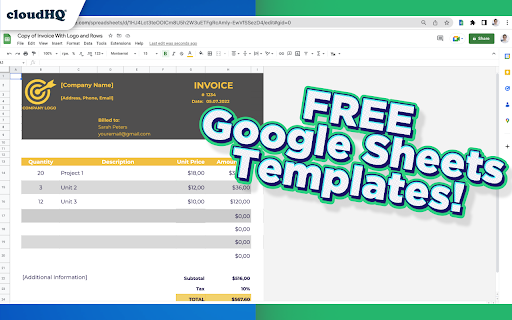


Modern and Beautiful Templates for Google Sheets™ Effortlessly customize your spreadsheet with Google Sheets™ Templates. Each Google Sheet™ template is professionally designed so that you can copy and use them as your own with confidence. You'll find spreadsheets for: All you need to do is: 1) Install this extension. 2) Find the templates in Google Drive by tapping on New --> Google Sheets --> Template by cloudHQ 3) Make a copy of the template, and edit it as you see fit! All templates have royalty-free stock images, illustrations, and photographs. They can be used in both personal and commercial projects. cloudHQ. Helping your productivity, 1 click at a time. cloudHQ website: https://www.cloudhq.net/ App website: https://www.google-sheets-templates.com/ Pricing: https://www.google-sheets-templates.com/pricing Support page: https://support.cloudhq.net/category/browser-extensions/google-sheets-templates/ Blog: https://blog.cloudhq.net

Highlight Emails in Gmail by cloudHQ
✅ Select from a choice of calming or bright colors. ✅ Adjust background color based on email status, such as read/unread or selected. ✅ Customize the background color highlight depending on the sender’s email domain. ✅ Focus mode minimizes distractions, specifically designed to assist individuals with neurodevelopmental disorders to more easily navigate, read, and concentrate. In short, with this extension you can inbox customization through color-coding, allowing users to visually categorize emails. For example, assigning the color red to emails from security domains like security@google.com enhances the ability to quickly spot and prioritize critical alerts or notifications, streamlining inbox management and efficiency. Imagine having all your emails from clients, vendors, or internal company emails neatly color-highlighted. It's like having a personalized filing system right in your inbox. You'll easily spot emails that need your attention, while also decluttering your digital workspace. This is a game changer for anyone dealing with heaps of emails daily. This app isn't just about managing your inbox; it's about managing your time and focus too. There's even a unique "Focus Mode" that works when you hover over an email. That email stands out while everything else recedes into the background. All other emails gray out, removing distractions and letting you zero in on that single email. It's the visual equivalent of noise-canceling headphones for your inbox. This way, you can devote your full attention to each email in turn, without missing any important details. Perfect for anyone who needs a little help focusing amidst the constant barrage of incoming emails. Focus Mode is more than a feature, it's a way to reclaim control over your digital environment. ~~~~ Instructions for Use ~~~~ 1. Install the extension. 2. You can get started now by clicking on: - The cloudHQ log on the top of your Gmail inbox - Click on "Highlight Emails" - Click on "Highlight Rows (ON/OFF)" to toggle the feature on and off 3. To activate the "Focus Mode," just toggle "Reading Focus (ON/OFF)" to enable distraction-free reading. 4. To disable, toggle the feature off. cloudHQ website: https://www.cloudhq.net/ App website: https://www.highlight-emails.com Pricing: https://www.highlight-emails.com/pricing Support page: https://support.cloudhq.net/category/browser-extensions/highlight-emails/ FAQ page: https://support.cloudhq.net/highlight-emails-faq-frequently-asked-questions/ Blog: https://blog.cloudhq.net Gmail, Google Calendar, and Google Workspace are trademarks of Google LLC. Use of these trademarks is subject to Google Permissions.

Email Zoom Text Reader by cloudHQ
Gmail magnification and reading program tailored for low-vision users Do you have trouble reading email text? Are regular page magnifying apps bothering you because it magnifies so many other things on your page, along with your email text? We understand your pain point, but you don't have to suffer anymore! Now you can install Email Zoom Text Reader by cloudHQ for free, and enjoy magnified text in your emails, as you see 👀 fit. (See what we did there? 😊) This extension will *only* modify the font size of Gmail messages without changing the page width, size of icons, menus, etc. cloudHQ website: https://www.cloudhq.net/ App website: https://www.email-zoom-text-reader.com/ Pricing: https://www.email-zoom-text-reader.com/pricing Support page: https://support.cloudhq.net/category/browser-extensions/email-zoom-text-reader/ FAQ page: https://support.cloudhq.net/email-zoom-text-reader-faq-frequently-asked-questions/ Blog: https://blog.cloudhq.net

Auto Label for Google Gmail™ by cloudHQ
Automatically create filters and labels for clients, customers, prospects, etc. Auto Label for Gmail by cloudHQ categorizes email messages by client email address and/or domain name, and automatically creates filters and catalogs them inside one of 6 Gmail Labels. This extension is a unique app because it not only filters and labels new emails, but also automatically organizes all your old email exchanges with that email address and/or domain name. These are the 6 Gmail Labels that this app organizes for your inbox: 1. Clients 2. Leads 3. Prospects 4. Opportunities 5. Team 6. Suppliers Here's why we think you need these 6 Gmail Label categories: 1. Clients: are your current clients. 2. Leads: are possible prospects who are not yet qualified. 3. Prospects: are qualified leads where your contact person makes buying decisions. 4. Opportunities: are when your contact considers your product/service. 5. Team: are your internal team that you work with. 6. Suppliers: are your external team that you hired. With these 6 Gmail Labels, you're ready to catalog and organize your inbox to be the most productive self you can be while working in Gmail. This extension allows you to create filters and labels for any recipient or domain with one click. Here is how to use it: 1. Compose your email 2. Enter your recipient's email address 3. Click on the "Gmail Auto Label" button and select the label name for this email recipient or recipients' domain Website: https://www.gmail-auto-label.com Pricing: FREE Support page: https://support.cloudhq.net/category/browser-extensions/gmail-auto-label/ Blog: https://blog.cloudhq.net

Copilot for Gmail™ by cloudHQ
Mini CRM for your Gmail Copilot for Gmail™ is a mini CRM that lets you see a snapshot view of your email contact's profile information, and any past emails conversations you've had. This is crucial to have so that you can respond intelligently, and help you dramatically cut down your search time when you're looking for a past email conversation you had with your email contact. Right within Gmail, you can: ✔️View profile information of the person you're emailing, or who emailed you ✔️Create private notes about this contact (For example: This client has needed support for over 4 hours last week) ✔️Set up a reminder alarm for this contact (For example: Follow up with client on a specific date/time) ✔️A list of all the email conversation history you have with that email contact ✔️A list of all documents and attachments related to that email contact This is great for anyone who wants to appear more professional, and have everything neatly organized in their email. Key features: ⭐️ person and company profile info ⭐️ easy access to all email messages ⭐️ easy access to all attachments ⭐️ notes (private or shared with the team) ⭐️ reminders cloudHQ. Helping your productivity, 1 click at a time. cloudHQ website: https://www.cloudhq.net/ App website: https://www.gmail-copilot.com/ Pricing: https://www.gmail-copilot.com/pricing Support page: https://support.cloudhq.net/category/browser/gmail-copilot Blog: https://blog.cloudhq.net Demo: https://www.cloudhq.net/demo Google Workspace, Google Sheets, Google Drive, Google Alerts and Gmail are trademarks of Google LLC. Use of this trademark is subject to Google Permissions.
