
jfiihjeimjpkpoaekpdpllpaeichkiod


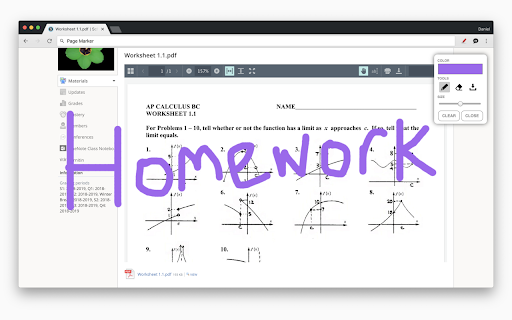
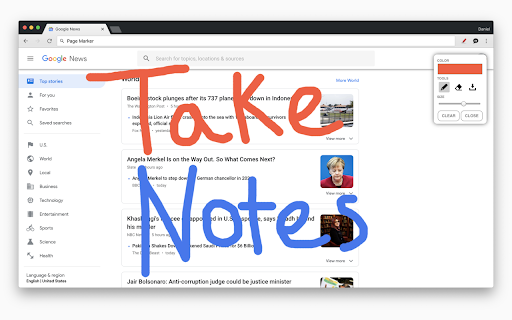

Draw or highlight on any website in real time. Add text, lines, and shapes. Move, undo, or redo anything you draw. Draw on any website, add text, add lines, and highlight! With Page Marker, you can use your mouse or touchscreen to draw on the web or on PDFs and save it to your computer. Paint, draw, and mark on any webpage or website. Instructions: 1. Click the puzzle piece-shaped extensions icon in the top right corner of your browser. Pin the Page Marker red marker icon for ease of access. 2. Begin drawing on any webpage with your mouse or touchscreen. 3. To change the color of the marker, click on the color selecting box. 4. To change thickness, use the size slider. 5. Use the highlighter tool to highlight lines of text. 6. Use the eraser tool to erase parts of your drawing. 7. Use the text tool to add text to the website. 8. Use the line tool to draw straight lines. 9. To undo or redo, click the corresponding undo/redo buttons. 10. Change the default color or thickness in the options menu when you right click the Page Marker icon.

Smart Web Paint for Chrome
Draw on any web page with Smart Web Paint for Chrome! Smart Web Paint for Chrome - drawing tool that works on web pages. Features: Draw on web pages In-line paint tools e.g. pencil, text, line, arrows. Change sizes and colors Save as a PNG file Copy to the clipboard Please note: The tool doesn't work on system pages such as browser settings (chrome://), new tab, Chrome Webstore

Web Marker - Draw on Websites
Draw on any webpage in real time! Draw, highlight, add shapes & more. Easy to use, perfect for studying & teaching. Hey there! Meet Web Marker – your new companion that lets you draw directly on websites! With Web Marker, you can draw and write on any webpage like it's a piece of paper. It's super easy and fun! To make things even easier, we've included some handy keyboard shortcuts for you: · P : Toggle pencil mode. · H : Toggle highlighter mode. · R : Toggle rectangle mode. · C : Toggle circle mode. · T : Toggle text mode. · L : Toggle line mode. · E : Toggle eraser mode. · S : Toggle selection mode. · X : Toggle pointer mode. · I : Add an image. · M : Hide/Show the menu. · D : Download annotations as image. Here's why users are falling in love with it: ✔ Simple Drawing and Highlighting: Whether you're studying, teaching, or just love getting creative online, you can easily draw and highlight on pages without any complicated tools. Our keyboard shortcuts make things even easier. You can draw using just your keyboard, whether the menu is collapsed or uncollapsed. ✔ Draw Anything: You have all the drawing tools you need, from circles to rectangles, a highlighter, pencil, eraser, lines, and text. Easily undo, redo, clear, zoom in, zoom out, select, delete, move, resize, change colors, and adjust the marker size. Choose from a variety of colors or select one of the 33+ default colors. You have plenty of options! ✔ Easy to Use: Simply click on the extension icon or use a keyboard shortcut to get started (the default shortcut is Ctrl + Shift + L ) ✔ Scrollable: It's the ONLY extension that seamlessly keeps what you've written after scrolling up and down the page, ensuring that as you scroll, the drawn content moves along with the page. ✔ Works with Your Stylus: Got a stylus? Great! Web Marker plays nice with it. ✔ Collapsible and Movable Menu: You know that menu where you find all the tools? You can collapse it to get more space. Plus, you can move it around wherever you like. ✔ Fix Mistakes with Ease: Messed up? No worries! Use the eraser or hit delete – it's like magic. ✔ Add Pictures: You can even add images and draw on them. How cool is that? ✔ Zoom In, Zoom Out: Zoom in to see details or zoom out to see the big picture. It's all up to you. ✔ Undo and Redo: Oops, made a mistake? No problem! Just hit undo and redo until it's perfect! ✔ Copy or Download Your Drawing: When you're finished, you can copy your drawing or download it as a high-quality image to use it anywhere else. And here are two more cool things: ✔ ✔ No Data Collection: Your data stays YOURS. We do NOT collect ANY of your personal info – doodle in peace! ✔ ✔ No Special Permissions Needed: Just install and go! Web Marker doesn't need special browser permissions. And guess what? It's completely FREE! But hold on, you're probably thinking, how do we keep this awesome tool free for everyone?!! Well, here's the deal: we believe in keeping things simple and user-friendly. Instead of bombarding you with ads or charging for premium features, we've chosen to operate on a donation basis. Yep, that's right! We rely on the generosity of users like you who appreciate what we do and want to support us in keeping Web Marker awesome. So, If you love using Web Marker and find it valuable, we'd be incredibly grateful if you could consider contributing a donation of any amount you can. Every donation goes a long way in helping us maintain and make Web Marker even better for you. Also feel free to reach out to us with any concerns, feedback, or suggestions you might have. Happy drawing with Web Marker!

Page Marker - Web Paint on Pages
Draw or highlight on any website in real time. Add text, lines, and shapes, then make screenshot the result. Draw or highlight on any website in real time. Add text, lines, and shapes, then make screenshot the result. Are you accustomed to highlighting important text in books or do you want to draw directly on websites in real-time from your browser? Perhaps you need to share your screen for tasks like reporting technical issues, creating product demonstrations, or crafting how-to tutorials. Whether you're a student, a professional, or just someone who loves browsing the web is a must-have extension. You'll have access to an array of advanced annotation tools, including a pencil, highlighter, color picker, arrow, polygon, text, emoji, and more. It contains the tools you need: - Pencil tool - draw custom lines - Text tool - add annotation - Emoji - add fine emoji on any web pages - Bucket fill tool - fill shapes and drawn with any color from palette - Line tool - put start and end point to paint straight line - Quadratic curve - draw a quadratic curve with the selected line width - Bezier curve - paint a bezier curve with the selected line width - Polygon tool - paint a polygon with the selected line width - Ellipse tool - draw an ellipse or a circle with the selected line width - Eyedropper tool - pick a color from the web page or your drawings - Screenshot tool - screenshot maker allows saving result in PN or JPG Privacy Policy By design, your data stays at all times on your Google account, never saved in our database. Your data aren’t shared with anyone, including the add-on owner. We complies with privacy laws (especially GDPR & California Privacy Act) to protect your data. All data you upload are automatically deleted every day.

SpeeDoodle
Allows the user to doodle using the mouse on a new tab page and provides options to download and copy the doodle. Simple chrome extension that replaces the New Tab page with a doodle space where users can easily draw a doodle using their mouse. Users can download their doodle as a PNG file or copy the doodle to Clipboard. User can also clear a drawing, erase parts of their drawing, change color of pencil, and change weight of pencil.
