
idblamhdnimnenghjcnidjijkjclfhjf

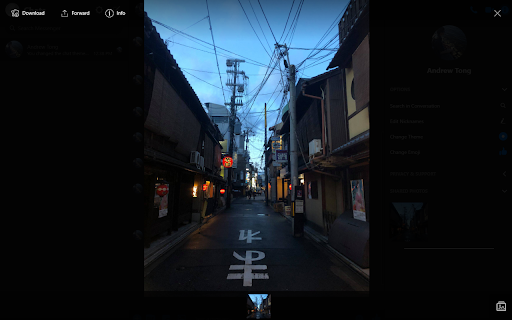

A lightweight Nightmode theme for Facebook Messenger ⚠️IMPORTANT⚠️ THIS EXTENSION ONLY WORKS ON messenger.com NOT DIRECTLY THROUGH FACEBOOK. Please do not leave inaccurate reviews if you are not using the correct site. A simple, lightweight Chrome extension that enables a nightmode theme for Facebook's Messenger. This is a small side project that I am working on to provide a long-requested feature for Facebook's Messenger. If you notice any issues or would like to request features, please feel free to do so! Version 0.0.4.6 - Fixed recent update where bubbles became light gray - Added dark colour to chat screen while loading in Version 0.0.4.0 - Added full nightmode support for Messenger redesign - Note: If Facebook is aiming to transition everyone to the redesign, I will shift towards releasing updates only for the new version of Messenger. The extension will still be backwards compatible with the old version of Messenger, unless it causes issues. Version 0.0.3.2 - Removed bug with clicking popup showing an error message. Version 0.0.3.1 - Updated permissions to minimal level for store policy update compliance. Version 0.0.3.0 - Fixed colouring for names in group chats and in search - Added new preview screenshots Version 0.0.2.9 - Fixed colouring for event invitations and reminders Version 0.0.2.8 - Hotfix for replies background styling Version 0.0.2.7 - Updated tooltip colour for message box Version 0.0.2.6 - Update to match Facebook's Messenger facelift (sorry about the delay, just received the update myself!) - Updated colours on names, icons, reaction backgrounds, and menus - Fixed border issues and improved hover colours to be clearer in nightmode Version 0.0.2.4 - Visibility update to mentions and links - Updated search titles/headers - Fixed single emoji messages (removed chat bubble background) - Minor updates to vertical and horizontal dividers - Backend cleanup (removed nonfunctional popup feature - still in development) Version 0.0.2.3 - Hotfix for reply feature - Link embeds visual update - Dividers in main chat window and "Shared Photos" improved Version 0.0.2.2 - Improved differentiation between read and unread messages for visibility - Support for Messenger's new "reply" feature - Viewing images enhanced with translucent background - Image preview grid colour updated - Mini-menus (e.g. games, GIF, stickers, etc.) have been updated to support night mode - Link embeds and previews improved Special thanks to Marko and Martin

Utilities for Facebook Messenger
Utilities for Facebook Messenger Utilities for Facebook Messenger Extension for Chrome / Edge / Chromium based browsers Features: - Protect your messages - Protect title - Hide chat - Many features will come up in the future

Themes for Facebook
Enhance your Facebook experience: custom styles, animated backgrounds, fonts, and vibrant colors! 🌈 Elevate your Facebook experience with our cutting-edge Chrome extension that offers a delightful visual transformation. Immerse yourself in a world of endless customization possibilities with a diverse selection of 48 thematic categories, ranging from mesmerizing space landscapes to captivating abstract art, the soothing beauty of nature, and the festive spirit of holidays. 🎞 But we don't stop at just themes – we've taken it a step further. Picture a dynamic, animated video background that breathes life into your Facebook feed, turning it into an engaging canvas of creativity. Our extension empowers you to select from a wide array of fonts and colors, allowing you to curate your very own personalized Facebook style. While this extension introduces a fresh and vibrant aesthetic to your Facebook page, rest assured that all your familiar interface elements remain intact. Your navigation and functionality are preserved, ensuring a seamless and intuitive user experience. Disclaimer: It's important to note that this project is an independent endeavor and is not officially affiliated with Facebook™. However, we are dedicated to enhancing your Facebook journey by providing a visually immersive and captivating environment that you can call your own.

Messenger Organizer
Organize all of your messages in Facebook Messenger and Instagram into custom folders, just like email! Are you tired of getting lost in the chaos of all your Facebook Messages and Instagram Messages?! Organize all of your messages in Instagram. Messenger Organizer allows you to create customized folders to place your conversations in. This saves you from having to scroll through hundreds of conversations trying to find the right one. Best part is, you can use Messenger Organizer for FREE! ***Make sure you register your account first before trying to use the extension! ***Just go to www.messengerorganizer.com and register for an account!*** ★★★ Features ★ No configuration. ★ Easily organize all of your messages in Facebook and FB Messenger ★ Create custom folders for every conversation, just like an email account ★ "Unread" message filter to see all of the conversations you haven't responded to ★ Message templates and automated messaging ★ Never waste time scrolling through your conversations trying to find the right one ★ FREE & paid versions available ***NOTICE*** Please be sure to use Messenger Organizer on messenger.com, facebook.com/messages and instagram.com After installing, please reload all Messenger™ tabs for the extension to take effect. For issues/suggestions, please contact us via email: landon@messengerorganizer.com See the instructional video here: https://youtu.be/vR4JuWoRCe0 ✓ Note FB™, FB Messenger™, Messenger™ and the FB™ and Messenger™ logo are trademarks of Facebook Inc. Use of these trademarks is subject to FB Permissions. This extension is not created nor endorsed by Facebook Inc. ✓ Terms of Use Works on messenger.com, facebook.com/messages and instagram.com. No guarantee or warranty is given with the use of this "Messenger Organizer™" software. The author shall not be held liable for any consequences by its use. Usage of "Messenger Organizer™" extension means that you agree to these terms.

Chat Multi Messenger
Merges all Social Media chats in one App. Support for twitter, tiktok, telegram and many more! Direct message DM your friends! ★★★★★ Access to many Social Media Apps in a single App 😱 See https://jitt.wwevents.fun/project/chat-multi-messenger/ for a full list. The state is kept when switching between Apps meaning that you can have all Social media Apps opened and have instant switch 🚧 This Chat Multi Messenger allows to fast switch between all the Web Messengers for Chrome 🚨 You can enable/disable the Chat Apps that you want to be active 🔥 Monitor all notifications, news feed, posts, messages in real time 🏆 Non-intrusive, by showing the number of missed notifications in the App icon on the Browser Toolbar 🥊 FEATURES ★ App shows as a sidebar and runs the mobile versions of the available Apps meaning less CPU/RAM/Internet consumption 👑 ★ You computer will run faster with more resources available without have to sacrifice functionality. ★ Choose your preferred communication method from a wide number of available messengers 😍 ★ Combine all the mainstream messengers into one simple window! ★ Chat Multi Messenger is a wrapper for worldwide messengers. It allows you to have access to the official services quickly from a standalone sandboxed window 🔥 ★ Sidebar with all Web Messenger like Messenger, Android Messages, Reddit, Youtube, Skype as the main available Apps 👑 ✔ Best extension for Social Media 🔧 You can fast-switch between all Social Media Networks 🎓 ✔ Clean and simple interface 💻 ✔ Very Low CPU/RAM/Bandwidth consumption. ✔ HTTPS and on official platforms for maximum security 🔑 No share of credentials to third party 🔓 💎 Building Apps and Extensions for Google Chrome and Android 🔥📣 📔 Available on the product page: https://jitt.wwevents.fun/project/chat-multi-messenger/#changelog All websites are a trademark of their own company's, registered in the U.S. and other countries. This is an independent project developed by WWEvents and has no relationship to them. By installing this product you agree to our privacy policy & terms of service: https://jitt.wwevents.fun/privacy-policy/ You may consult the list of permissions and the reason why they are required on the product page: https://jitt.wwevents.fun/project/chat-multi-messenger/#permissions “notifications” – Used to send desktop notification. For example when a new message arrive or App is updated. “contextMenus” – Allow to add more settings when right click in the App icon in the browser toolbar and browser context menu. “webNavigation” - The extension uses iframes to allow fast switch between the social media sites. webNavigation is used to control those iframes and know the timing to insert css or js into the iframe. “storage” – Used to save settings on your local computer. “scripting” – Used to be able to insert JS or CSS on the required host/domains. “system.display” – Used to detect the display size and position the Extension window. “unlimitedStorage” – Storage is limited to 5MB of data that may not be enough to store all configs. “host_permissions” – Permission to access to some hosts/domains that we must modify in order to provide the desired functionality detailed in the functionality. It also allows that you can share content (links or text) from other pages directly to inside the App and send it as a SMS/Android message to a friend for example. Also used to allow intercommunication with other WWEvents Apps (i.e. Emojis). “activeTab” – Permission to access the window that the extension is running and is show to the user. “all_urls” – Permission required for users be able to take screenshots of the current window – captureVisibleTab. “declarativeNetRequestWithHostAccess” - Used to get the iframe version of the websites. Only impact the Extension Window. “declarativeNetRequestFeedback” - Used to get the iframe version of the website by changing the iframe requests. “browsingData” - Used to remove serviceWorkers on some website in order for MV3 extension run properly. “alarms” - Used to update App icon badge. This information is also available inside the App: Options -> About
