
oodajhdbojacdmkhkiafdhicifcdjoig

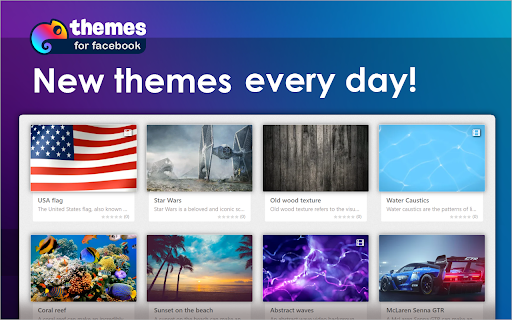
Enhance your Facebook experience: custom styles, animated backgrounds, fonts, and vibrant colors! 🌈 Elevate your Facebook experience with our cutting-edge Chrome extension that offers a delightful visual transformation. Immerse yourself in a world of endless customization possibilities with a diverse selection of 48 thematic categories, ranging from mesmerizing space landscapes to captivating abstract art, the soothing beauty of nature, and the festive spirit of holidays. 🎞 But we don't stop at just themes – we've taken it a step further. Picture a dynamic, animated video background that breathes life into your Facebook feed, turning it into an engaging canvas of creativity. Our extension empowers you to select from a wide array of fonts and colors, allowing you to curate your very own personalized Facebook style. While this extension introduces a fresh and vibrant aesthetic to your Facebook page, rest assured that all your familiar interface elements remain intact. Your navigation and functionality are preserved, ensuring a seamless and intuitive user experience. Disclaimer: It's important to note that this project is an independent endeavor and is not officially affiliated with Facebook™. However, we are dedicated to enhancing your Facebook journey by providing a visually immersive and captivating environment that you can call your own.

Fluff Busting Purity
Fluff Busting Purity cleans up & customises Facebook, letting you filter out the junk you dont want to see Fluff Busting Purity hides all the ads, game spam, sponsored posts and other annoying stuff on Facebook and generally makes Facebook less annoying to use If you like Fluff Busting Purity, please be sure to: ★ Give it a 5 Star review and share with your friends! :) ★ Donate to the project: https://donate.fbpurity.com to support all the hard work that goes into producing Fluff Busting Purity. For the latest news and info such as updates and bug fixes, please make sure you like the Fluff Busting Purity Fan Page on Facebook via the following shortcut: https://fans.fbpurity.com Fluff Busting Purity is in no way affiliated with or endorsed by Meta or Facebook Fluff Busting Purity cleans the application spam and other annoying messages off your Facebook homepage. It adds a small information bar at the top of your news feed. It tells you how many game/application posts its hidden and also how many other "Extra" (extraneous) post types (which you can specify in the options screen) it has hidden. The options screen is accessible by clicking the FBP link in the top Navigation Bar. Fluff Busting Purity has multiple options to lets you block a huge range of Facebook post types, that you are not interested in. You can also filter out any subject on Facebook that doesn't interest you, using the "Text Filter" function, for example say you were not interested in Politics, you could put the relevant keywords/phrases that get mentioned in Political posts, such as the names of the Political party members, the party names, etc into the Text Filter box, and FBP will filter out any posts from the Newsfeed including that text. You can also use the Text Filter to filter out any mention of celebrities you are not interested in hearing about, such as Kanye, The Kardashians, etc. There is now also an "Auto Hide" filter, that works the same way as the "Text Filter" but it completely hides the post from your feed, if it detects any of your chosen keywords or phrases. Fluff Busting Purity now also has an image content filter that lets you filter out images of cats, dogs, selfies, babies, memes, food, smoking and also lets you set your own custom image content filters. You can also hide any of the links in the right hand column, such as: Events, Games and App Requests, Recommended Pages, Suggested Groups, People You May Know / Find More Friends, Friend Requests, Birthdays, Chat, Businesses For You, Stories, Watchlist More Features ----------------------- * Hide the Sponsored Posts (aka Hide all adverts ) * Hide the Suggested Posts (aka the Join / Follow posts) * Hide the ads. (Fluff Busting Purity is the best adblocker for Facebook) * An option to Force Facebook to permanently keep your Newsfeed on "Most Recent" (aka the Feeds Page), you can also set it permanently to Friends Feed, or the Favorites Feed. * Hide all game and application posts, including "Games your friends are playing" and "Games you may like". * Choose friends to add to your Friend Allow List (so their posts don't get filtered out by FBP's Filters) * Add words or phrases to your Allow List, which if featured in a post will stop the post from being filtered out by FBP's Newsfeed filters. * Hide Upcoming Events and other Event related posts * Change Facebook's colours (font and background / theme) (Choose what color font and background you want, to customize the site to your liking) * Hide links in left column, including App Center, Meta AI, Meta Quest, Reels, Ray-Ban Meta, Fundraisers, Like Pages, Pages Feed, Games Feed, Events, Pokes, Music, Marketplace, Places Editor, Sale Groups, etc * Remove colored backgrounds and large fonts from statuses * View Your list of Deactivated Friends * Tell you who deleted or unfriended or blocked you * Set the default comment sorting mode to either "Newest" or "All Comments" To learn how to use Fluff Busting Purity, please read the User Guide Page at https://user-guide.fbpurity.com If you have any problems or questions about Fluff Busting Purity, please first read the FAQ: ( Frequently Asked Questions) at: https://faq.fbpurity.com Please check https://news.fbpurity.com for the release notes for the latest versions of Fluff Busting Purity. If you appreciate the extension, please donate to help fund development and support costs. A huge amount of work has gone into this: https://donate.fbpurity.com ----- N.B "Facebook" and "FB" are registered trademarks of Meta / Facebook Inc. This extension is neither endorsed by nor affiliated with Facebook or Meta

ESUIT | AD Blocker for Facebook™
ADBlocker for Facebook, remove Reels, ads and so on Remove Reels on Facebook allows you to unleash the full potential of Facebook as a tool for good by removing distractions, hiding unnecessary suggestions (i.e. temptations), and simplifying the interface. The core features of the extension include: 🙈 Remove reels 😽 Allow friend's reels from feeds 🏥 Remove sponsored 🤰 Remove suggested for You 🚫 Remove Market Ads 🔎 Remove searching Ads 😵 Remove stories 😷 Remove group you might like 📆 Remove birthday reminders 🔔 Remove notification 🔞 Remove peoples You may know and also You can replace them with Clean Mode ( Remove replacement text and Motivational quotes like nothing happened ) If you need to subscribe to our service, we will collect your email address to verify your subscription status. (We only collect this data from subscribers; if you do not subscribe, we will not collect any of your data.) This is our privacy policy. https://esuit.dev/privacy-policy Notice: this extension has In-App Purchases. This extension includes features that require payment to unlock unlimited usage. Please refer to our pricing page for more details. https://esuit.dev/pricing/remove-reels-for-facebook Additional Features: In the Popup, we provide the following additional features: Function Description: A brief description accompanied by a video tutorial demonstrating how to use this extension. Login Button: Use when you need to subscribe to premium features or log in with an existing subscription. Relevant-Ext: We provide brief recommendations and introductions to relevant extensions in a small section. Encountering an issue? Report it to us 💪: If you encounter any issues, you can get in touch with us through this link, and we will assist you in fixing it. Warning Facebook™ is a trademark of Facebook Inc., registered in the U.S. and other countries. This is an independent project developed by ESUIT. and has no relationship to Facebook™ or Facebook Inc. this extension is not officially developed by Facebook™, The author is @William Chen Got feedback or experiencing any issues? Let us know on Facebook! Your input is important to us and we're here to help. https://www.facebook.com/esuitdev

Sweezy Custom Progress Bar for Youtube™
Revamp your YouTube vibe! Swap the borring progress bar with funky animations & colors. It's time to play, the stylish way! 🚀🌈 Say goodbye to the same old, same old with Sweezy Progress Bar - the ultimate YouTube progress bar extension! 🌈🚀 🔁 Transform the usual: 🟥🟥🟥🟥🟥🟥🟥🟥🟥🟥🟥🟥🟥🟥🟥🔴⬜️⬜️⬜️⬜️⬜️⬜️⬜️⬜️⬜️⬜️⬜️⬜️⬜️⬜️ Tired of the standard YouTube progress bar? 😴 Bored of the same old red line? 🟥 We've got you covered! With Sweezy, you can customize your YouTube progress bar settings and turn your viewing experience from blah to BLAM! 💥🎉 🎨🖌️ Dive into our vast collection of custom YouTube progress bars. From the vibrant world of Naruto 🍥, the adorable universe of Sanrio 🐱, to the action-packed realm of Marvel 🦸♂️, we've got something for everyone! Not into anime or superheroes? No problem! We've got a plethora of cute, kawaii, and cartoon themes that will make your heart go "aww"! 🥰💖 But wait, there's more! 🎁 With Sweezy, you're not just limited to our collection. Unleash your creativity with our color picker tool and design your own custom progress bar for YouTube. Choose from a rainbow 🌈 of colors or create a gradient that's as unique as you are! 🌟 🤩 NEW - Constructor Function! Transform any image, pick any color, and design your own custom progress bar. Unleash your creativity and personalize your YouTube experience! 🌈🛠️ Create your new fantastic themes: So, why stick with the ordinary when you can have extraordinary? 🌠 Make your YouTube progress bar as fun, vibrant, and unique as you are with Sweezy Progress Bar! 🎈🎊 Join the Sweezy family today and let's make YouTube a little more YOU! 🤩👑 Remember, life's too short for boring progress bars. Get Sweezy. Get snazzy! 🎆🎇 🔥 Sweezy Progress Bar - Your YouTube. Your Style. 🔥 (Disclaimer: No boring progress bars were harmed in the making of this extension. 😜)

Cursorland - Custom Cursor for Chrome
Change your cursor to a custom one with our large collection of cursors from popular characters! Just install the extension and click the "More Cursors" button to get into the free directory. The interface of the catalog is as simple as possible - move the mouse pointer over the picture you like and see how it looks like as a cursor. Did you like the cursor? Fine! Press the "Add" button and it will appear in the Cursorland extension menu. In the menu you can change the size of the cursor, enable or disable the custom cursor. The collection catalog is constantly updated with trending topics, be sure to visit the site more often. There you will find many game cursors, anime cursors, funny cursors, cute cursors, as well as characters from your favorite cartoons and series. Please note that Google policy prohibits the use of custom cursors on Chrome Store pages as well as internal Google pages. After installing the extension, update the previously opened tab to use the custom cursor on it.
