
oinkhgpjmeccknjbbccabjfonamfmcbn
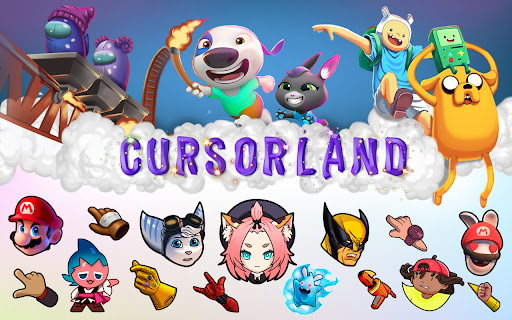

Change your cursor to a custom one with our large collection of cursors from popular characters! Just install the extension and click the "More Cursors" button to get into the free directory. The interface of the catalog is as simple as possible - move the mouse pointer over the picture you like and see how it looks like as a cursor. Did you like the cursor? Fine! Press the "Add" button and it will appear in the Cursorland extension menu. In the menu you can change the size of the cursor, enable or disable the custom cursor. The collection catalog is constantly updated with trending topics, be sure to visit the site more often. There you will find many game cursors, anime cursors, funny cursors, cute cursors, as well as characters from your favorite cartoons and series. Please note that Google policy prohibits the use of custom cursors on Chrome Store pages as well as internal Google pages. After installing the extension, update the previously opened tab to use the custom cursor on it.

Sweezy Custom Progress Bar for Youtube™
Revamp your YouTube vibe! Swap the borring progress bar with funky animations & colors. It's time to play, the stylish way! 🚀🌈 Say goodbye to the same old, same old with Sweezy Progress Bar - the ultimate YouTube progress bar extension! 🌈🚀 🔁 Transform the usual: 🟥🟥🟥🟥🟥🟥🟥🟥🟥🟥🟥🟥🟥🟥🟥🔴⬜️⬜️⬜️⬜️⬜️⬜️⬜️⬜️⬜️⬜️⬜️⬜️⬜️⬜️ Tired of the standard YouTube progress bar? 😴 Bored of the same old red line? 🟥 We've got you covered! With Sweezy, you can customize your YouTube progress bar settings and turn your viewing experience from blah to BLAM! 💥🎉 🎨🖌️ Dive into our vast collection of custom YouTube progress bars. From the vibrant world of Naruto 🍥, the adorable universe of Sanrio 🐱, to the action-packed realm of Marvel 🦸♂️, we've got something for everyone! Not into anime or superheroes? No problem! We've got a plethora of cute, kawaii, and cartoon themes that will make your heart go "aww"! 🥰💖 But wait, there's more! 🎁 With Sweezy, you're not just limited to our collection. Unleash your creativity with our color picker tool and design your own custom progress bar for YouTube. Choose from a rainbow 🌈 of colors or create a gradient that's as unique as you are! 🌟 🤩 NEW - Constructor Function! Transform any image, pick any color, and design your own custom progress bar. Unleash your creativity and personalize your YouTube experience! 🌈🛠️ Create your new fantastic themes: So, why stick with the ordinary when you can have extraordinary? 🌠 Make your YouTube progress bar as fun, vibrant, and unique as you are with Sweezy Progress Bar! 🎈🎊 Join the Sweezy family today and let's make YouTube a little more YOU! 🤩👑 Remember, life's too short for boring progress bars. Get Sweezy. Get snazzy! 🎆🎇 🔥 Sweezy Progress Bar - Your YouTube. Your Style. 🔥 (Disclaimer: No boring progress bars were harmed in the making of this extension. 😜)

Cursor Style – Custom Mouse Cursors & Trails for Chrome™
Add cool and fun mouse cursors with animated trails. Personalize your Chrome™ experience with custom styles that match your vibe. How to change the mouse cursor in the browser to a custom one? — All it takes is a couple of clicks! We’ve got a huge collection of awesome cursors for every taste — animals 🐶, space rockets 🚀, cute food 🍕, magical creatures 🧚, and so much more! All cursors are in vector format, so they look perfect on any screen and at any size. 🎨✨ Want to save your favorite cursors? It’s easy! Just press the "Add" button under any cursor you like — and poof! it goes into your My Collection page! On the My Collection page, you can see all the cursors you’ve added, pick the one you want to use , or remove any with one click. It’s super fun and easy — like building your own magical toolbox! 🌟 New! Now you can add special effects that follow your mouse cursor! Make your browsing even more exciting with animated trails, sparkles, lightning, bubbles, and other cool effects that follow your every move! Each effect comes with advanced settings, so you can choose the color, size, speed, and style — something for every mood and imagination! 💥🧊🌈 💬 Even more magic — now with chat! We’ve just launched a brand-new Chat feature that lets you connect and talk with other people who love custom cursors just like you! Join fun discussions, share your collections, or make new friends from schools, fan groups, and creative communities around the world. It’s a safe and friendly place to hang out, get inspired, and share the joy of customizing your browser together! 🎉👩🎨👨🚀 Our collections are updated all the time, so be sure to visit again and discover what’s new! 🎁

Geometry Dash Strategy Game - HTML5 Game
The square moves by itself in Geometry Dash. To jump when necessary, simply click, and to steer a vehicle, use up/down Scratch is a platform where users can create their own games, well, from scratch, as the name suggests, and many talented independent developers have recreated popular games on it, with one of them being now shared with you all, and it's none other than Geometry Dash, which you can now play directly from your browser for free, wherever you are! Dash with the block and survive as long as possible! You will become a yellow block who runs forward on the course by itself, with you having to press the up arrow key in order to make jumps, having to jump over the triangles and any kinds of other spikes you encounter, because if you hit into them, you lose then and there. You should also jump on other shapes that don't have a pointy end, such as rectangles, with which you can get to bigger heights and avoid the spikes at the bottom. Your performance in this kind of game is measured by distance, so the more distance you make before you die, which will inevitably happen, the better. Good luck, and all the best we want to wish you all! SPACE/UP Arrow = Jump HOLD DOWN SPACE/UP Arrow = Multi-jump UP Arrow = Steer vehicle up DOWN Arrow = Steer vehicle down Don't touch the spikes, or you will have to restart! To swipe Install this extension to play Geometri Dash game or offline with no additional downloads and no ads. You can contact with us support@724fun.com and share your thoughts and problems After clicking the add the game to chrome button, you can find the game in the extensions section. If you wish, you can visit 724fun.com. If you wish, you can play again and if you want to remove it, you can remove it from the extensions section.

Custom Cursor for Chrome™
Get custom cursors for Chrome. Replace your default mouse cursor with a cool custom cursor. Have fun with custom cursors for Chrome. The custom cursor extension for Chrome is a browser extension that allows users to change the appearance of their mouse cursor. The extension provides a collection of custom cursor images that users can choose from to replace the default cursor image. Once the extension is installed, users can easily activate it and browse through the available custom cursor images. They can preview each cursor image before selecting it and applying it to their browser. The custom cursor will then appear whenever they move their mouse within the browser window. This extension offers users the ability to personalize their browsing experience and add some fun or creativity to their cursor. It can also be useful for people who have difficulty seeing the default cursor or want a cursor that is easier to see or track on their screen. Overall, the custom cursor extension for Chrome is a simple and straightforward tool that adds a fun and personal touch to the browsing experience. Make your web surfing experience more enjoyable with this custom mouse cursor. It is suitable for people of all ages. Note. Please note that according to Google's rules, extensions can not work on chrome web store pages and internal pages of the Chrome browser, such as the home page, settings, downloads, etc. Also, the extension cannot customize the cursor on the browser navigation bar, such as tabs buttons, URL bar, toolbar, etc. Please open any other website (for example, google.com) after installing this extension and check how the extension will work on it.
