
hgjapmpobhggbolomlplijepenpbefld
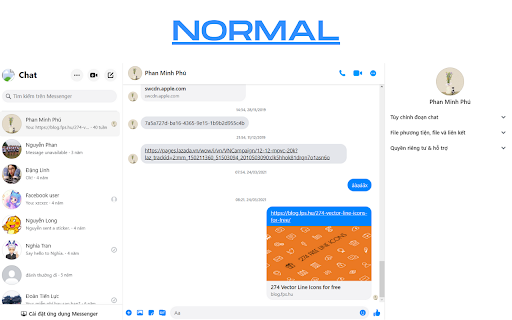


Utilities for Facebook Messenger Utilities for Facebook Messenger Extension for Chrome / Edge / Chromium based browsers Features: - Protect your messages - Protect title - Hide chat - Many features will come up in the future

Viewers Facebook profile
Chromium extension to see who has recently visited your Facebook profile 1 - Install the extension. 2 - Login to your facebook profile 3 - Refresh your browser to reload your profile page. 4 - Click on the extension icon and it will show you the users that have recently interacted with your profile or content. Note: The application does not take any of your data, it only uses the same data that facebook sends when you request your profile information, the extension sorts this data and offers it to you in a nice and interactive way.

ESUIT | ID Finder for Facebook™
Just install then reload Facebook Tab You can find the User's Facebook ID on the user's profile or hover card. and also supports Group ID Copy it with just one click Enjoy it. Don't forget comeback here and rate 5* if you like it 😍 Additional Features: In the Popup, we provide the following additional features: Function Description: A brief description accompanied by a video tutorial demonstrating how to use this extension. Login Button: Use when you need to subscribe to premium features or log in with an existing subscription. Relevant-Ext: We provide brief recommendations and introductions to relevant extensions in a small section. Encountering an issue? Report it to us 💪: If you encounter any issues, you can get in touch with us through this link, and we will assist you in fixing it. Warning Facebook™ is a trademark of Facebook Inc., registered in the U.S. and other countries. This is an independent project developed by ESUIT. and has no relationship to Facebook™ or Facebook Inc. this extension is not officially developed by Facebook™, The author is @William Chen Got feedback or experiencing any issues? Let us know on Facebook! Your input is important to us and we're here to help. https://www.facebook.com/esuitdev Changelogs: support for messenger

Delete Facebook Messages
🚀 Manage your Facebook messages effortlessly with our extension — delete, archive, and activate easily! 📩 Delete Facebook Messages - Bulk Message Manager & Cleaner for Messenger Delete Facebook Messages — the fastest bulk deletion tool for Facebook and Messenger. Clean thousands of conversations instantly, archive important chats, and manage your inbox with one-click automation. Trusted by over 5,000 users for secure, efficient message management. Experience instant inbox cleanup without compromising privacy. All processing happens locally in your browser → we never access, store, or see your messages. Save hours with automated bulk operations that work on all Facebook message types. ⚡ Lightning-Fast Bulk Delete → Remove unlimited messages with one click → Delete entire conversation threads instantly → Clean years of message history in seconds → Works on Messenger, Marketplace, and Page inboxes 🌐 Complete Facebook Coverage → Personal Messenger conversations → Facebook Marketplace messages → Business Page inboxes → Group chat histories → All Facebook message types supported 💡 PERFECT FOR - Cleaning old Facebook conversations quickly - Managing Marketplace message overflow - Organizing business page communications - Achieving inbox zero on Facebook - Protecting digital privacy by removing old chats 📋 HOW IT WORKS 1️⃣ Install extension from Chrome Web Store 2️⃣ Go to facebook.com/messages 3️⃣ Click extension icon in toolbar 4️⃣ Choose Delete or Archive 5️⃣ Watch messages clean up instantly 🔒 PRIVACY & SECURITY ✓ 100% local processing in your browser ✓ No data sent to external servers ✓ We never see or store your messages ✓ No tracking or analytics ✓ Complete privacy protection 🎁 FREE TRIAL INCLUDED - Start with 15 free bulk deletions - No credit card required - Test all features risk-free - Upgrade anytime for unlimited access ⚙️ TECHNICAL SPECIFICATIONS - Works with all Facebook languages - Automatically adapts to Facebook updates - Lightweight extension under 1MB - Compatible with latest Chrome versions - No impact on browser performance 🎉 Join 5,000+ users who have reclaimed control of their Facebook inbox. Download Delete Facebook Messages today and experience the freedom of a clean, organized message history. 📌 Note: This extension is not affiliated with Meta Platforms, Inc. Facebook and Messenger are trademarks of Meta Platforms, Inc.

Dark Mode For Facebook Messenger
Swap between dark and light mode in Facebook Messenger. 1. Install and add the extension to Chrome. 2. Click on the extension and select your preferences from the 3 options/themes given. 1. Choose between 3 themes: Charcoal, Midnight, and Deep Blue. 2. Toggle between system, light, or dark mode based on your device's setting. Set dark mode for messenger easily with this extension.
