
ibaenepllmhoekeccnhdbnijijebehdl

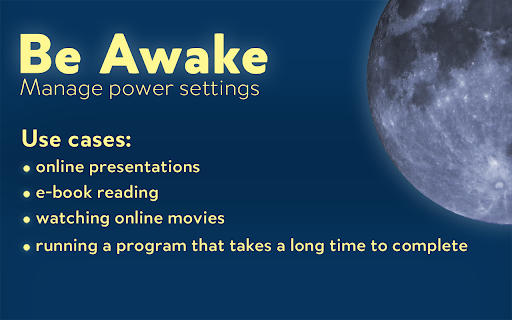

Extension that keeps your computer awake, by requesting the system not to sleep when activated using icon. Be Awake is a simple, lightweight and open source Chrome extension that helps you keep your computer awake while you work. It does this by preventing the system from entering sleep mode when the extension is activated. This can be useful in situations where you need to keep your computer running for a long period of time, such as when you are watching a video, running a program that takes a long time to complete, or working on a project that requires your computer to stay awake. To activate Be Awake, simply click the extension's icon in the Chrome toolbar. The extension will then keep your computer awake until you deactivate it by clicking the icon again. Be Awake is a convenient tool that can save you time and hassle by eliminating the need to manually prevent your computer from sleeping. Note: The keep awake functionality only works when Chrome is running.

No sleep
This extension allows you to prevent your device from going to dim/sleep/hibernate/lock Chrome extension to keep your device awake, that works on mobile phones What it does? This extension allows you to prevent your device from going to dim/sleep/hibernate/lock state when there is no user activity. It is helpful for example during reading article or cooking meal using recipe from your favourite food blog. The lock is active only on the page on which you activate it, so you don't have to remember to release it when you're done. How it works? When you are on the page, and you don't want your screen to go dim while reading this page just click the icon of this extension. The lock releases when you: - go to another page - change tab in your browser - refresh the page - close/minimize browser - click on extension icon again Technical explanation Extension is using native browser api - wakelock, that was created exactly for this purpose. Attribution Icons used in this plugin are created by surang and were found on Flaticon website https://www.flaticon.com/free-icons/sleep

Stay Awake: Keep Your Computer Awake
Keep your system and display awake whenever you need it or during long downloads. Introducing Stay Awake, the keep awake extension for Google Chrome™. Keep your system awake on demand whenever you want or let Stay Awake automatically activate during downloads. Whenever you need your system to stay awake, simply activate the extension by clicking the extension icon and choosing "Activate" or using the keyboard shortcut Ctrl+Shift+O / Command+Shift+O at any time. Tired of downloads being unexpectedly interrupted by your system going to sleep? Enable the "Activate while downloading files" option and Stay Awake will automatically activate while a download is is progress. Once all your downloads are complete, Stay Awake will deactivate itself, allowing your system to rest peacefully. Activate the extension by clicking the extension icon and choosing "Activate" or use the keyboard shortcut Ctrl+Shift+O / Command+Shift+O at any time. The arrow keys can be used to navigate the menu or keyboard shortcuts can be used to quickly access the menu items. Once installed, you can access the extension by clicking the extension icon in the toolbar. - Click Activate or use the global shortcut Command+Shift+O to enable the extension. - Manage preferences from the popup.

JSTorrent Helper extension
Used alongside the JSTorrent BitTorrent Chrome app, adds context menu Join the waitlist for the new version: https://new.jstorrent.com/comingsoon.html This extension adds "Add to JSTorrent" to your right-click menu for magnet links and .torrent files. Currently ChromeOS only. Windows, Mac, and Linux support coming soon. This is a browser extension that interacts with the JSTorrent BitTorrent Chrome app. Formerly known as "JSTorrent Contextmenu extension", it adds a context menu "Add to JSTorrent" that allows you to right click on any .torrent links or magnet: links you find on the Web and have them load up in JSTorrent. The new version makes using this extension even easier. It will detect if you have the partner application installed and give you a notification to install it or the free trial version. So just give it a try and I guarantee you won't be disappointed! Best used with JSTorrent https://chrome.google.com/webstore/detail/jstorrent/anhdpjpojoipgpmfanmedjghaligalgb JSTorrent is a ChromeOS torrent program that is a breeze to install and can download torrents.

Virtual Mouse Jiggler
Keep your computer active automatically. Prevent going idle and maintain your online presence effortlessly. Virtual Mouse Jiggler keeps your online status active in applications like Slack, Teams, and Discord by simulating natural mouse movements and activity. Never appear "away" or "idle" again! Perfect for remote workers who need to step away from their desk occasionally while maintaining availability. 1. Simulates natural mouse movement 2. Maintains online status on Slack & Teams 3. Works entirely in your browser Note: You still should use a tool to keep your computer from sleeping. As long as your computer is awake, Virtual Mouse Jiggler will work!
