
iaalpfgpbocpdfblpnhhgllgbdbchmia

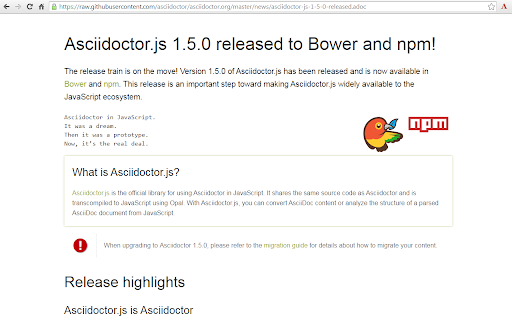
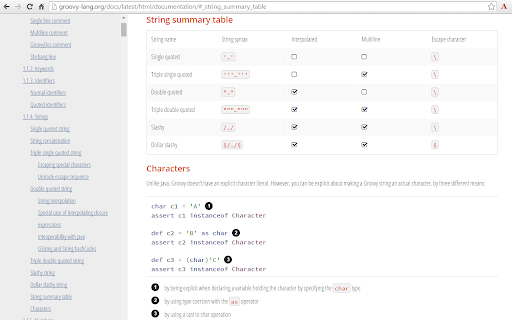


Render AsciiDoc (.ad, .adoc, .asc, .asciidoc) as HTML inside your browser! The extension can be configured via an options page. To open the options page, right-click the extension icon and choose Options on the menu. You can also go to chrome://extensions and click the Options link. The options page let you add custom attributes or change the theme of the AsciiDoc HTML output. • Migrate to manigest v3 -- `include` won't work anymore! • Migrate documentation to Antora: https://docs.asciidoctor.org/browser-extension/ • Reorganize use-cases to separate page, try-it-yourself to a quickstart page, diagrams try-it-yourself to a diagrams quickstart page (#652) (#654) • Fix MathJax equation numbering (#412) • Upgrade Asciidoctor.js from 2.2.0 to 2.2.1(based on Asciidoctor 2.0.12) • Upgrade Asciidoctor Kroki from 0.8.2 to 0.12.0 (add excalidraw, bpmn and bytefield as a supported diagrams) • Global configuration using `kroki-default-format` and `kroki-default-options` attributes • Upgrade bulma from 0.8.2 to 0.9.1 • Do not add the toc2 class if the document has no section - thanks @mnrvwl • Stop auto reload when the extension has been disabled - thanks @mnrvwl • Remove the deprecated options_page - thanks @mnrvwl • Upgrade Asciidoctor.js from 2.1.1 to 2.2.0 • Upgrade Asciidoctor Kroki from 0.7.0 to 0.8.1 • Support sidebar toc • Compatibility with Firefox, use the same codebase again! • Remove chartist sourcemap reference • Upgrade Asciidoctor.js from 2.0.3 to 2.1.1 • Show errors thrown by the background script on the page (thanks @doub) • Catch exceptions thrown by the initial XMLHttpRequest • Use the `Cache-Control` header to make sure that we fetch the latest version available • Upgrade Asciidoctor Kroki from 0.4.0 to 0.7.0 with new diagrams: `packetdiag`, `rackdiag`, `vega` and `vegalite` • Upgrade chartist from 0.11.0 to 0.11.4 • Upgrade bulma from 0.7.5 to 0.8.2 • Move the fetch and convert functions in the background script (as the latest version of Chrome 80+ blocks `XMLHttpRequest` sent by the content script) • Upgrade to MathJax 3.0.1 • Fix inter-document cross references by using `.adoc` as `outfilesuffix` (thanks @jmini) • Disable the diagram extension by default (can be enabled in options page) • The Kroki server URL can now be configured in the options page (for instance, you can point to a local instance) • Set built-in attributes docfile, docname and docfilesuffix (thanks @utopalex & @ehmkah) • Use Kroki extension to render diagrams (support BlockDiag, SeqDiag, ActDiag, NwDiag, C4, Ditaa, Erd, GraphViz, Mermaid, Nomnoml, PlantUML, SvgBob and UMLet diagrams!) • Load additional languages for highlight.js (using :highlightjs-languages: attribute) • Upgrade to Asciidoctor.js 2.0.3 • The default safe mode is now safe (was secure)

Refined GitHub
Simplifies the GitHub interface and adds useful features Highlights: - Linkifies issue/PR references and URLs in code. - Makes whitespace characters visible. - Reduces tabs’ size to 4 spaces instead of 8. - Adds one-click merge conflict fixers. - Adds reaction avatars showing who reacted to a comment. - Adds a button to revert all the changes to a file in a PR. - Adds a build/CI status icon next to the repo’s name. - Adds a button to view the source of Markdown files. - Shows PRs that touch the current file. - Highlights the most useful comment in conversations. - Shows the first Git tag a merged PR was included in. - Adds a link to an automatic changelog for each tag/release. - Adds possible related pages and alternatives on 404 pages. - Displays the age of the repository in the sidebar. And so much more! 200+ features. See the website for a full list of features. The GITHUB and REFINED GITHUB trademarks are owned by GitHub, Inc. and used under license.

Ona
Ona is your mission control for serious software projects and parallel coding agents. This extension adds a button to your GitLab, GitHub, Bitbucket and Azure DevOps projects to easily spin up a dev environment with a single click. How it works: 1. Install the browser extension 2. Go to one of your projects at GitLab, GitHub, Bitbucket or Azure DevOps 3. Click on the Ona button and start a dev environment for your project Would you like to collaborate on the extension? You can, it's open source: https://github.com/gitpod-io/browser-extension

Joplin Web Clipper
Capture and save web pages and screenshots from your browser to Joplin. This is a web clipper that allows you to save web pages to Joplin and take screenshots while you're browsing the internet. You can either save complete web pages or simplified versions of it. You will need the Joplin desktop application to use this extension.

Markdown Preview Plus
Converts and previews markdown files (.md, .markdown) to HTML(include TOC) right inside Chrome and support live reload Automatically parses markdown files (.md) into HTML with live reload 1. Install extension from webstore (creates no new UI) 2. Check "Allow access to file URLs" in chrome://extensions listing: 3. Open local or remote .md file in Chrome. 4. See nicely formatted HTML! Note: The auto reload feature is disabled default. * Support auto reload. * Support external css file. * Customize theme for every md file. * Support github flavored markdown. * Export nicely formatted HTML. * Support render Katex, Mermaid. The extension is open source. https://github.com/volca/markdown-preview * Fix a bug for load fonts of Katex * Fix a bug for "table of contents" * Compatible with Chrome 136 * Update mermaid lib * Update marked lib * Update marked lib * Fix a bug for clear custom CSS paths * Supports add custom CSS path. See #19 * Fix a bug for render mermaid. See #158
