
hmioicehiobjekahjabipaeidfdcnhii
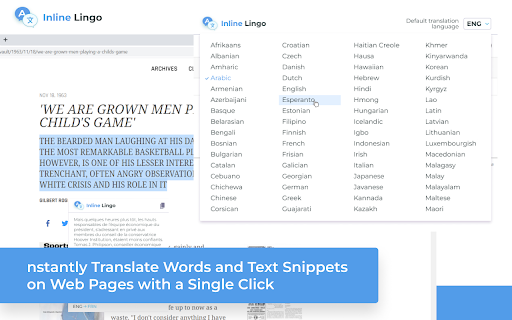
Instantly Translate Words and Text Snippets on Web Pages with a Single Click with Inline Lingo Discover the Power of Inline Lingo: Effortlessly Translate Words and Text Snippets on Web Pages with One Click! Features: - One-click word and selection translation on web pages - Multiple languages - Powered by Google Translate Enhance your browsing experience with Inline Lingo. Translate words and text snippets effortlessly, empowering you to understand content in multiple languages with just one click. With the seamless integration of Google Translate, unlock a world of multilingual communication right at your fingertips. Download Inline Lingo now and explore the web like never before!

SnapTrans Translate
SnapTrans: Instantly Translate Words and Selections on Web Pages with a Click! SnapTrans: Instantly Translate Words and Selections on Web Pages with a Click Are you tired of switching tabs and copy-pasting text for translations? Say goodbye to the hassle with SnapTrans! 🌍💬 One-click word and selection translation on web pages: Effortlessly translate any word or selected text on web pages with just a single click. No more interruptions in your browsing flow! 🔍✨ Multiple languages: SnapTrans supports a wide range of languages, ensuring you can communicate effectively across different cultures and regions. 🌎🌐 Powered by Google Translate: SnapTrans leverages the power of Google Translate, a trusted and accurate translation engine, to provide you with high-quality translations that you can rely on. 📚🔌 Research and Learning: Easily translate unfamiliar terms, phrases, or sentences while conducting research or studying online. Expand your knowledge effortlessly! 📚🔎 Multilingual Communication: Break language barriers during online discussions, collaborations, or while browsing foreign websites. Communicate with confidence and connect with people from all around the globe! 🌐💬 Travel and Exploration: Explore the world without language barriers! SnapTrans enables you to quickly understand signs, menus, and other text while traveling, allowing for a smoother and more enjoyable experience. ✈️🌍 Language Enthusiasts: Improve your language skills and broaden your vocabulary by effortlessly translating words or phrases that pique your curiosity while browsing. Embrace the joy of learning new languages! 🗣️📖 Business and E-commerce: Expand your business horizons by easily understanding product descriptions, customer reviews, or competitor websites in different languages. Stay ahead of the game! 💼💸 Don't miss out on this game-changing browser extension! Install SnapTrans now and unlock a world of instant translations at your fingertips. 📲✨

Image Translator - Comics Translator | Manga Translator
Translate photos into 130+ Languages In Seconds, whether they are posters, brochures, screenshots, advertisements, infographics, drawings, product images, comics, manga, product labels, flowcharts, Social media posts, product manuals, graphic, banner, card, invitation letter images, meme images, manhua or webtoon. State-of-art OCR and machine translation services are used to guarantee the translation quality. We support PNG, JPG formats. You can right-click on the image you want to translate and select the target language for translation. Soon, the translated image will automatically replace the original image on the webpage, which is a perfect browsing experience. After selecting the target image, it will automatically be scanned with a translation of the text. You can also use it as manga translator or comics translator. MAIN BENEFITS AND FEATURES ➤ Text Auto Recognition Use Latest AI-based OCR Technology to Auto Recognize Texts in the Image ➤ Accurate Translation Call Up-to-date Google Translation API to convert texts into 130+ Languages Currently, it translated through Google Translate, and in the future, it will support DeepL and Yandex Translate. Batch mode will support in the future. ➤ Privacy Policy By design, your data stays at all times on your Google account, never saved in our database. Your data aren’t shared with anyone, including the add-on owner. We complies with privacy laws (especially GDPR & California Privacy Act) to protect your data. All data you upload are automatically deleted every day.

Scan Translator - AI Manga Translator
AI Manga Translator for raw manga, manhwa, scans, and images. Translate in 80+ languages directly from your browser. Scan Translator is an AI manga translator built for raw manga, manhwa, scans, and images. Translate manga panels, screenshots, and image-based text into 80+ languages directly from your browser. Our manga translator uses AI OCR and translation to detect text automatically and deliver fast, clean results in seconds. Whether you read raw manga, manhwa, or scanned pages, Scan Translator helps you understand image-based content more easily, with support for both horizontal and vertical text. Features: - Translate raw manga, manhwa, scans, and images - 80+ supported target languages - Fast AI OCR and translation - Supports horizontal and vertical text - Clean translated panels directly in your browser - Start with 30 free credits when you create an account - Credits sync across your devices when you sign in

Manga Reader
Join the discord at http://discord.veebee.fun to get updates on server status and new features or submit feedback and requests. Support me at https://www.patreon.com/MangaReader276 **What Does this Extension Offer?** This extension offers a unique approach to manga/manhwa/manhua translation and Japanese/Korean/Chinese learning: 1. **Side-by-side translation**: Unlike existing manga translation tools that simply replace Japanese text with English, this extension allows you to see the original Japanese text alongside the translated text. This feature provides a learning opportunity by enabling you to compare and understand the language in its original form. First click on the extension icon or use a keyboard shortcut to initiate cropping. Then crop the text bubble or the phrase to be translated. Feel free to toggle to see the original text to ensure that OCR (Optical Character Recognition) identifies the correct text to be translated. 2. **AI-powered Tutor**: While the extension offers conventional translation, it also provides the option to harness the power of a large language model. This cutting-edge feature breaks down sentences or phrases into easily digestible words or compound words, along with their translations. This approach enables a deeper understanding of the context and nuances within the text. 3. **Not just manga**: You can use this for manhwa and manhua as well since Korean and Chinese are also supported! You can also use this on other platforms like Youtube or Netflix subtitles! 0. Pin the extension 1. Go to https://shonenjumpplus.com/episode/4856001361458138514 2. Right click the extension icon to open the options page from the menu 3. Sign in with google account 4. Feel free to change the other options 5. Go back to the manga 6. Click on the extension icon to start cropping. 7. Crop any text bubbles 8. (optional) switch between gpt/deepl on the options page. Choose the former if you want in depth translation. Choose the latter if you want a quicker translation 9. (optional) choose different capture modes that best suit your reading needs. Single is the most reliable at the moment. Multiple works best on large manga panels or an entire page. 10. (optional) switch between the supported languages on the options page. 11. (optional) enter you own GPT key for faster translations. The key is local to your browser and will not be uploaded to any servers. (This can be publicly verified in the client code.) This is an early prototype. Depending on how many users find this idea useful, I will work on polishing it and adding new features. Please send me feature requests and bugs and I will do my best to fix them. Sometimes the first translation might take a while because the server restarts. Thanks for your patience!
