
pbhpcbdjngblklnibanbkgkogjmbjeoe


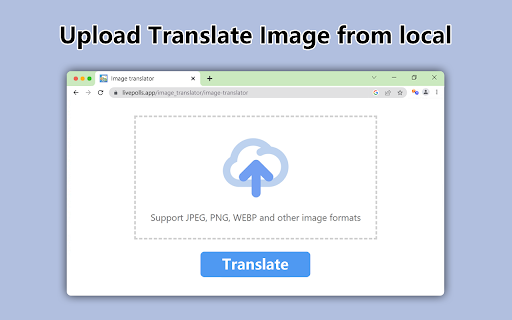

Translate photos into 130+ Languages In Seconds, whether they are posters, brochures, screenshots, advertisements, infographics, drawings, product images, comics, manga, product labels, flowcharts, Social media posts, product manuals, graphic, banner, card, invitation letter images, meme images, manhua or webtoon. State-of-art OCR and machine translation services are used to guarantee the translation quality. We support PNG, JPG formats. You can right-click on the image you want to translate and select the target language for translation. Soon, the translated image will automatically replace the original image on the webpage, which is a perfect browsing experience. After selecting the target image, it will automatically be scanned with a translation of the text. You can also use it as manga translator or comics translator. MAIN BENEFITS AND FEATURES ➤ Text Auto Recognition Use Latest AI-based OCR Technology to Auto Recognize Texts in the Image ➤ Accurate Translation Call Up-to-date Google Translation API to convert texts into 130+ Languages Currently, it translated through Google Translate, and in the future, it will support DeepL and Yandex Translate. Batch mode will support in the future. ➤ Privacy Policy By design, your data stays at all times on your Google account, never saved in our database. Your data aren’t shared with anyone, including the add-on owner. We complies with privacy laws (especially GDPR & California Privacy Act) to protect your data. All data you upload are automatically deleted every day.

Image Translation Assistant
Translate images with right-click menu - Right-click on any image on the webpage and select the "Translate Image" menu; - A new tab will open with the translation website, and the image will be translated; - Support Sogou Translate, Baidu Translate, Google Translate, and Yandex Translate;

AI Manga Translator - Manga Translator
AI Manga Translator:Translate Raw Comics & Manga With One Click Overview AI Manga Translator:Translate Raw Comics & Manga With One Click AI Manga Translator :Chrome Extension Introduction and Usage Guide Introduction The AI Manga Translator Chrome extension provides users with a seamless way to translate manga and comics from various languages using advanced AI technology. It supports multiple languages and ensures the preservation of the original artwork while translating the text accurately. Features 1. Preserves Original Layout: Maintains speech bubbles and artistic integrity while replacing text. 2. Multiple Languages: Supports various languages for translation. 3. High Accuracy: Utilizes top AI translation engines like DeepL for precise translations. 4. Free Plan: Offers a free plan with a limited number of translations per week. Platform Compatibility: Works with most major online comic platforms,such as MangaDex, Antbyw, etc. Usage Instructions 1. Install the Extension: One-click installation from the Chrome store, no complex setup required 2. Open Comics: Visit your favorite comic website or open a local comic file 3. Click Translate: Click the extension icon, select the target language, and start translation with one click 4. Enjoy Reading: Immediately enjoy comic content in your familiar language Support For troubleshooting or further assistance, contact the support team via email at support@aimangatranslator.com. For more details, visit the AI Manga Translator website.

Torii Image Translator — AI Manga Translator, Manhwa Translator ...
☆☆ Unlock the Power of Language with Torii Image Translator ☆☆ Ever stumbled upon a manga, manhwa, meme, infographic, or recipe in a language you can't read? Whether it's Japanese, Korean, Chinese, or something else entirely, Torii Image Translator removes the barrier between you and the content you love. Torii is one of the most powerful manga translation extensions available today, designed for accuracy, ease of use, and creative control. It’s also packed with tools that scanlators might find especially useful—the kind of editing and translation features you won’t find anywhere else in a browser extension. ➤ Why Choose Torii Image Translator? ✅ Instant In-Image Translation Just hover and click to translate text inside any image directly on the page. No screenshots or external tools needed. It works anywhere—on manga sites, news articles, or even memes on social media. ✅ Smart Screen Cropping Translate anything on screen by drawing a box around it. Great for translating video subtitles, UI elements, or text in games and apps. ✅ Full Creative Control with Powerful Editing Tools You can now fine-tune every part of your translation: Adjust font size, font family (with 10 fonts to choose from), color, position, and rotation. Use the paint brush tool, erase parts of the image, or clean it up with AI-powered inpainting. Undo any changes with a single click. Simple and powerful. ✅ Multiple AI Models to Choose From Torii supports GPT-5, Gemini, Claude, and Deepseek, letting you pick the model that works best for the type of content you’re translating. ✅ PDF Support Upload full manga or comic PDFs and translate every page with ease. ✅ Download as ZIP Export all your translated pages at once as a zipped image set, ready for archiving or sharing. ✅ User-Friendly Interface Torii is built to feel smooth, fast, and intuitive. Whether you're translating one panel or an entire book, it gets out of your way and lets you focus. ✅ Context-Aware, High-Quality Translations With advanced language models behind the scenes, Torii gives results that preserve tone, nuance, and meaning—not just literal word swaps. ✅ Useful for Scanlators While Torii isn’t a full replacement for dedicated editing software, it’s the only browser extension that lets you edit translated manga pages directly in place. Scanlators who want a fast, flexible tool might find it surprisingly helpful. ✅ Active Developer and Welcoming Community I'm a solo developer and always open to feedback. Whether you have a question, found a bug, or want to suggest a feature, feel free to join the Discord and message me directly. I reply to everyone and love hearing from users. ➤ How Does It Work? Check out the demo video or visit the website for FAQs and guides. Torii is more than a translator—it's a tool for exploring, learning, and even creating. Try the free trial, and if it clicks with you, the full version supports future development and continued updates. Add ☆Torii Image Translator☆ to Chrome and experience a world where every image, in any language, speaks your language. Torii offers a small free trial, and then it requires purchasing credits to keep using it.

ImageTrans
An image translator. It uses ImageTrans to translate images on websites whether they are posters, brochures, comics, manga, manhua or webtoon. State-of-art OCR and AI translation services are used to guarantee the translation quality. Usage: 1. Install the extension and ImageTrans. 2. Right click on the image to translate it, which will replace the image with a translated version. 3. If the context menu is disabled, use the shortcut (CTRL+SHIFT+F) to call the popup, use Tab to switch operations and press Enter to perform the operation. It supports automatic image translation and screen capture translation, where it is possible to copy text in images. It needs ImageTrans by default. You can use PaddleOCR without using ImageTrans but the functions are limited in terms of accuracy, speed, options and language support. You can set up OpenAI API to use ChatGPT, Gemini, etc, for better translation.
