
hkfapjkjbdhfoeoomnmjmafpehckingh
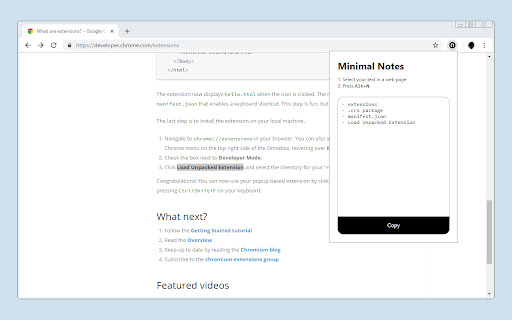
It's a simple, free, open-source and offline note-taking extension. It's best suited for those who want to take notes while reading a page and copy/paste them to another file/service at once. How does it work? 1. Select your text in a web page. 2. Right-click and select "Take note". 3. To see your notes, click the icon. 4. Copy if you want.

Simple Notes
Simplicity is key - a pop-up notepad for Chrome in its simplest form. Features: - Lightweight and easy-to-use pop-up notepad for Chrome. - Simple and minimalistic design. - Auto-save feature saves notes as you type. - Notes are stored locally in your browser's storage (data may be lost if the extension is uninstalled or browser data is cleared). - Free to use with no ads or in-app purchases.

Chrome Note Keeper
Keep notes on every website page and read it whenever you want! This extension give you the ability to write down notes about a specific web page and save it to Chrome storage. A little badge near the extension icon notify you the presence of a note. --- v0.4 --- - Added icon badge to notify the presence of notes --- v0.3 --- - Added import/export to options page - Fixes on options page - Larger textarea on popup - Fixes on popup

My-Notes
My-Notes - Put your story into notes... It is a simple and useful application that saves a quick note right without leaving a browser. This extension can sync with Google Drive and encrypt the data if desired... to keep it safe, and secure. Features - Markdown it! A plain text format editor for writing structured documents. Based on the CodeMirror with markdown-it renderer followed by the CommonMark spec. - WYSIWYG-style editing. A Rich content editor ideally produce clean, semantically meaningful documents while still being easy to understand. Based on the ProseMirror with the bridge the gap between editing explicit, unambiguous content like Markdown, and classical WYSIWYG editor. - Automatically saves notes to Google Drive into data file If Authorized on options page. - Can encrypt all data synced to the cloud, using AES-GCM encryption with the only key that the user carries. - No one can know about sensitive information until decrypted. - Please be noted, if a key is lost, it will be impossible to recover the data. Please remember that key and keep it safe. - Drag & drop to reorder the notes in a desired order. - Dark and Light themes. - No data is collected from a user. - Offline mode.

Side Note
Side Note is a lightweight and intuitive Chrome extension designed to enhance your note-taking experience. With Side Note, you can easily capture and organize your thoughts, ideas, reminders, and important information right from your browser.
