
hbadkoaihhdfalijcmikflnidejmiefj

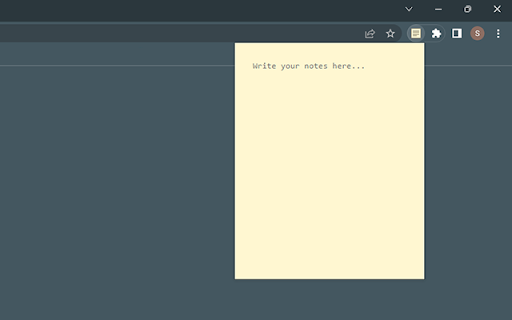
Simplicity is key - a pop-up notepad for Chrome in its simplest form. Features: - Lightweight and easy-to-use pop-up notepad for Chrome. - Simple and minimalistic design. - Auto-save feature saves notes as you type. - Notes are stored locally in your browser's storage (data may be lost if the extension is uninstalled or browser data is cleared). - Free to use with no ads or in-app purchases.

Simple Notepad
Very simple notepad. Synchronize between the same accounts. Add a very simple notepad that allows you to switch between multiple notes in your browser. You can select the save storage of each memo from "Sync" or "Local", and the contents are always saved. You can change the size of the memo field and the width of the TAB from "Settings".

Notepad Extension
Notepad Extension is a browser extension that allows users to save notes while browsing the web without switching tabs or windows. Notepad Extension is a simple and convenient way to save notes while browsing the web. Quickly jot down important information, ideas, or reminders without changing tabs or windows. Click on the extension icon in your browser's toolbar to open the pop-up window, where you can type in your note. Notes are saved as you type.

Chrome Notes
A simple notepad extension for Google Chrome NEW: You can now use speech to text NEW: You can now open Chrome Notes with Ctrl+Shift+X (Command+Shift+X on mac) NEW: You can now download and upload complete backups NEW: Chrome Notes adds a right click menu option to send the selected text to a new note! NEW: You can now have multiple notes! NEW: You can now customize the font size! A simple notes extension, right in your browser! Easily copy around a few words to and from different browser windows and other apps. Thank you for over 100,000 users, 100 ratings and 4.5 stars! Chrome Notes remembers your notes and mode, even after closing your browser or restarting your computer! Notes are stored in local storage, so nobody else will ever see them, not us, and not Google, Microsoft, or Apple. Features: * Resizable notepad * Shortcut buttons for cut, copy, paste, and select all * Normal keyboard shortcuts work too * Save as a .txt file * Open in new window * Speak selected text out-loud * Remembers last notepad size for you next time * Store multiple notes, and quickly create, edit, share, or delete * Focus mode for distraction free writing * Adjustable font size * Right click and send selection to new note * Download and upload full backups * Speech to text (click the mic and speak to put your words on the notepad) * Keyboard shortcut Ctrl+Shift+X (Command+Shift+X on mac) to open Chrome Notes is the smart, simple notepad built for you 😊

My Notes
Simple and fast note-taking. – Automatically saved and updated in every open tab – Sync notes between My Notes and Google Drive, edit them from other devices or My Notes – Drag and Drop image with automatic image upload to Google Drive
