
hkbmapdgnjblkefjfoanalgdmfcjmejo
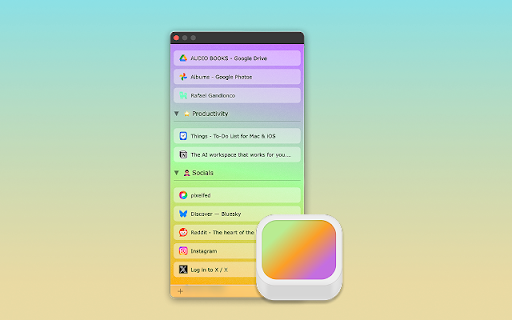


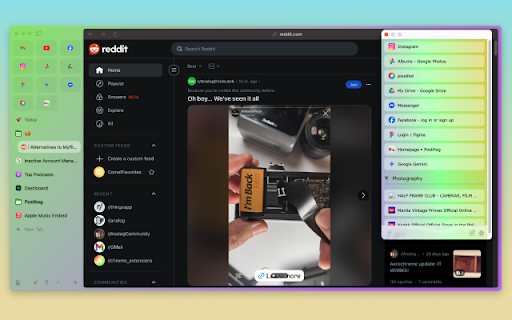

A tiny browser extension that saves and syncs your favorite links across all your browsers. Never lose a link again. Stash is your witty, no-nonsense assistant for bookmarks—syncing your favorite websites across Chrome, Edge, Arc, Dia and all your Chromium-based browsers. Effortlessly save, organize, and access your links, no matter where you are or what account you’re using. Ever emailed yourself a link and felt like a caveman? Us too. That’s why we built Stash—a tiny (but mighty) browser extension that remembers your favorite websites, syncs them across all your browsers and devices, and keeps them safer than your Halloween candy stash. - Save links in a flash (shortcut: Shift + Alt + S) - Works with multiple browsers and accounts—no more “Where did I save that?” - No folders, no fuss—just stash and go - Your data, your rules—encrypted and private, powered by Github - 100% free, forever—no hidden fees, no premium tears Stop being a digital squirrel. Start stashing like a boss. - 🚀 One-click save: Add links instantly from any page - 🔄 Cross-browser sync: Chrome, Edge, Arc, Vivaldi, Brave, and more - 🦾 Github-powered: Your data, your control - 🔒 End-to-end encryption: Only you can see your stash - 🆓 No signup required: Just connect your Github - 🌴 Completely free forever - Works everywhere you browse - No vendor lock-in—your data lives in your Github - Designed for privacy and speed - No learning curve, just stash and go - Built by someone who’s been burned by lost links (that’s me) - A Github account (to keep your stash safe and synced) - Any Chromium-based browser (Chrome, Edge, Arc, Vivaldi, Brave, etc.) Ready to stop losing links? Add Stash to Chrome and start syncing your bookmarks like a tech-savvy wizard. Support Questions? Feedback? Just want to chat about your favorite bookmarks? Email me at hello@rafaelgandi.com or visit https://rafaelgandi.com/contact. Made with 🤙 by Rafael G.

Link Map
Link Map is a browser tab sidebar that is designed for heavy information consumers. With Link Map, even if you have a large number of tabs and windows, you can manage and classify them in a logical and clear way using the tree view structure, forming your own link collection. Have you used Tabs Outliner before? Now you can import your data to Link Map and start a new journey. **What can Link Map do?** 🌲 Tree-shaped vertical tab sidebar, but with more levels: you can use drag-and-drop to quickly complete more tab operations 💾 Close and save for later reading: clear your workspace and focus on current work, they will remain in the list 🔒 Backup/restore: backup and restore your data in a universal format (JSON) 🔧 Tabs Outliner import: supports importing data from Tabs Outliner We do need to operate more tabs and windows, but at the same time, we can also keep them organized. Install Link Map and start building your tag collection to make your information consumption more efficient.

SnapSearch - Better Search on Arc
Search the web distraction-free with SnapSearch SnapSearch - Better Search on Arc, is the ultimate browser extension for Arc Browser users who value efficiency and focus. SnapSearch is designed to revolutionize your online search experience, offering a seamless, distraction-free way to find information without ever leaving your current page. ⭐️ Key Features: ➡️ Instant Search Capabilities: With SnapSearch, you can quickly search the web directly from your current webpage. Just select text, right-click, and choose SnapSearch from the context menu. SnapSearch instantly presents search results in a compact, non-intrusive Little Arc window. ➡️ Customizable Search Engines: While Google is the default search engine, SnapSearch gives you the freedom to choose your preferred search engine. Whether it's Bing, DuckDuckGo, or others, SnapSearch adapts to your preferences. ➡️ Minimalistic, User-Friendly Design: The sleek and simple design ensures that your focus remains uninterrupted. The clean interface of SnapSearch promotes productivity and reduces cognitive load. ➡️ Built for Arc Users: Specifically designed for Arc Browser, SnapSearch integrates seamlessly, enhancing your browsing without slowing down your computer. ➡️ Distraction-Free Environment: SnapSearch ensures a serene and focused browsing experience. Say goodbye to the hassle of multiple tabs and enjoy the convenience of in-context searching. ➡️ Privacy-Focused: We respect your privacy. SnapSearch doesn't track your searches or personal information, ensuring your browsing remains private and secure. ➡️ Easy Installation and Use: Installing SnapSearch is a breeze. With just a click, you can add this powerful tool to your Arc Browser and start searching smarter. SnapSearch is not just a search tool; it's an enhancement to your daily browsing. Whether you're a student, professional, researcher, or just a curious mind, SnapSearch is built to cater to your quest for information without distractions. In the digital age where every second counts, SnapSearch is your companion in the vast world of the internet, providing quick, relevant, and distraction-free search results at your fingertips. Upgrade your search experience with SnapSearch - Better Search on Arc. Try it today and experience the difference in your browsing efficiency and focus!

Stash
Smart tab groups and bookmarks that keep your browsing organized. Stash is a tab, bookmark, and session management extension that makes it easier than ever to stay organized, focused and productive. The extension enhances and integrates your browsers tab group and bookmark features to better support extensive browsing and research. 📑 SMART TAB GROUPS * Automatic grouping of related tabs * Group multiple tabs with keyboard shortcut or cmd/ctrl + click * Automatic collapsing of inactive tab groups * Automatic removal of active group’s title to save space on tab bar * Automatic navigation to last active tab when group is expanded 📂 SMART BOOKMARKS * Automatic creation of bookmark folder for each tab group * Save tabs and links to the active group’s folder with a single click * Save links as temporary bookmarks that get removed once opened * Create group specific bookmark bar that is shown the group is in use and hidden inactive * View and retrieve a group’s bookmarks from a tab within the group * Save or move tab to inactive group from the search bar 🕓 BETTER BROWSING HISTORY * Tab groups are persistent and can be restored if your browser closes or updates * View a history of your tab groups and jump back into past browsing sessions * Organize your history by favorites and categories DATA PRIVACY 🔒Stash was designed to ensure that your personal data remains private, secure and easily accessible. 🙈No signup required. All of your data is stored locally in your browser and none of your tab or bookmark data is sent to or stored on a remote server.

Bookmark, AI Tagging, Cache & Screenshot | PageOrg
Organize, ai tagging bookmarks. Cache page offline. Take, edit screenshots. Team collaboration. 1. Bookmark Management: Import bookmarks and search by text, tags, domain, or URL. 2. Browsing History Search: Import browsing history and search by text, date range, domain, or URL. 3. Easy Bookmark Organization: Edit titles inline, bulk-apply and drag & drop tags, and leverage AI-driven auto-tagging for efficient organization. 4. Offline Page Caching: Cache pages locally for offline access with an option to auto-cache bookmarked pages. All data is stored locally to ensure privacy. 5. Screenshot Capture & Editing: Capture, annotate, and download screenshots easily, or upload to share via a unique link. 6. Cross-Device Sync & Collaboration: Sync data across devices and collaborate on bookmarks with friends and colleagues for seamless teamwork. Introduction: Page Org – the ultimate Chrome extension for seamlessly managing bookmarks, browsing history, and more across devices, with powerful collaboration tools for teams. Cache pages for offline access, capture and annotate screenshots. Organize, search, cache and share content—all with productivity-focused features designed to streamline your workflow. With Page Org, elevate your browsing experience through tools that let you: ✔️ Efficiently Manage Bookmarks & Browsing History : Import bookmarks and history, then find what you need quickly by searching through keywords, tags, domains, URLs, or date ranges. Advanced Tagging & Editing: Edit titles inline, bulk-apply and drag & drop tags, and let AI-powered auto-tagging organize your collection faster than ever. ✔️ Offline Page Caching: Cache any page for offline access, with options to auto-cache bookmarked pages—all stored locally for your privacy. ✔️ Enhanced Screenshot Capture & Editing: Capture, annotate, and edit screenshots on any page. Save locally or upload to share through a unique link. ✔️ Cross-Device Sync & Collaboration: Download our app for mobile, sync data across devices, and create channels to collaboratively manage bookmarks and tags with friends or colleagues for efficient teamwork. Our Help Center offers step-by-step guidance and tips for maximizing productivity. Say goodbye to cluttered bookmarks and disorganized browsing history. Experience streamlined browsing with Page Org, your partner in efficient online organization.
