
glkplndamjplebapgopdlbicglmfimic
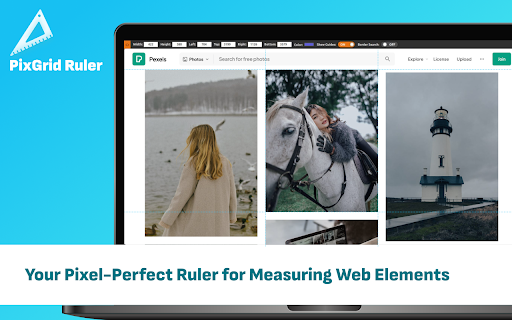
Your Pixel-Perfect Ruler for Measuring Web Elements Introducing PixGrid: Your Ultimate Pixel-Perfect Ruler for Web Element Measurements Discover PixGrid, the browser extension designed to enhance your web browsing experience with pinpoint precision. Whether you're a designer, developer, or simply someone who values accuracy, PixGrid is your go-to tool for measuring web elements effortlessly. Features: 📏 Ruler Tool: Get pixel-perfect measurements with our intuitive ruler feature. Say goodbye to estimation and hello to precision. 🔍 Measure Web Elements: Seamlessly measure elements on web pages with a ruler tool to ensure your designs align perfectly and your layouts are on point. 🖱️ Free Selection: Enjoy the freedom to select with the ruler any element on a webpage and instantly measure its size with ease. ⌨️ Keyboard Shortcuts: Navigate through measurements swiftly using convenient keyboard shortcuts, streamlining your workflow. 🎨 Designers: Perfect for ensuring your designs are pixel-perfect and align seamlessly with your vision. 💻 Developers: Streamline your coding process by accurately measuring and placing web elements in the right spots. 📐 Professionals: Architects, photographers, and other professionals can rely on PixGrid for precise measurements on web content. 📚 Students: Ideal for learning about web design and development, giving you the tools to practice and grow. Elevate your browsing experience today with PixGrid – where precision meets simplicity. Try it now and experience the future of accurate web element measurement.

Page Ruler
Measure page elements size in pixel with an easy-to-use ruler. Page Ruler is an extension that lets you measure distances (in pixels) on a webpage. It draws a rectangular ruler when you move your mouse on the page. The ruler has width, height, start and end all labeled with corresponding metrics in pixels. When you move your mouse, the rectangle changes its size and all the numerics are updated. To activate the addon please press the toolbar button once. Likewise, to disable the addon please press the toolbar button again. This addon works with mouse clicks in desktop machines. For touch-enabled devices, you can work with touch to draw the rectangle within the page. If you have a feature request in mind or found a bug to report, please fill the bug report form on the addon's homepage (https://mybrowseraddon.com/page-ruler.html).

Scope Master Page Ruler
Accurate Pixel Measurement Tool for Web Elements and Pages - Free & Efficient! Comrades, behold Scope Master - the browser extension for precise pixel measurements of web elements and entire pages. - Measure web elements with pixel-precision - Free selection measurements on any webpage - Quick and easy access with keyboard shortcuts

Pixel Screen Ruler
Pixel-perfect screen measurement tool for web Pixel Screen Ruler is a modern tool for measuring pixels on web pages. ⚡️ It features lightning-fast measurements with pixel-perfect precision. 🧑🎨🧑💻 It's built for designers, creators, and web developers, to address their need for quick and precise measurements. Tired of measuring objects on the screen by thumb? Need to open cumbersome graphics software just to compare two lengths? Forget about that! 📐With Pixel Screen Ruler, you will solve all these tasks in the blink of an eye! :🚀 Boost your performance and save time with this simple yet powerful tool, helping you become a more productive version of yourself! Intuitive and minimalistic design ensures swift and easy learning curve. Master Pixel Screen Ruler quickly with our helpful how-to guide at https://logosnikita.com/ruler/how-to Wait no more! Install now and experience precision at your fingertips!

Digital Ruler
The ultimate online ruler app for precise on-screen measurements: Digital Ruler - measure pixel-perfect dimensions effortlessly! Whether you are a web developer, designer, or simply someone who needs to accurately pixel measuring for elements on your screen, the Digital Ruler extension for Google Chrome is an indispensable tool. This powerful online ruler lets you measure anything on your screen with perfect accuracy. Key Features of Digital Ruler: 📏 Accurate Pixel Measurement: Get precise measurements of width, height, and coordinates. 👍 User-Friendly Interface: Easy to activate and use with a single click. 💻 Versatile Application: Ideal for web development, graphic design, and usability testing. How to Measure in Pixels with a Digital Ruler? Activating the browser ruler extension is straightforward: 👆 Click the extension button on the toolbar to activate it. 🖱 Move the mouse cursor over any element that you want to measure. 📐 Hold down the right mouse button and stretch the rectangle to get the dimensions of the selected area. 📟 Our pixel measurement tool Chrome extension window will be update with the width, height, and coordinates of the rectangle in real-time, making it simple to get precise measurements. How to download and Install our screen ruler app? 1️⃣ Install: Download the Digital Ruler extension from the Chrome Web Store. 2️⃣ Pin for Quick Access: Click the puzzle icon on Chrome, locate the extension, and pin it. 3️⃣ Launch: Click the pinned icon to start using the extension. Similarly, to disable the add-on, click the button on the toolbar again. 🌟 With the Digital Ruler extension, you'll never have to guess measurements again. Get precise, get professional, and make your digital projects shine. Practical Uses on screen ruler: 📐 Checking Layout Accuracy: Make sure your web layout matches your design. 🖼️ Selecting Optimal Image Sizes: Find the perfect dimensions for your images. 🔠 Font Size Selection: Choose the right font size for readability and aesthetic appeal. ✅ Usability Compliance: Monitor your designs to ensure they meet usability standards. . Our pixel measurement tool is designed to be intuitive and efficient. Here’s why you should this screen ruler download it: ➤ Ease of Use: Activate with a single click. ➤ Real-Time Updates: Get instant feedback as you measure. ➤ Precision: Measure pixels on screen accurately. 📏 This fantastic virtual ruler helps you measure anything on your screen with pinpoint accuracy. ❓: How to measure an image in pixels? 💡: Simply activate the extension, hover the mouse cursor over the page and create rectangle is drawn with which you can measure the selected area ❓: Can I find pixel coordinates on image? 💡: Yes, the browser ruler extension displays the coordinates of any selected area. ❓: Is this tool suitable for measuring web elements? 💡: Absolutely, it’s perfect for web developers and designers. The pixel ruler for Chrome browser ensures precise measurements, making it a valuable tool for any digital task. 🔁 With features like real-time updates, easy activation, and precise, this pixel measurer is your go-to tool for all on-screen measuring needs. 🖼 Whether you need to measure an element size in pixels or get pixel coordinates from image, the Digital Ruler has you covered. 🚀 Enhance your productivity and accuracy with the our extension. Measure, verify, and perfect your digital creations with ease with a this ruler on screen
