
dlbfbjkldnioadbilgbfilbhafplbnan
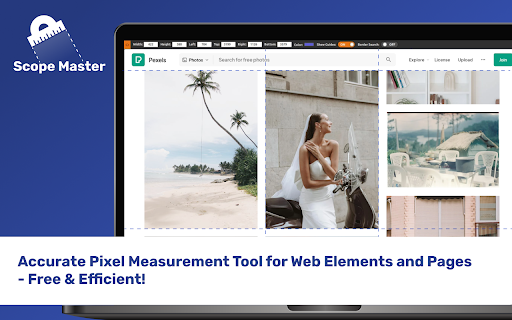
Accurate Pixel Measurement Tool for Web Elements and Pages - Free & Efficient! Comrades, behold Scope Master - the browser extension for precise pixel measurements of web elements and entire pages. - Measure web elements with pixel-precision - Free selection measurements on any webpage - Quick and easy access with keyboard shortcuts

Web Scraper - Free Web Scraping
Web data extraction tool with an easy point-and-click interface for modern web Free and easy to use web data extraction tool for everyone. With a simple point-and-click interface, the ability to extract thousands of records from a website takes only a few minutes of scraper setup. Web Scraper utilizes a modular structure that is made of selectors, which instruct the scraper on how to traverse the target site and what data to extract. Thanks to this structure, data mining from modern and dynamic websites such as Amazon, Tripadvisor, eBay, as well as from lesser-known sites is effortless. Data extraction is run on your browser and doesn’t require anything to be installed on your computer. You don't need Python, PHP, or JavaScript coding experience to start scraping. Additionally, it is possible to completely automate data extraction in Web Scraper Cloud. Once the data is scraped, download it as a CSV or XLSX file that can be further imported into Excel, Google Sheets, etc. Features Web Scraper is a simple web scraping tool that allows you to use many advanced features to get the exact information you are looking for. It offers features like: * Data scraping from multiple pages; * Multiple data extraction types (text, images, URL’s, and more); * Scraping data from dynamic pages (JavaScript + AJAX, infinite scroll); * Browsing scraped data; * Exporting scraped data from a website to Excel; It is dependent only on the web browser; therefore, no extra software needed for you to start scraping. How to begin scraping? There are only a couple of steps you will need to learn in order to master web scraping: 1. Install the extension and open the Web Scraper tab in developer tools (which has to be placed at the bottom of the screen); 2. Create a new sitemap; 3. Add data extraction selectors to the sitemap; 4. Lastly, launch the scraper and export scraped data. It’s as easy as that! What can Web Scraper be used for? * Lead generation - email, phone number, other contact detail related data mining from various websites; * E-commerce - product data extraction, product price scraping, description, URL extraction, image retrieving, etc; * Website content crawling - extract information from news portals, blogs, forums and so on; * Retail monitoring - monitor product performance, competitor or supplier stock and pricing, etc; * Brand monitoring - product review, social content crawling for sentiment analysis; * Business intelligence - gather data for key business decisions, learn from your competitors; * Big data extraction for machine learning, marketing, business strategy developments, researches; * And much more. Web scraping can be a little bit difficult at first, that's why we have created informational guides that can help you. For video tutorials, documentation, how-to’s, playground web pages and blog, visit our website: https://www.webscraper.io/ If you want to discuss web scraping, request features, ask questions or submit bugs, visit our friendly forum here: https://forum.webscraper.io/ Regarding the privacy policy of our product, see “Browser Extension Privacy Policy” at https://webscraper.io/extension-privacy-policy Thank you for choosing us!

PixGrid Ruler
Your Pixel-Perfect Ruler for Measuring Web Elements Introducing PixGrid: Your Ultimate Pixel-Perfect Ruler for Web Element Measurements Discover PixGrid, the browser extension designed to enhance your web browsing experience with pinpoint precision. Whether you're a designer, developer, or simply someone who values accuracy, PixGrid is your go-to tool for measuring web elements effortlessly. Features: 📏 Ruler Tool: Get pixel-perfect measurements with our intuitive ruler feature. Say goodbye to estimation and hello to precision. 🔍 Measure Web Elements: Seamlessly measure elements on web pages with a ruler tool to ensure your designs align perfectly and your layouts are on point. 🖱️ Free Selection: Enjoy the freedom to select with the ruler any element on a webpage and instantly measure its size with ease. ⌨️ Keyboard Shortcuts: Navigate through measurements swiftly using convenient keyboard shortcuts, streamlining your workflow. 🎨 Designers: Perfect for ensuring your designs are pixel-perfect and align seamlessly with your vision. 💻 Developers: Streamline your coding process by accurately measuring and placing web elements in the right spots. 📐 Professionals: Architects, photographers, and other professionals can rely on PixGrid for precise measurements on web content. 📚 Students: Ideal for learning about web design and development, giving you the tools to practice and grow. Elevate your browsing experience today with PixGrid – where precision meets simplicity. Try it now and experience the future of accurate web element measurement.

Measuremate — Pixel Ruler for Web Design
Measure distances between any elements on any website. Pixel ruler + CSS inspector for pixel-perfect design handoff. Measure distances between any elements on any website. Pixel ruler, CSS inspector, and alignment guides — everything you need for pixel-perfect design handoff, right in your browser. Measuremate is a measuring tool built for frontend developers, web designers, and QA engineers who need precise pixel measurements without leaving the browser. Lightweight, private, and fast. 🔍 INSPECTOR MODE — Click any element to inspect it. See dimensions, distances to neighboring elements, and full CSS details. Hover to preview before selecting. 📐 GUIDES MODE — Place vertical and horizontal ruler guides anywhere on the page. Snap to element edges, measure between guides, and verify alignment like in Figma. Switch between modes with a single keystroke. ━━━━━━━━━━━━━━━━━━━━━━━━ WHAT YOU CAN DO ━━━━━━━━━━━━━━━━━━━━━━━━ 📏 MEASURE DISTANCES between any two elements — spacing, gaps, padding, margins. On-page dimension lines show exact pixel values. 🎯 INSPECT THE CSS BOX MODEL with visual breakdown of content, padding, border, and margin (including negative margins). 🔬 VIEW DETAILED CSS by category — Layout (display, position, flex, grid, z-index), Text (font, color, line-height, letter-spacing), and Attributes. 🌳 NAVIGATE THE DOM TREE — browse from root to any element, hover to preview, click to inspect. 📐 DROP VERTICAL OR HORIZONTAL GUIDES on any page with a single keystroke. Use arrow keys for 1px precision, Shift+arrows for 10px jumps. 🧲 SNAP TO ELEMENTS — guides and cursor automatically snap to element edges and centers. Cmd+Shift+M (Mac) / Ctrl+Shift+M (Win) — Toggle Measuremate on/off 1 — Switch to Inspector mode 2 — Switch to Guides mode M — Show/hide the control panel V — Drop a vertical guide at cursor H — Drop a horizontal guide at cursor S — Toggle snap-to-alignment Q — Clear all guides Arrow keys — Move cursor/guides 1px (Shift for 10px) Esc — Clear selection ━━━━━━━━━━━━━━━━━━━━━━━━ WHO IT'S FOR ━━━━━━━━━━━━━━━━━━━━━━━━ • Frontend developers verifying pixel-perfect implementation against designs • Web designers checking spacing, alignment, and typography on live sites • QA engineers validating responsive layouts across breakpoints • Teams doing design handoff from Figma, Sketch, or other design tools • Anyone who needs a fast, clean ruler for the web ✓ Clean UI — does nothing until you activate it. No interference with the pages you browse. ✓ Lightweight — under 500 KiB, no bloat, no telemetry. ✓ Privacy-first — zero tracking, zero data collection. ✓ Works on any website, including SPAs and iframes. ✓ Figma-like distance measurements you already know how to read. ✓ Keyboard-first workflow for power users. 1. Click the Measuremate icon in your toolbar (or press Cmd/Ctrl+Shift+M) to activate 2. Hover over any element to preview its dimensions 3. Click to select — see distances to nearby elements appear on the page 4. Open the Main Panel with M to see full CSS, box model, and DOM tree 5. Press 2 to switch to Guides mode and drop alignment rulers ━━━━━━━━━━━━━━━━━━━━━━━━ FREE AND PRO ━━━━━━━━━━━━━━━━━━━━━━━━ We ship updates regularly. Feature requests and bug reports are always welcome.

Measure It
Measure It is pixel-perfect page ruler for measuring sizes, distances and positions directly on web pages. Measure It is a professional pixel-perfect page ruler designed for developers, UX designers and QA testers. It allows you to measure sizes, distances and positions directly on web pages with speed and accuracy. Key features: • Measure width and height using a box selection • Measure distance, offset and angle between two points • Switch between box and distance measurement modes • Axis lock with Shift key for precise horizontal or vertical measuring • Center-based measuring with Alt key • Toggle snap on and off for pixel-perfect alignment • Copy measurement values to clipboard • Export measurements as PNG screenshots • Clean and minimal floating panel that does not block the page How to use Measure It: • Click the Measure It icon to activate or deactivate the tool • Click and drag to start measuring on the page • Switch between measurement modes using keyboard shortcuts Keyboard shortcuts: • B – Box measurement mode • D – Distance measurement mode • Shift – Lock measurement to horizontal or vertical axis • Alt – Measure from the center • S – Toggle snap on or off • ESC – Exit Measure It Privacy and security: MeasureIt respects your privacy. The extension does not collect, store or transmit any personal data. All measurements are performed locally in your browser. No tracking, no analytics, no ads and no external network requests are used. Measure It only runs when you activate it and does not operate in the background. Limitations: MeasureIt does not work on Chrome Web Store pages, chrome:// pages and some protected websites (for example YouTube). This is a security restriction enforced by Google Chrome and applies to all similar measurement extensions.
