
jcbmcnpepaddcedmjdcmhbekjhbfnlff
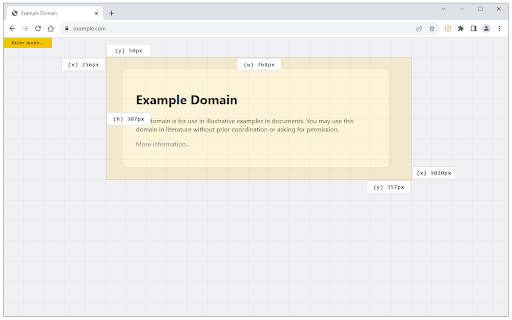
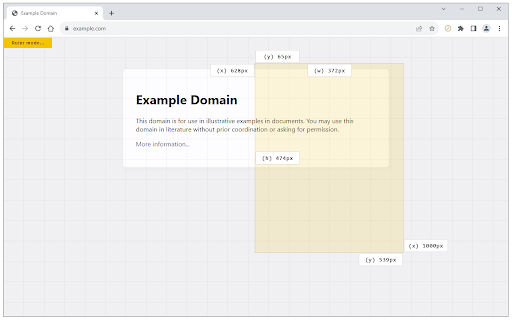
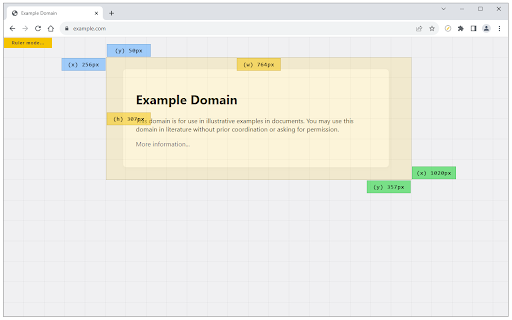

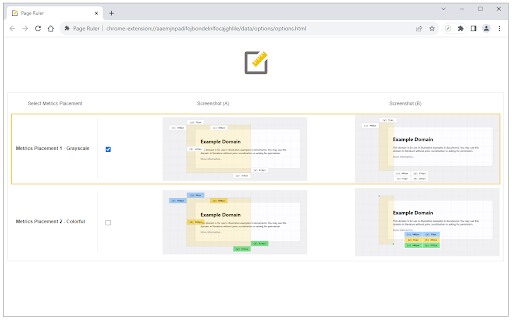
Measure page elements size in pixel with an easy-to-use ruler. Page Ruler is an extension that lets you measure distances (in pixels) on a webpage. It draws a rectangular ruler when you move your mouse on the page. The ruler has width, height, start and end all labeled with corresponding metrics in pixels. When you move your mouse, the rectangle changes its size and all the numerics are updated. To activate the addon please press the toolbar button once. Likewise, to disable the addon please press the toolbar button again. This addon works with mouse clicks in desktop machines. For touch-enabled devices, you can work with touch to draw the rectangle within the page. If you have a feature request in mind or found a bug to report, please fill the bug report form on the addon's homepage (https://mybrowseraddon.com/page-ruler.html).

Dimensions
A tool for designers to measure screen dimensions This extension measures the dimensions from your mouse pointer up/down and left/right until it hits a border. So if you want to measure distances between elements on a website this is perfect. It doesn't really work with images because there the colors change a lot pixel to pixel. Measure between the following elements: images, input-fields, buttons, videos, gifs, text, icons. You can measure everything you see in the browser. Your designer handed you mockups as PNGs or JPEGs? Just drop them into Chrome, activate Dimensions and start measuring. You can start and stop dimensions with the ALT + D shortcut. Wanna get the radius of a circle? Is text standing in your way? Press Alt to measure the dimensions of a connected area. Dimensions is Open Source and hosted on Github. Want to port it to Firefox? Go ahead and fork it. Pull requests are welcome! https://github.com/mrflix/dimensions

Page Ruler
Page Ruler: Drag guidelines and inspect element properties for perfect UI practice in browser. Page Ruler: Pixel-Perfect Layouts, Simplified. Stop guessing and start measuring. Page Ruler is a lightweight, high-performance toolkit for developers and designers who demand precision. Overlay guides, snap to elements, and audit CSS properties without ever opening your browser’s heavy dev tools. Drag-and-Drop Guides: Pull horizontal or vertical rulers from the margins to check alignment in seconds. Instant Inspect Mode: Hover over any element to see its dimensions, padding, and font styles instantly. Deep Property Detection: Get the data that matters—color hex codes, font families, and z-index—at a glance. Tailored to Your Workflow: Customize guide colors and line weights to keep your workspace clear and focused.

Grid Ruler
Create grids and measure their distance easily. It allows web developers to create vertical and horizontal grids, Photoshop style. It has a ruler to measure distance between your grids too. - click & drag from main vertical/horizontal ruler to create grid guides. - click on intersection of vertical ruler and horizontal ruler to go into measurement mode. - while in measurement mode, hold `Shift` key to get a straight line.

Simple Ruler Beta
Measure it! THIS EXTENSION IS FOR BETA TESTING This simple and easy to use tool allows you to measure elements on the web page. Click to start selection, click again to complete it. See the width and height of the area you selected. You can change the color of background and selection in the Options tab.
