
baocaagndhipibgklemoalmkljaimfdj
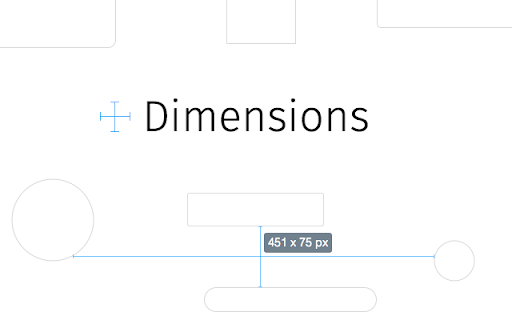
A tool for designers to measure screen dimensions This extension measures the dimensions from your mouse pointer up/down and left/right until it hits a border. So if you want to measure distances between elements on a website this is perfect. It doesn't really work with images because there the colors change a lot pixel to pixel. Measure between the following elements: images, input-fields, buttons, videos, gifs, text, icons. You can measure everything you see in the browser. Your designer handed you mockups as PNGs or JPEGs? Just drop them into Chrome, activate Dimensions and start measuring. You can start and stop dimensions with the ALT + D shortcut. Wanna get the radius of a circle? Is text standing in your way? Press Alt to measure the dimensions of a connected area. Dimensions is Open Source and hosted on Github. Want to port it to Firefox? Go ahead and fork it. Pull requests are welcome! https://github.com/mrflix/dimensions

Corporate Ipsum
Generate random corporate double-speak for use as filler text A lorem ipsum generator with a corporate bent. Generates filler content by the word or paragraph. This is a clone (with permission) of Brian Haslanger's Corporate Ipsum dashboard widget (https://portfolio.doubleforte.net/project/synergy) for Google Chrome. Example output =============== Efficiently seize integrated vortals with installed base methodologies. Synergistically orchestrate leveraged data with intuitive action items. Proactively develop tactical services and interoperable networks. Efficiently create enterprise potentialities whereas interoperable e-commerce. Globally fabricate worldwide solutions via principle-centered human capital.

Ruler Measurement
Make your measurement easy with Chrullex (CH-rome RUL-er EX-tension) Powerful measure plugin for chrome. No more junk and party worked solutions. Measure height and width on page with grid lines. Fully draggable and resizable. Features: - Press ctrl + mouse click to allow multiple rulers. - Press ctrl + q to remove all ruller from page. - Press arrow right/left to rotate. - Press ctrl + i to toggle offset info. - Press alt + q to toggle run state. - Customize extension through option page Check out the new Themes option. Check out the new Unit option, that allows to change measure units! If you find a bug, have any suggestions for improving the extension or just want to thank the author feel free to mail me.

Window Resizer
Resize the browser window to emulate various screen resolutions. This extension re-sizes the browser's window in order to emulate various resolutions. It is particularly useful for web designers and developers by helping them test their layouts on different browser resolutions. The resolutions list is completely customizable (add/delete/re-order). You can set the window's width/height, window's position, preset icon (phone, tablet, laptop, desktop) and even the option to apply the new dimensions to the entire window or just to the viewport. The extension also features customizable global key shortcuts, an option to export your settings and import them on another computer and more! Please report all bugs (or suggestions) using the support link on the extension's details page.

Simple Ruler Beta
Measure it! THIS EXTENSION IS FOR BETA TESTING This simple and easy to use tool allows you to measure elements on the web page. Click to start selection, click again to complete it. See the width and height of the area you selected. You can change the color of background and selection in the Options tab.
