
fobdcbnndmloacbikchffcpjinbkadei


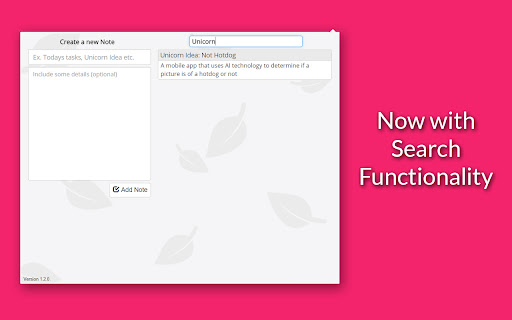
A simple way to create and manage individual notes quickly and efficiently. 🚨 This app is no longer receiving updates, you can find an newer alternative extension here: https://chrome.google.com/webstore/detail/boost-task-management-mad/jeoeplaeienbiolajhbpjojcjpjljode Leaf provides a simple, quick and intuitive way to create and manage notes. Great for those on the computer most of the day and need a place to jot down reminders or thoughts quickly. Version 1.3.1 Update: - Shift + Tab in New Note 'details' area goes back to Note 'title' area - Updated graphics for tool-tips hover - Updated highlight color Version 1.3.0 Update: - Notes now collapse what you drag to re-order them - Updated animations - Pressing enter in Title area now jumps to Details area instead of adding note when making a new note Version 1.2.9 Update: - New note option "bring note to top" - Added quick add feature (press ctrl+enter in details area of new note) - Updated graphics Version 1.2.8 Update: - Added information icon (date of creation) - Search animations for better UX Version 1.2.4 Update: - Now you can toggle editing by double clicking details section of a note - Indentation bug resolved Version 1.1.2 Update: - Click and drag option to re-order notes - Quick add by pressing enter in first input box - Updated graphics and icons Any questions or concerns? Feel free to send a message! Love the extension? Give us a rating!

boost. Task management made simple
Organize and manage tasks with drag and drop cards An extension for managing personal tasks, work, job applications, ideas, and whatever else you want! Currently, data is stored locally on your browser, so you will not be able to sync data across different devices. If you have any questions or concerns, feel free to contact me at josh.ho.dev@gmail.com

My Notes
Simple and fast note-taking. – Automatically saved and updated in every open tab – Sync notes between My Notes and Google Drive, edit them from other devices or My Notes – Drag and Drop image with automatic image upload to Google Drive

Note Book
A simple and efficient notebook for taking notes. Notepad is a powerful and efficient tool designed for taking notes. With a clean interface and essential features, it's the perfect companion for organizing, whether you're a student, a professional, or someone who loves jotting down ideas. Key features: 🖋️ Quick Note Taking: Record your thoughts quickly and easily. 📌 Pin important notes: Pin your most important notes so they are easily accessible. ✏️ Editing and updating: You can change your notes at any time. 🗑️ Delete Notes: Easily delete notes you no longer need with one click. 🔍 Powerful Search: Search and find notes quickly. 💾 Download notes: You can easily download your notes in txt format. 🔒 Privacy: Your data is stored in local storage. Why choose notebook? Efficient: Focus on your notes without clutter or distractions. Rich Features: Combines essential tools like pinning, editing, downloading and deleting for ultimate productivity. Lightweight: It won't slow down your browser or use too many resources. How to use: Install and pin the Note Book extension from the Chrome Web Store. Click the Note Book icon in your browser toolbar to open the program. Start typing to create your first note. Use the pin button to keep important notes at the top. Edit, delete or download notes as needed using intuitive controls.

Notefox: Websites notes
Take notes on every website in a smart and simple way! Features: - Take notes on websites, you can take notes for the whole domain called "Domain" (es. https://saveriomorelli.com) or notes for a specific web page of a domain called "Page" (es. https://saveriomorelli.com/projects/) - See all notes in a dedicated page, where you can manage them as well (export, import, clear all notes, set tag, search, etc.) - You can customise the add-on via Options (in "Add-ons and themes" > "Extensions" > "Notefox") - Auto-saving - Notes as Sticky-notes (“Memo”/“Post-it") - Keyboard shortcuts (also customisable!) - Sync your data with Notefox Account Learn more on the official website: https://notefox.eu This add-on is open-source, and you can find the source on GitHub. Icons present in the add-on are from: SVG Repo
