
fjgchmhpnpfnmicleekhoknicopcihco


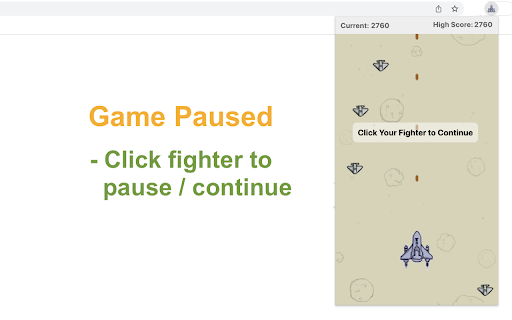
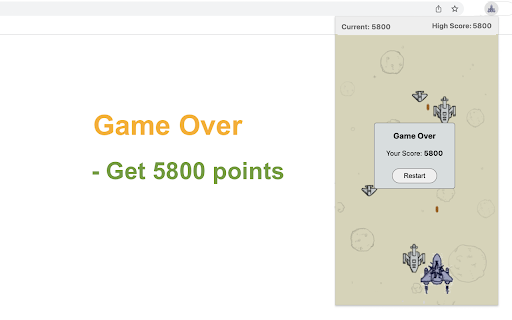
A classic shooter game that plays in a popup. Beat enemy aircraft and get high score! Space Fighter is a simple and fun shooter game you can play for as long as you want. Just beat more enemy aircraft to get as much score as possible! 1) Click the game icon on the Chrome toolbar. The game window will be opened while the game will be started immediately. 2) Use your mouse to control the location of space fighter which moves as your mouse. 3) No worry about the control of shooting. Your fighter will continuously shoot enemy aircraft in front of it, with a given bullet speed. 4) Click on your fighter if you want to pause / continue with current game. - Three types of enemy aircraft are available for now. More will be added in the future version. - The enemy aircraft will be gradually accelerated as you reach higher scores. - You can close the popup to exit current game anytime. The extension can remember where you left off and start from it when you open the popup again. Enjoy the game! After gameplay ends, we may recommend other game extensions from us that you can choose to explore or ignore. CHANGELOG ========== Version 0.1.4 - 0.2.3 - Display featured games after game over - Update featured game name - Dynamic update of featured game list - Prettify code and styles Version 0.1.2 - 0.1.3 - Refactor the codes - Add the section of new games Version 0.1.0 - 0.1.1 - Initial release and feature updates

Maze
Just click on the maze extension icon in the top right corner of your browser and the game will start immediately in a popup! The maze is randomly generated and changes every time the game starts or restarts. Your goal is to move the red block from the top-left corner to the green block in the bottom-right corner within 20 seconds. Use either the Arrow keys or WASD keys to move. The bar at the top of your maze shows how much time you have left. When the game ends, press the Restart button or the Space/Enter key to begin a new game. Have fun with the maze game! If you'd like to play the next level or check the shortest path, simply click the corresponding links below the 'Restart' button. Additionally, we've added some of our featured game extensions to the game over page for extra enjoyment. CHANGELOG ========== Version 0.3.0 - 0.4.1 - Update the link of the shortest path - Add the link of playing the next level - Dynamic update of featured game list - Add WASD movement support - Prettify code and styles Version 0.2.0 - 0.2.9 - Add the link of bonus features - Add the link of the shortest path - Display featured products after game over Version 0.1.7 - 0.1.8 - Add the section on new games - Update the game list with time Version 0.1.0 - 0.1.6 - Initial release and feature updates

Balloon Defense Game
Prevent balloons from touching the ground by popping them with your pin. "Balloon Defense" is an exciting game where you stop colorful balloons from reaching the ground. Use your pin to burst them before they land. You earn points for every balloon you pop and the balloons will drop faster as you progress. 1) Move the Pin: Slide your mouse side-to-side in the game zone to position the pin above the ground. 2) Speed Increases: The more you pop balloons, the quicker they will descend, making the game harder. 3) Game score: The points for each popped balloon add to your score. Check your total points in the top-left corner of the screen. 4) No Loss for Missed Balloons: If a balloon hits the ground, you won't lose, but you'll miss out on those points. Enjoy the game and have fun! We've also shown some of our featured games to provide extra enjoyment options after game over. CHANGELOG ========== Version 0.1.2 - 0.2.0 - Add google analytics - Show featured games after game over - Update featured game names - Dynamic update of featured game list - Prettify code and styles

Mine Finder
A classic mine-finding game that you can play in a popup. This chrome extension allows you to play classic puzzle game anytime and anywhere. The rule of the game is simple: First, click on a random place on the board. If you click on a non-mine area, the square will either open up to be blank, or will contain a number from 1 to 8. The number shows how many mines are adjacent to that cell. 1 means there is only 1 bomb adjacent to it, while 8 would mean all blocks adjacent to it are bombs. Second, use your math knowledge and powers of calculation to identify where the mines must be and then right click to place a flag there. The number of mines left will be updated accordingly. Continue with this process until all the mines are found. Remember the game will be lost if you opened any cell with a mine, so be careful in your calculation. Have fun with the game of finding mines! Looking for a challenge? Click "Play Next Level" below the restart button to try intermediate and advanced settings. Additionally, we've showcased our featured game extensions after game over for your extra enjoyment. CHANGELOG ========== Version 0.1.5 - 0.1.8 - Optimize the user interface - Remove the section on new games - Enable dynamic updates for featured games - Prettify code and styles Version 0.1.2 - 0.1.4 - Add the section on new games - Rename the game - Add the link of next level Version 0.1.0 - 0.1.1 - Initial release of the game - Add google analytics

Word Scramble Game
Unscramble letters to form words under a time limit for points. Word Scramble Challenge is an engaging and mind-stimulating game where players unravel the mystery of scrambled letters to form a valid word. The game tests your vocabulary and quick-thinking skills under a time constraint. 1) Starting the Game: When you launch the game, you'll see a randomized set of letters on the screen. These letters are a scrambled version of a non-anagrammatic word (a word that can't form another valid word when its letters are rearranged) that's 5 letters long. 2) Making a Guess: Look at the scrambled letters and try to form a valid word. Type your guess into the provided input box. 3) Submitting Your Answer: Type your guess and click "Submit" to verify it. Correct answers increase your score by 5 points, while incorrect guesses don't affect the score." 4) Keeping an Eye on the Timer: The game begins with a 60-second timer, displayed at the top right corner of the game screen. This timer counts down, and you must try to score as many points as possible before it reaches 0. 5) Game Over: When the timer hits 0, the game is over. An overlay will appear with a "Restart" button. Click the button to begin a new game. The timer will reset to 60 seconds, and your score will reset to 0. 1) Using the "Next" Button: If you're stumped and can't figure out the word, click the "Next" button. This will present a new set of scrambled letters from the pre-prepared word list for you to solve. 2) Viewing the Answer: If you're curious about the correct word for a particularly challenging scramble, click the "View" button. The answer will be displayed at the top of the screen. Tips for Success: - Take quick glances at the letters and trust your first instinct. Often, the correct word might just pop into your mind. - If a word doesn't immediately come to mind, shuffle the letters in your head or on a piece of paper. - Practice makes perfect. The more you play, the better you'll get at spotting words quickly. Have fun playing the word game! If you'd like to play the next level with longer words, simply click related link below the 'Restart' button. Plus, we've showcased our featured game extensions after the game ends to bring you even more fun! CHANGELOG ========== Version 0.1.2 - 0.1.8 - Update word list - Add google analytics - Add next level link - Add featured games after game over - Dynamic update of featured games - Prettify code and styles
