
ajncfhhlmbappdikagkajjaflholpepd
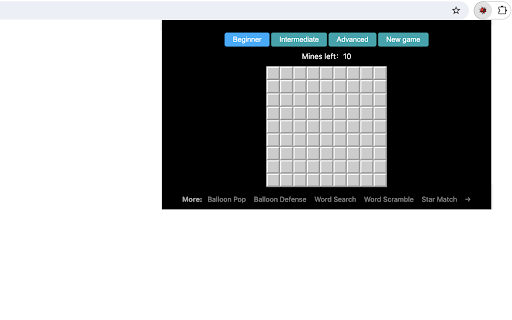
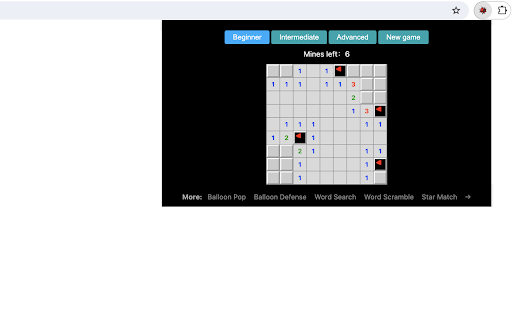
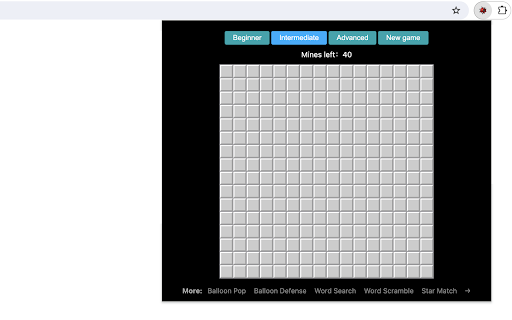
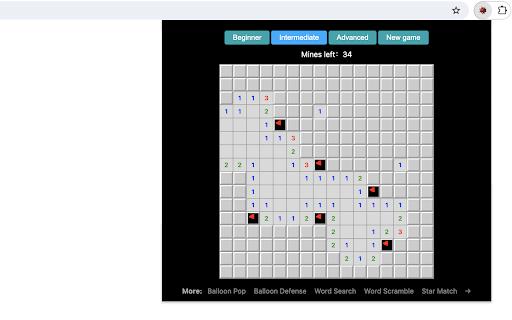
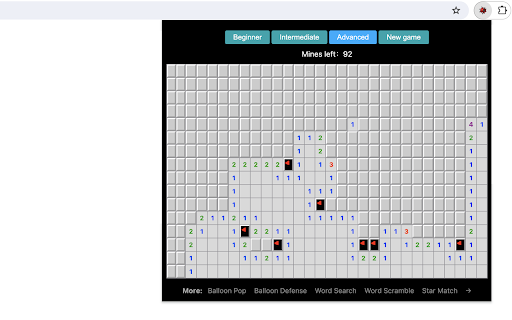
A classic mine-finding game that you can play in a popup. This chrome extension allows you to play classic puzzle game anytime and anywhere. The rule of the game is simple: First, click on a random place on the board. If you click on a non-mine area, the square will either open up to be blank, or will contain a number from 1 to 8. The number shows how many mines are adjacent to that cell. 1 means there is only 1 bomb adjacent to it, while 8 would mean all blocks adjacent to it are bombs. Second, use your math knowledge and powers of calculation to identify where the mines must be and then right click to place a flag there. The number of mines left will be updated accordingly. Continue with this process until all the mines are found. Remember the game will be lost if you opened any cell with a mine, so be careful in your calculation. Have fun with the game of finding mines! Looking for a challenge? Click "Play Next Level" below the restart button to try intermediate and advanced settings. Additionally, we've showcased our featured game extensions after game over for your extra enjoyment. CHANGELOG ========== Version 0.1.5 - 0.1.8 - Optimize the user interface - Remove the section on new games - Enable dynamic updates for featured games - Prettify code and styles Version 0.1.2 - 0.1.4 - Add the section on new games - Rename the game - Add the link of next level Version 0.1.0 - 0.1.1 - Initial release of the game - Add google analytics

Maze
Just click on the maze extension icon in the top right corner of your browser and the game will start immediately in a popup! The maze is randomly generated and changes every time the game starts or restarts. Your goal is to move the red block from the top-left corner to the green block in the bottom-right corner within 20 seconds. Use either the Arrow keys or WASD keys to move. The bar at the top of your maze shows how much time you have left. When the game ends, press the Restart button or the Space/Enter key to begin a new game. Have fun with the maze game! If you'd like to play the next level or check the shortest path, simply click the corresponding links below the 'Restart' button. Additionally, we've added some of our featured game extensions to the game over page for extra enjoyment. CHANGELOG ========== Version 0.3.0 - 0.4.1 - Update the link of the shortest path - Add the link of playing the next level - Dynamic update of featured game list - Add WASD movement support - Prettify code and styles Version 0.2.0 - 0.2.9 - Add the link of bonus features - Add the link of the shortest path - Display featured products after game over Version 0.1.7 - 0.1.8 - Add the section on new games - Update the game list with time Version 0.1.0 - 0.1.6 - Initial release and feature updates

Snake Classic
This chrome extension allows you to play the snake game anytime and anywhere. The rule of the snake game is simple: - Try to touch the target (a red box) with snake head by changing the snake direction. - Once touched, the target will disappear and then randomly occur in a new location. - For each touch, both the snake body and the game score will increase. - As the score increases to higher levels, the snake will be accelerated. How to play? 1) Click the extension icon in the top right corner of the browser to open the game window. 2) Press Arrow keys (Arrow left/right/up/bottom) to start the game or change snake direction. 3) Press the Space key to pause or continue the game. 4) Click anywhere on your screen except game window to exit the game. 5) Press the Restart button (or Space/Enter key) to start a new game when the game is over. Have fun with the snake game! If you'd like to play the next level, simply click the corresponding links below the 'Restart' button. Plus, we've added some of our featured game extensions after game over, offering more fun options. CHANGELOG ========== Version 0.2.2 - 0.3.4 - Display featured games after game over - Update game next level link - Rename the game to snake classic - Dynamic update of featured game list - Prettify code and styles Version 0.1.8 - 0.2.1 - Add the section on new games - Update the game list with time - Update google analytics Version 0.1.5 - 0.1.7 - Optimize snake size and speed - Rename the game - Add google analytics Version 0.1.3 & 0.1.4 - Update user interface and operation Version 0.1.2 - 2022-02-25 - Simplify the method of starting game Version 0.1.1 - 2022-01-24 - Increase snake size for easy operation

Sapper - MineSweeper classic game
🎮 Discover your puzzle solving skills with Sapper Classic for Chrome! 💣 Are you a fan of classic puzzles? Are you looking for a click to warm up your brain during an hour's break from browsing? So don’t joke further, Sapper Classic is the best extension for Google Chrome! 🚀 Sapper Classic brings the puzzles you love and crave straight to your browser. You don't need to download or install anything - just add an extension to your Chrome browser and you're ready to play! Why are classic games so popular? Classic games have always occupied a special place in the hearts of Gravians. The stench is simple, intelligent and always available. Recall those years spent playing Tetris, Solitaire or Snake on old mobile phones. These games did not require a smooth mastery or great satisfaction, but they always demonstrated great calls and the ability to improve their skills. Classic games like Sapper bring an element of nostalgia and allow you to get lost in simple, if not tedious, puzzles. They are wonderfully suitable for short breaks, allowing you to relax and enjoy yourself without having to worry too much about important matters. Logical games: testing for intelligence Logical games are a special genre that not only inspires, but also stimulates brain activity. The smells come from the grave of vicarious logic, strategic thinking and the ability to plan a few months ahead. These games themselves help develop cognitive skills, improve memory and knowledge, and improve complex tasks. Sapper Classic is the brightest butt of a logical game. Your task is to open doors, unique mines, and pick up hints in the form of numbers to identify safe zones. This is an ideal way to exercise your brain and enjoy the process of solving puzzles. Casual games: simplicity and satisfaction Casual games are designed to be easy and accessible to a wide audience. The stench doesn’t last for a long time, but it’s important to get used to it, but in the end you’ll get a lot of satisfaction. You can play them at any time and in any place - during a break at work, at home on the sofa, or while driving. Sapper Classic is the ideal butt for a casual game. It’s simple, it doesn’t require installation of additional software, and it’s available directly from your browser. Just add more expansion and you're ready to grill! Directly from the browser: There is no need for the downloaded and installed ones. Play immediately after adding the extension! Classic gameplay: Original rules and mechanics, familiar to all gamers. Availability: Gra is available from your browser window, ready to your satisfaction at any moment. Whether you're a longtime Sapper fan or a newbie ready to get stuck into a fun puzzle game, Sapper Classic for Chrome offers endless fun. Get ready to test your logical and analytical skills as you gain more value in the coming years. Don't let those boring breaks in your browsing get you down - instead, discover the power of solving puzzles in Sapper Classic for Chrome. This is an ideal extension for puzzle lovers, puzzle gamers, and anyone else who seeks intellectual stimulation. What are you waiting for? Go to the Chrome Web Store and add Sapper Classic to your browser today. Get ready to change the fields, plan your time strategically and become a master of this eternal puzzle! 🌟💡

Table Tennis
Control the game using the Up and Down Arrow keys or W/S on your keyboard. No internet connection is required! 1) After installing, simply click the game icon in the Chrome extension toolbar to launch it in a popup window instantly. 2) The game ends when either you or the computer reaches 5 points, and your best score is recorded in the top right corner. 3) Pause or start a new game at any time during your session. 4) When you leave the game and return, it will remember your progress and let you continue right where you left off. Enjoy a fast-paced table tennis arcade game with simple yet exciting gameplay! Looking for a challenge? Click "Play More Levels" below the restart button to try different difficulty settings. For more fun, check out our featured game extensions after your match ends. CHANGELOG ========== Version 0.1.7 - 0.2.7 - Display featured products after game over - Add the link of more game levels - Remove the section on new games - Enable dynamic update of featured games - Add W/S movement support - Prettify code and styles Version 0.1.3 - 0.1.6 - Add the section on new games - Update the game list with time - Rename the game
