
iibmocmonpccjkjpdgngimgdgpaeheje
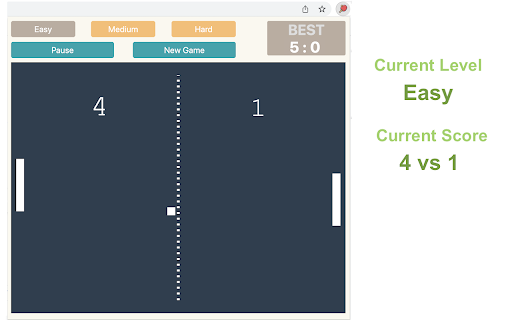
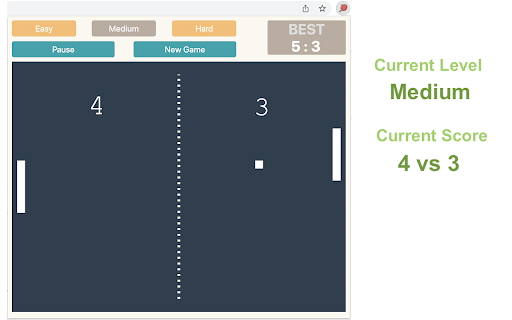

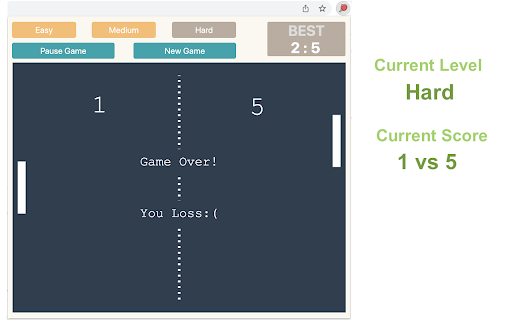
Control the game using the Up and Down Arrow keys or W/S on your keyboard. No internet connection is required! 1) After installing, simply click the game icon in the Chrome extension toolbar to launch it in a popup window instantly. 2) The game ends when either you or the computer reaches 5 points, and your best score is recorded in the top right corner. 3) Pause or start a new game at any time during your session. 4) When you leave the game and return, it will remember your progress and let you continue right where you left off. Enjoy a fast-paced table tennis arcade game with simple yet exciting gameplay! Looking for a challenge? Click "Play More Levels" below the restart button to try different difficulty settings. For more fun, check out our featured game extensions after your match ends. CHANGELOG ========== Version 0.1.7 - 0.2.8 - Display featured products after game over - Add the link of more game levels - Remove the section on new games - Enable dynamic update of featured games - Add W/S movement support - Prettify code and styles Version 0.1.3 - 0.1.6 - Add the section on new games - Update the game list with time - Rename the game

Stickman Ball Hook Game
You have to reach the finish line by jumping from one hook to the other hook at the right time with the stickman. Get ready for crazy fun with a stickman hero. Pass the challenging levels and experience the adventure. How To Play Played with Mouse. Finally, you can enjoy these game for free (and more requests will be added)! Stickman Ball Hook Game extension does not contain any hidden ads. Help and Contact Contact with us at info@gamebol.com and share your thoughts and problems.

Flappy Basketball Game
Do you like playing basketball? All you have to do is toss the ball into the basket and score as high as you can. Do you like to play basketball game! Play your best game, make your crazy scores. Start this legendary game. In flappy basketball, one of the popular games, users have to pass the basketball ball through as many rings as possible. How To Play You have to pass the ball through the basketball hoop with the help of the mouse. In flappy basketball game where you have to adjust your timing very well, you will lose the game if the ball falls from the platform or you skip the rings. Help and Contact Contact with us at info@gamebol.com and share your thoughts and problems.

Brick Break Game
Bounce the ball to break bricks placed in random locations. Brick Break is an entertaining game where you control a paddle to bounce a ball and destroy bricks. This game combines strategy, precision, and timing, offering endless fun directly from your browser. 1) Click the extension icon in your Chrome browser to open the game. You'll be presented with a 480x480 game area. 2) Game Area Layout: - Paddle: Located at the bottom, it's your tool to control the game. - Ball: Begins in the middle of game area, moving in a random downward direction. - Bricks: Randomly placed at the top of the game area in each round. 3) Controlling the Paddle: - Slide your mouse horizontally across the game area and the paddle will mirror its movement. 4) Game Rule: - The ball bounce off the paddle and left/right/top walls until all bricks are broken or it misses the paddle and hits the bottom wall. - Win: Clear all bricks to win the game. - Lose: The game ends if the ball passes the paddle and touches the bottom wall. - Restart: In case of a win/loss, a "Restart" button will appear. Click this button to reset the game and start fresh. 5) Tips for Success: - Focus: Keep a close eye on the ball and anticipate its bounce angles. - Strategic Positioning: Move the paddle to strategic positions to target hard-to-reach bricks. Give it a try and see how quickly you can break all the bricks! Ready for a challenge? Click 'Play More Levels' below the restart button to try Level-Up mode. Additionally, once you've finished the game, you'll find a selection of our featured game extensions at the bottom, added for your extra enjoyment. CHANGELOG ========== Version 0.1.1 - 0.1.9 - Add google analytics - Add the link of more levels - Show featured games after game over - Dynamic update of feature game list - Prettify code and styles Version 0.1.0 - Initial release of the game

Level Maze
The play is very simple, just move the top-left red block to touch the green block at the bottom right corner in the given time (20s). Use the Arrow keys or WASD to move and keep an eye on the timer bar at the top of the maze to see how much time you have left. Only when you win current game, you can go to next level. If you want to go back to level 1, just click reset button when current game is over. Try to challenge yourself to see if you can win at the level of 10 or higher (really hard!!!). The maze is randomly generated based on current difficulty level and the map will be different each time the game starts. Have fun with the maze game! To discover the shortest path, click the link located below the 'Restart' button. To enjoy even more, check out some of our featured game extensions on the game over page. CHANGELOG ========== Version 0.2.3 - 0.3.4 - Update the link of the shortest path - Enable dynamic update of featured games - Add WASD movement support - Prettify code and styles Version 0.1.8 - 0.2.2 - Add the link of bonus features - Add the link of the shortest path - Display featured games after game over Version 0.1.7 - Fix allowing moves after losing - Enable Space/Enter keys for next level Version 0.1.3 - 0.1.6 - Add the section of new games - Update new game list with time - Update level maze icon Version 0.1.0 - 0.1.2 - Initial release of maze game - Improve interface and features
