
jbnboceikbdhfinjlebidbhhlplagahc
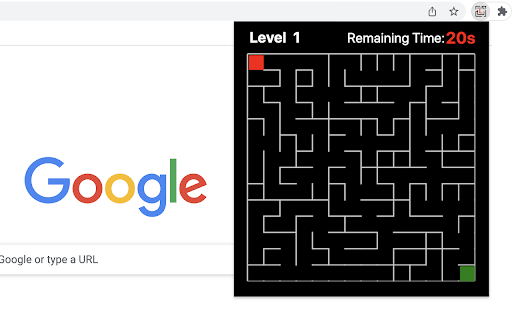

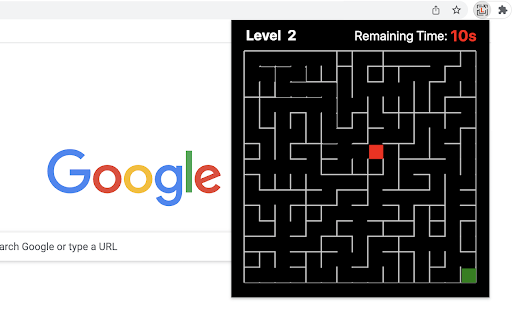
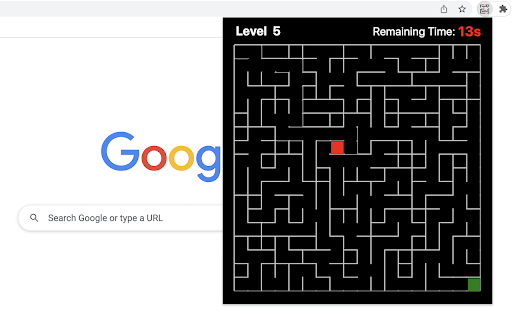

The play is very simple, just move the top-left red block to touch the green block at the bottom right corner in the given time (20s). Use the Arrow keys or WASD to move and keep an eye on the timer bar at the top of the maze to see how much time you have left. Only when you win current game, you can go to next level. If you want to go back to level 1, just click reset button when current game is over. Try to challenge yourself to see if you can win at the level of 10 or higher (really hard!!!). The maze is randomly generated based on current difficulty level and the map will be different each time the game starts. Have fun with the maze game! To discover the shortest path, click the link located below the 'Restart' button. To enjoy even more, check out some of our featured game extensions on the game over page. CHANGELOG ========== Version 0.2.3 - 0.3.4 - Update the link of the shortest path - Enable dynamic update of featured games - Add WASD movement support - Prettify code and styles Version 0.1.8 - 0.2.2 - Add the link of bonus features - Add the link of the shortest path - Display featured games after game over Version 0.1.7 - Fix allowing moves after losing - Enable Space/Enter keys for next level Version 0.1.3 - 0.1.6 - Add the section of new games - Update new game list with time - Update level maze icon Version 0.1.0 - 0.1.2 - Initial release of maze game - Improve interface and features

Apple Snake Game
The objective of the game is to eat as much fruit as possible without colliding four borders of game area. The snake must move around the board to collect apple, which appears randomly on the screen. The player can control the snake's direction by using the Arrow keys or WASD. As the snake eats apple, its body grows longer, making it more challenging to navigate through the board without running into something. To boost the game's excitement, we've set the snake to move fast right from the start. Have fun with it! If you'd like to try its professional version, use the link below the Restart button. Additionally, we've showcased our featured game extensions after game over for even more fun options! CHANGELOG ========== Version 0.2.4 - 0.3.1 - Remove new game section in the footer - Update game pro version link - Add WASD movement support - Prettify code and styles - Update google analytics Version 0.1.6 - 0.2.3 - Display featured games after game over - Update featured game name - Present game pro version link - Enable dynamic updates for featured game list Version 0.1.4 - 0.1.5 - Improve the section on new games Version 0.1.0 - 0.1.3 - Initial release and feature updates

Table Tennis
Control the game using the Up and Down Arrow keys or W/S on your keyboard. No internet connection is required! 1) After installing, simply click the game icon in the Chrome extension toolbar to launch it in a popup window instantly. 2) The game ends when either you or the computer reaches 5 points, and your best score is recorded in the top right corner. 3) Pause or start a new game at any time during your session. 4) When you leave the game and return, it will remember your progress and let you continue right where you left off. Enjoy a fast-paced table tennis arcade game with simple yet exciting gameplay! Looking for a challenge? Click "Play More Levels" below the restart button to try different difficulty settings. For more fun, check out our featured game extensions after your match ends. CHANGELOG ========== Version 0.1.7 - 0.2.8 - Display featured products after game over - Add the link of more game levels - Remove the section on new games - Enable dynamic update of featured games - Add W/S movement support - Prettify code and styles Version 0.1.3 - 0.1.6 - Add the section on new games - Update the game list with time - Rename the game

Drag Maze
Quickly drag the red dot to the orange exit while avoiding borders. Just click on the maze extension icon in the top right corner of your browser and the game will start immediately in a popup! All you need to do is to move the red dot along the white path until it reaches the orange exit. • For moving the red dot, just click on it and drag it with your mouse. Just be careful not to touch the blue borders as you move. • A timer is displayed in the top bar of the maze, indicating the amount of time you've spent on the current level. Once you've completed all the levels, you'll be able to view the total time used. • To advance to the next level, completion of the current level is required. To return to level one, just click the reset button whenever you wish. • If you happen to fail the current level, the game will automatically restart shortly thereafter. The extension has thirteen built-in maps and if you want to try more maps, just visit our website to access them. Beat the maze challenge and have fun! CHANGELOG ========== Version 0.1.1 - 0.1.9 - Add google analytics - Update the link to more maps - Prettify code and styles

Stop The Lock Game
Tap the lock at the right time and unlock all the locks. Challenging levels are waiting for you. Are you ready for the fastest unlocking game, locksmith. Open the key as soon as possible and pass the challenging levels. How To Play Played with Mouse. Stop The Lock Game Features ✓ Hard levels ✓ Basic control ✓ Fun graphics Finally, you can enjoy these game for free (and more requests will be added)! Stop The Lock Game extension does not contain any hidden ads. Help and Contact Contact with us at info@gamebol.com and share your thoughts and problems.
