
fikoeimhmcejdnhpahkljhjcijfdfaja


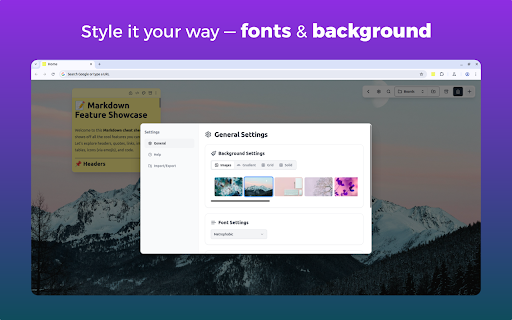

Turn your new tab into a sticky note board Enable the persistence of your notes across all newly opened tabs. 🗂️ Multiple Boards Support – Switch between different boards for various projects or contexts. ✍️ Draggable and Resizable Notes – Move and scale your notes effortlessly 🎨 Customizable Note Colors – Color-code your notes to suit your workflow. 🔤 Tailored Font Styles – Apply custom fonts for a note-taking experience that fits your style. 🗃️ Archive Functionality – Keep your workspace tidy without losing past notes. ⌨️ Keyboard Shortcuts – Add new notes and navigate your board faster with handy shortcuts. 📁 Persistent Across Tabs – Notes stay in place no matter how many tabs you open. 📝 Markdown & Plaintext Support – Write notes in Markdown for rich formatting or stick to simple plaintext. 🔍 Search Within Notes and Boards – Instantly find the content you're looking for. 📤 Export and Import Notes – Backup your data or move your boards across devices effortlessly.

QuickPad: fast Markdown notepad
An in-browser Markdown notepad. Optimize for writing experience. Free, plus your data doesn't leave you computer ≡ Why do I build this extension 🤔 When reading cool stuffs on the net, I often want to take some notes, but opening my noting applications such as Notion/Obsidian takes much time. So I built this extension to quickly jot down my idea, then later copy to whatever noting systems. ≡ What it does really well 💪 - Fast & Clean - Markdown support - Writing should feel pleasant (sth like Notion editor) - Your data stays in your computer ≡ What it *will* do well in the future ⚙️ - Pasting image into the editor - Searching - Exporting notes - Data backup ≡ Feedbacks 💙 If you have any feedbacks or suggestions, I'm really happy to hear that, feel free to leave me a review

Stickr - Sticky notes for Web
Sticky notes for websites. Stick anywhere on the page! Stickr lets you easily add sticky notes to any webpage. - Quickly add a blank note with Alt+N (Windows) or Option+N (Mac), and many more shortcuts to handle your notes. Click on the extension icon for more info. - Place notes anywhere or pin them in front. - Your notes will stay saved for when you return. - A dashboard to view and manage all your notes in one place. - Save notes for the current page or across the entire website. - You can even select text on a page and right-click to turn it into a note! - Choose from different colours to customise your note.

New Tab Notes
Turn your New Tab into a clean, distraction-free notepad with rich text formatting, task lists, shortcuts, auto-sync, and more. Capture your ideas instantly when you open a new tab! Your notes are saved and synced by your browser as you type—perfect for reminders, to-dos, or long-form writing, all on one page. ✨ Format text with markdown and shortcuts. ✅ Create and manage task lists with checkboxes. 🔄 Synced and auto-saved across devices. ✂️ Copied text is beautifully formatted. 📝 Export notes as Markdown, HTML, or plain text. 🖨️ Print your notes or save them as a PDF. 🔍 Customize fonts and zoom preferences. 🌓 Toggle between Dark and Light themes. 🛡️ Fully private, no third-party servers involved. Make the Most of It: 👉 In the settings, you can change the font type and size, set the writing area to full width or centered, and enable spelling suggestions. 👉 Use headings to quickly navigate through your notes. Got an idea... 💡 just open a new tab and write it down!

Sticky Notes
Enjoy this interactive new-tab extension that enables you to log all your tasks using colorful sticky-notes that you can drag anywhere on the screen. These notes sync across all your browsers so you can start working on your pc and continue on your laptop. By installing this extension and its Search services you hereby accept its Privacy Policy and Terms of Use. The search features within this extension are provided by Microsoft Bing.
