
epanfjkfahimkgomnigadpkobaefekcd
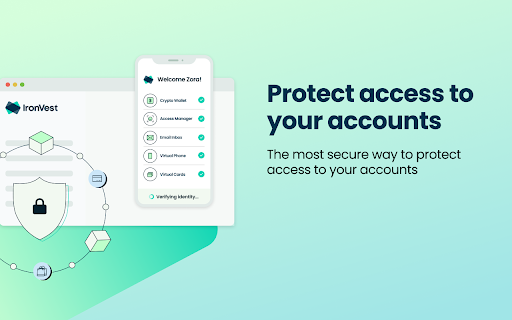


Protect your Passwords, Payments, and Privacy. IronVest is your all-in-one, security and privacy wallet that goes beyond any existing solutions to protect access to your accounts, secure your credit cards, and protect your privacy online with masked email addresses, single-use virtual cards**, and masked mobile numbers. Use IronVest to prevent fraud by protecting access to your most sensitive accounts like banks, investments, health records, email, and more. Traditional password managers are not secure enough. They store your most valuable usernames and passwords behind one single master password. And if that gets hacked, all your accounts are exposed. VPNs provide a virtual private internet connection, but they are not designed to stop fraudsters from accessing your accounts. They create a false sense of security. IronVest takes passwords and account logins to another level of security. With easy to use, face biometrics right from your browser, we ensure only you can access your most sensitive accounts like your bank account, email, investments, health records, and more. - A next-gen password manager that protects all your account login information. - Truly seamless creation of strong, encrypted passwords on any site or service across all of your devices. - Autofill your user name and password to login to your accounts on web browsers, iPhone, iPad, and Android devices. - Protect your passwords with our patented biometric protection for account logins and account resets. - 2FA code protection! 2FA codes sent to your mobile are vulnerable. IronVest is the only solution that only you can access your 2FA codes and autofills them for you. ** The ultimate in Privacy Protection ** Protecting your digital identity goes hand in hand with protecting your online security by keeping your personal information out of the hands of fraudsters and hackers. So we created a comprehensive set of privacy features that includes: - Masked (private) email addresses - Keep your private email private. Get access to your masked email inbox or have them forwarded to your real email. Masked mobile number - Don’t give away your personal mobile number anymore. - Virtual credit cards - Create 1-time use virtual cards on the fly with one-click Site tracker. Know which companies are tracking you and block them with ease. ** How we protect your data ** - Zero-knowledge infrastructure - we can’t access your passwords. - Passwords and key data are secured with AES-256 encryption. - Separate keys are used for authentication/authorization and data encryption. - Encryption keys are stored using host-proof hosting. - Encrypted data is stored using optional personal storage accounts. - Key JavaScript functions run in protected contexts, not in the page. ** Secure, private and convenient online shopping and payments ** Even the most reputable sites and brands you trust get hacked. Keep your credit cards safe from data breaches - Pay on any site without giving away your credit card info by using virtual credit cards. - What you buy is your business. Keep what you buy private with virtual cards**. - Prefer using your real credit card? Protect it on our decentralized network and autofill when you need it. - Autofill info by just looking at the browser camera. We take care of the biometric authentication. Autofill your personal info on any site with identity management profiles The safest and most convenient way to autofill your info on travel, shopping, utilities or any online site. Create multiple profiles with real info, masked info or any combination Autofill for fast and easy online form filling and checkout experiences Have your masked emails and masked phone forwarded to you if you wish - Install the extension (or sign up first on ironvest.com) - Sign up for IronVest - Use the extension to easily autofill your passwords, email address, or credit cards - Flexible identity management - use any combination of personal info you want - Masked email or real email - Virtual credit card or your real credit card - Real phone or masked virtual phone number ** Two simple ways to sign up - Free and Premium Unlimited ** - Free - Get most security and privacy features - Unlimited - Even more protection with unlimited masked credit cards and a virtual mobile number ** SUPPORT ** We have a full-time support team that can help at support@ironvest.com as well as live chat for premium users. If you loved the Abine Blur digital wallet and passwords manager, you will love IronVest even more. Navigate the web with confidence and ease using the IronVest security and privacy extension. IronVest - the most secure and user-friendly way to protect access to your accounts, login seamlessly, shop privately, and protect your digital identity. Secure your accounts. Protect your privacy. ** Due to payment and banking infrastructure upgrades, masked cards are temporarily unavailable but will be back soon with even more advanced features

SuperSorter
Clean up your bookmark mess! Sort bookmarks automatically, delete duplicates, merge folders, etc. Are your Chrome bookmarks a mess? SuperSorter can help! SuperSorter sorts all of your bookmarks, in all your folders, into alphabetical order. It sorts folders too and if you like it will put the folders at the top of the list. SuperSorter also deletes empty folders, deletes duplicate bookmarks and merges folders with the same name. It can also sort bookmarks automatically every few minutes, making it even easier to keep everything tidy. Warning: There is no undo function, so use this extension at your own risk! - Added a dropdown to choose the language to sort and compare in.

Popup my Bookmarks
A more efficient way to view and manage your bookmarks menu. - Search bookmarks when you type - Do what Bookmark manager can do and more (e.g., Sort bookmarks by name, Add separator) - Save 24px of your vertical workspace (Rock on Chromebook!) - Take as few permissions as possible, we never put your privacy at risk - No background running application, save computer memory and your privacy!

PixelBlock
PixelBlock is a Gmail extension that blocks people from tracking when you open their emails. PixelBlock is an Gmail extension that blocks email tracking attempts used to detect when you open and read emails. PixelBlock displays a 'red eye' when it finds and blocks a tracking attempt inside of an email.

Shortcuts for Google™
For the latest features, install G App Launcher: https://chrome.google.com/webstore/detail/ponjkmladgjfjgllmhnkhgbgocdigcjm Display all Google™ services as buttons in a space-saving popup next to your address bar. Reach services like Gmail, Google Drive, Google Keep, Google Maps, Google Calendar, and many more in just two clicks from your browser. The extension includes more than 1000 Google services and websites. Main features =================================== ✓ More than 1000 Google™ shortcuts, continuously updated ✓ shortcuts can be sorted and rearranged according to your needs (take a look at the screenshots) ✓ Support for different icon sizes ✓ Add your own custom URL button like a link to Facebook ✓ Change names of services ✓ Integration of GMail this!, Map this!, etc. Support =================================== Please report bugs and requests using the following link and not the comments: https://apps.jeurissen.co/shortcuts-for-google/contact The developer of this extension is not affiliated in any way with Google Inc. All Google icons and names are a trademark of Google Inc. Use of this trademark is subject to Google Permissions. Notice: All referenced brands, product names, service names and trademarks are property of their respective owner(s). The extension is free at the moment, you can buy me a coffee here: https://apps.jeurissen.co/shortcuts-for-google/donate
