
eddbomdegiekipngdepnddkoemagllbn

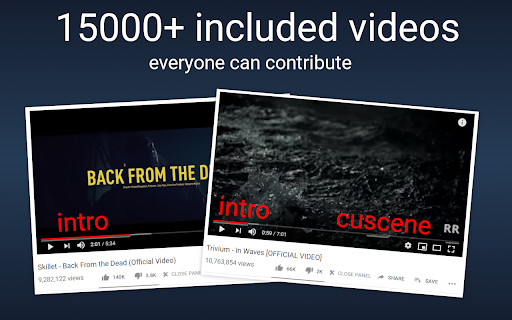

Easiest way to remove boring content from YouTube videos. Great for listening to music. Key features: ✓ Interactive panel: just click buttons. ✓ Community-based segmentation: more than 15000 videos already segmented! ✓ Dozen of settings: hotkeys, filters, color schemes, and much more. ✓ Open source: everyone can contribute. This extension will give you ability to easily remove: - Talking from music clips. - Annoying content. - Intros, outros. - Everything else you dont like. Changelog: - Full: https://github.com/videosegments/videosegments/commits/master

Youtube Share Clip
Problem ━━━━ If you ever wanted to... • Share a section of a YouTube video with someone - instead of the whole video. • Save or bookmark sections of YouTube videos. • Create memes by sharing very short sections of videos. • Share many sections of a very long video. Solution ━━━━ This extension adds an "End at" checkbox and input under the "Start at" one in the Share dialog next to the YouTube video. This way you can get a link to a section of the video, by selecting the "Start at" and "End at" times. When the link is opened, the video starts and stops at the specific times you have selected ! 🎉 Advantages over YouTube Clip feature: • There is no need to have a YouTube creator (google) account and to be logged in to create a clip. • There is no 5-60 seconds restriction on clip duration. The clip can be as short or long as you like. Limitations: • Does not work if the creator has deactivated embedding for the video. • Does not work on Premiere and Live videos. Source code: https://github.com/elias-pap/youtube-share-clip 🚀 Report issues: https://github.com/elias-pap/youtube-share-clip/issues Share your feedback: eliaspap.apps@pm.me Give me a rating, if you like it ❤️

Screenshot YouTube
Take a screenshot of any YouTube video with one click. Adds a “Screenshot” button to the YouTube video player which saves a screenshot of the currently playing video as a file, or copies it to the clipboard, or both. Optionally with keyboard shortcuts, and buttons for changing the playback rate. New in version 3.0.0: moved to the newly required manifest v3, and removed the history permission, which should also make the screenshot button more reliable. This extension does not contain any malicious or tracking code. No viruses. No ads. Only good software. Thanks to Ari Velazquez, and Zertsu for their contributions.

YouTube Timestamps
The extension shows timestamps that YouTube users leave in comments. It shows timestamps from the top 100 comments. If YouTube video doesn't have comments with timestamps or the timestamps are not in the top 100 comments the extension doesn't show anything. Timestamps are placed right on YouTube's video timeline. Hover a timestamp on the timeline to preview the corresponding comment. Key features: - Shows timestamps from YouTube comments on timeline. - Works in Fullscreen and Theater modes. - Works for embedded videos. - Dark theme support. - Open Source https://github.com/ris58h/youtube-timestamps NOTE: To scroll a long comment preview scroll on the timestamp you are hovering over. LIMITATIONS: Only timestamps from the first 100 comments are shown.

Cap Cut Video Editor
Trim and edit videos in your browser. Preview changes, and download your edited clips. Edit videos right from your browser with CapCut Video Editor — a lightweight, easy-to-use tool for trimming, adding text, and downloading video clips. Whether you're editing a tutorial, meme, or presentation, this extension gives you the tools to create clean cuts and overlays instantly. 🚀 Key Features: ✂️ Trim videos to your desired start and end points 📝 Add custom text overlays to any video 📥 Download edited clips as .mp4 files 🖱️ Right-click to edit any video on supported pages 🔘 Toggle overlay buttons directly from the extension popup 💾 Settings sync across tabs via Chrome Storage 🧠 How It Works: Visit any page with a direct video (e.g. .mp4) Hover for the ✂️ edit button or right-click the video Launch the in-browser editor, trim, add text, and download your clip ⚠️ Note: This extension works with direct video URLs only (e.g. .mp4, .webm). Videos on platforms like YouTube are protected and not supported.
