
ddkjiahejlhfcafbddmgiahcphecmpfh
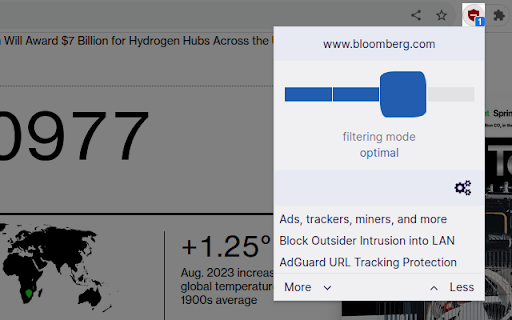

An efficient content blocker. Blocks ads, trackers, miners, and more immediately upon installation. The default ruleset corresponds to uBlock Origin's default filterset: - uBlock Origin's built-in filter lists - EasyList - EasyPrivacy - Peter Lowe’s Ad and tracking server list You can enable more rulesets by visiting the options page -- click the _Cogs_ icon in the popup panel. uBOL is entirely declarative, meaning there is no need for a permanent uBOL process for the filtering to occur, and CSS/JS injection-based content filtering is performed reliably by the browser itself rather than by the extension. This means that uBOL itself does not consume CPU/memory resources while content blocking is ongoing -- uBOL's service worker process is required _only_ when you interact with the popup panel or the option pages.

DeArrow - Better Titles and Thumbnails
Crowdsourcing titles and thumbnails to be descriptive and not sensational DeArrow is a browser extension for crowdsourcing better titles and thumbnails on YouTube. The goal of DeArrow is to make titles accurate and reduce sensationalism. DeArrow is a paid (if you want) browser extension. You can purchase an unlimited-use license key for 1$. However, if you cannot, or do not want to pay, you can use the extension by clicking the "I can't/don't want to pay" button. Titles can be any arbitrary text. Thumbnails are screenshots from specific timestamps in the video. These are user submitted and voted on. By default, if there are no submissions, it will format the original title to the user-specified format, and set a screenshot from a random timestamp as the thumbnail. This can be configured in the options to disable formatting, or show the original thumbnail by default. If the original thumbnail is actually good, you can still vote for it in the submission menu, and then it will act like a submission. No more dealing with clickbait, arrows, or annoying faces. Users can submit better titles and thumbnails for each video and vote on them. How does DeArrow differ from Clickbait Remover for YouTube - Unlike Clickbait Remover, DeArrow's main purpose is for crowdsourcing better titles and thumbnails - When a crowdsourced title is not available, DeArrow will auto-format it according to your setting, but does it in a more sophisticated way than Clickbait Remover. Instead of only setting all words to lower case, or capitalizing every word, DeArrow supports casing systems such as "Title Case" and "Sentence case". These will still allow acronyms and proper names to remain capitalized. - When a crowdsourced thumbnail is not available, DeArrow by default shows a screenshot at a random timestamp in the video. Clickbait Remover's thumbnails use YouTube auto-generated thumbnails, and while they are seemingly random, they are chosen by a machine learning algorithm to favor faces with expressions, and other overstimulating features. DeArrow uses truly random timestamps generated by its own server. DeArrow will also check the SponsorBlock database to ensure the randomized thumbnail is not inside of a sponsor segment. Access your data for youtube.com, www.youtube-nocookie.com: - Used to modify the YouTube webpage

AdShield - Ultimate Ad Blocker for YouTube
Skip the ads. Watch YouTube. Block pre-roll, mid-roll, and banner ads instantly. Fast, lightweight, privacy-focused. No more waiting for skip buttons. No more sitting through unskippable 30-second ads. Just press play. AdShield blocks pre-roll and mid-roll video ads before they even start. It also removes those annoying banner overlays and hides sponsored results when you search. When YouTube detects your ad blocker and tries to stop playback, AdShield handles it automatically. Our blocking rules update in the background, so you stay ahead of YouTube's detection without lifting a finger. When fraudulent ads show, the extension reports them to help get scams removed from the platform. Install once. Forget it exists. Just enjoy the show.

I still don't care about cookies
Community version of the extension `I don't care about cookies` (no Avast) This is a community updated version of a popular extension that got acquired by Avast with the source code on https://github.com/OhMyGuus/I-Dont-Care-About-Cookies ------- This extension removes cookie warnings/pop-ups from almost all websites! The EU regulations require that any website using tracking cookies must get user's permission before installing them. Imagine how irritating that becomes when you surf anonymously or if you delete cookies automatically every time you close the browser. In most cases, it just blocks or hides cookie related pop-ups. When it's needed for the website to work properly, it will automatically accept the cookie policy for you (sometimes it will accept all and sometimes only necessary cookie categories, depending on what's easier to do). It doesn't delete cookies.

Control Panel for YouTube
Gives you more control over YouTube by adding missing options and UI improvements • Disable new progress bar and controls (desktop version) - Note: this will stop working when YouTube removes the old player UI • Hide new full screen controls • Hide "More videos" in full screen • Always use compact Play button (desktop version) • Remove background from controls (desktop version) • Restore Miniplayer button (desktop version) • Restore corner click to toggle full screen (desktop version) • Hide full screen title (desktop version) • Hide full screen like/dislike buttons (desktop version) • Hide suggested sections • Hide Live videos • Hide Streamed videos • Hide Mixes • Hide Playlists • Hide Movies and TV • Hide Upcoming videos • Hide Members only videos • Hide Auto-dubbed videos in Related • Hide watched videos • Hide hidden videos - Hides the "Undo" button after 5 seconds • Hide channels - Adds "Hide channel" to video menus • Disable Home feed • Search thumbnail size (desktop version) • Minimum grid items per row (desktop version) • Hide Collaborations in Subscriptions (desktop version) • Hide Posts in Home (mobile version) • Disable Autoplay • Disable Ambient mode • Hide Related videos • Hide the Next button • Hide channel watermark • Hide Share/Thanks/Clip etc. • Hide video metadata • Hide Comments • Always use theater mode (desktop version) • Full size theater mode (desktop version) • Disable enlarged UI in theater mode (desktop version) • Always use original audio (desktop version) • Hide video end cards (desktop version) • Hide video endscreen content (desktop version) • Hide Chat (desktop version) • Add Take snapshot to video menu (JPEG / PNG) (desktop version) • Make Transcript downloadable (desktop version) • Hide Posts in Home (mobile version) • Hide Shorts • Redirect Shorts to the normal player • Hide suggested actions • Hide link to related Short by the same channel • Always show progress bar • Stop Shorts looping • Hide Remix button (desktop version) • Hide Shorts metadata until hover (desktop version) • Minimum Shorts per row (desktop version) • Show full video titles • Use square corners for thumbnails and videos • Hide categories in Home • Hide channel banner images • Hide Search with your voice • Link YouTube logo to Subscriptions (desktop version) • Tidy Guide sidebar (desktop version) • Hide "Latest" bar in Subscriptions (desktop version) • Use grid view for Subscriptions & Search (portrait only) (mobile version) • Hide Explore button in Home (mobile version) • Hide channel list in Subscriptions (mobile version)
