
gmjaaefflbggfiacjihajgijemdlhkeb

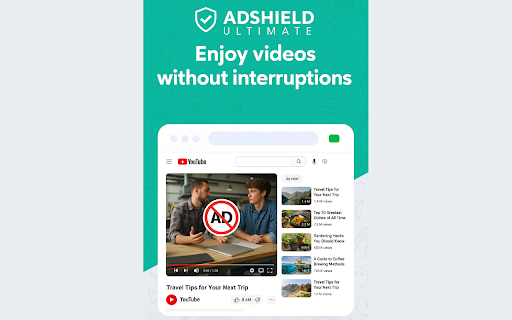


Skip the ads. Watch YouTube. Block pre-roll, mid-roll, and banner ads instantly. Fast, lightweight, privacy-focused. No more waiting for skip buttons. No more sitting through unskippable 30-second ads. Just press play. AdShield blocks pre-roll and mid-roll video ads before they even start. It also removes those annoying banner overlays and hides sponsored results when you search. When YouTube detects your ad blocker and tries to stop playback, AdShield handles it automatically. Our blocking rules update in the background, so you stay ahead of YouTube's detection without lifting a finger. When fraudulent ads show, the extension reports them to help get scams removed from the platform. Install once. Forget it exists. Just enjoy the show.

Adblock for YouTube™
Privacy aware, secure Adblock for YouTube™. Blocks any ads on YouTube.com. 🌟 Say Goodbye to Annoying Ads and Preroll Videos on Youtube with Adblock for Youtube❣️ 🌟 Blocks ads from Youtube™ and counts the life-time you saved by not seeing Ads on Youtube™ 🌟 Unlock an uninterrupted and personalized Youtube experience by installing Adblock for Youtube now! 💪 „Adblock for Youtube“ is the perfect solution for an interruption-free and more comfortable Youtube experience. This browser extension blocks all ads and preroll videos on the website Youtube.com, allowing you to watch videos without any interruptions. With this extension, you’ll be able to enjoy your videos without being bothered by unwanted ads and preroll videos, making your time on Youtube more enjoyable. The extension is easy to install and use. Once installed, it runs in the background, automatically blocking all ads and preroll videos on Youtube. You can also customize the extension’s rules to suit your preferences, for example, by blocking preroll videos longer than 15 seconds or ads that contain certain keywords. In addition to blocking ads and preroll videos, the extension can also improve your overall experience on Youtube by speeding up page load times and reducing data usage. Installing the extension is simple. You can get it from the web store for your specific browser (e.g the Chrome Web Store for Google Chrome) by searching for „Adblock for Youtube“ and adding it to your browser. Once installed, the extension will show an icon on your browser’s toolbar, which you can use to turn the extension on or off, as well as to access the settings menu where you can modify the rules and preferences. With „Adblock for Youtube“ you don’t have to worry about unwanted interruptions while watching videos. This extension will make your time on Youtube much more comfortable and enjoyable. Give it a try today and see the difference it makes. Your Key to an Uninterrupted and Improved Online Experience!

GoodTube - Adblock for Youtube + Remove Youtube Shorts + Restore old UI
Undetectable Youtube adblock / adblocker! With options to Remove Youtube Shorts, Auto Set Youtube Video Quality, Remove AI and more! If you've had trouble with your other adblockers being detected by Youtube and are looking for something more reliable - this extension is for you. It also allows you to customise Youtube in many different ways. 🚀 Features - Blocks 100% of video and page ads - Restores the old video player / ui - Removes the "are you still watching" popup - Fixes "experiencing interruptions" delays - Also works on Youtube Music ⚙️ Settings - Remove all shorts - Auto set the video quality (highest, lowest or pick one) - How many videos display per row on the home page - Hide "who's still listening in 2026?" style comments - Hide info cards - Hide end screen suggested videos - Hide sidebar suggested videos - Hide comments - Hide AI summaries & "ask" sections - Hide members only videos - Always play from the start - Use black background on video player - Instant pause (no delay) 💎 How much does it cost? This extension gives you a 7 day free trial. After that it costs $2 (once only) for unlimited access on as many devices as you like. ⭐ How is this adblocker different? Normal adblockers use "filter lists". Unfortunately Youtube keeps changing how their ads look and these filters must be constantly updated. They are also easy to detect. GoodTube takes a different approach. It uses a unique method to block ads via the "front end", which cannot be easily detected or stopped by Youtube. Made with love by just one developer. Enjoy!❤️

Adblock for YouTube™ — best adblocker
Privacy aware, secure Adblock for YouTube™. Blocks any ads on YouTube.com. You can understand what this extension does by looking at the name. If you don't understand then let's say, this extension helps to keep you away from various advertisements on YouTube. You can turn this extension on and off whenever you want to turn off and on your YouTube ads or advertisements. This extension has a disable button with which you can stop the extension. The best feature of this extension is that it will also show you how much time this extension has saved you from advertisements. So don't delay and download this extension soon it will keep you away from YouTube app for free and you don't have to pay any money for it. 1. Blocks video ads or advertisements during videos on YouTube. 2. Blocks suggested videos on YouTube. 3. YouTube blocks sponsored advertisements. 4. Avoid various sponsorship ads or banner ads and suggest advertisements on YouTube. 5. This extension will keep you away from YouTube advertisements. 6. Very lite and easy to use Extension. You will find thousands of extensions of this name in the market but the original extension of this name is this. If you don't believe it, you can try it. I am sure once you use the tension you will understand that it is the original extension that will help you to stay away from various advertisements on YouTube. Everyone uses this name of Ads Block for YouTube but the original extension is this. This extension keeps you away from various YouTube banner ads. Not only that, YouTube also keeps away from various sponsorships. You can turn this extension on and off whenever you want.It means you can turn YouTube ads off whenever you want and you can turn YouTube ads on.This extension keeps you away from the YouTube app. You can turn off this extension to support your favorite YouTubers. because every YouTuber gets their income from YouTube advertisement. So I request everyone to support their favorite YouTubers and also support me. While using it you will have a pop up open on YouTube. through that you can provide your review and you can close that pop up if you want. Clicking the "Don't Ask Again" button on the pop up will not opening the pop up a second time.

YouTube Ad Blocker
Blocks Ads on YouTube. No more advertisings on YouTube. The Blocker also removes all Ads from other websites Youtube Ad Blocker is a powerful and light-weight ads blocking extension for Chrome designed to remove all types of Advertisings from all websites. This AdBlocker creates and maintains a comfortable and safe Internet surfing by blocking annoying ads and malicious activities of all websites you visit. Youtube Ad Blocker is very simple to install and use. Add it to your Chrome and it will work automatically in background. Enjoy safe and smooth user experience. Why do I need Youtube Ad Blocker? Youtube Ad Blocker provides you advantages of ads-free Internet surfing, and makes user experience smooth and safe. For this the AdBlocker: - Blocks malicious redirects - Removes annoying ads like banners, pop-ups, chat windows, etc. - Blocks data mining while protecting your personal information - Removes unneeded advertising processes to speed up your Browser What does Youtube Ad Blocker blocks? Youtube Ad Blocker blocks not only video advertisings on YouTube but also: - Banner ads - Chat windows - Pop-ups and pop-unders - Trackers - Data miners and malicious redirects Where Youtube Ad Blocker works? This Youtube Ad Blocker works on most popular social networks, video and streaming platforms like: - YouTube - Twitch - Instagram - Twitter - Facebook and many more.
