
dbmjhebcnagfljllolnmbpkghfmckjgl


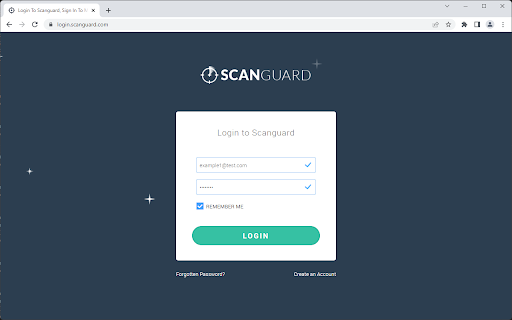


Access saved passwords from Scanguard's Password Vault, including the ability to generate and save a new password. This extension works with the Password Vault provided by the Scanguard application. Instead of manually searching for a password within Scanguard, you can now search the vault directly from any web page. Simply click one of the icons added by the extension to get a list of possible passwords for the current website. Selecting the entry will then add your login information. If you don't currently have any passwords saved for the website, you can generate a new one to add to the vault. The extension will detect logins to a website not stored in the vault, or if any existing entries have a different password. You'll be prompted whether you would like to save this new data. Please note: this extension requires Scanguard v1.37+ to be installed on your PC / Mac.

Browser Security Plus
Manage Google Chrome using Browser Security Plus extension One stop solution to secure and manage enterprise browsers. Browser Security Plus extension along with our software, is a tool that helps IT admins secure their browser network from web-based threats. Browser Security Plus allows IT admins to: 1) Detect the vulnerable browser add-ons like extensions and plugins present in your network. 2) Control access to browser-add-ons and sites. 3) Deploy security policies to protect your enterprise data and network. 4) Improve security by keeping track of compliance of your network with recommended security configurations. 5) Reduce help desk calls by ensuring compatibility between web-applications and browsers. Download ManageEngine's Browser Security Plus to enjoy the above functionalities at https://www.manageengine.com/secure-browser/download.html

Security Tweaks
Improve your online security with few tweaks via toolbar popup! Security Tweaks is an extension that helps you improve your security while browsing by using eight different techniques. Simply open toolbar popup UI and mark a desired tweak. Please note that, only few tweaks are selected by default. There are few settings (related to JavaScript, inline-script and cookie) available in toolbar popup to adjust. Currently there are 8 tweaks available for this add-on: 1. Block most common ads. 2. Block third-party JavaScript. 3. Enable safe-browsing. 4. Block cookies. 5. Block inline-script. 6. Block Flash contents. 7. Disable window.eval(). 8. Block most common malware URLs. Note 1: I have made this extension with Yubi's collaboration. This add-on is inspired by Speed Tweaks made by Yubi: https://chrome.google.com/webstore/detail/speed-tweaks/afebilemcaepdkmhmibgmnpfppnjimjf Note 2: to report bugs, please fill the bug report form in the addon's homepage (https://mybrowseraddon.com/security-tweaks.html).

Virus Checker for Downloads
Automatically check all the download files against well-known anti-viruses using VirusTotal API The "Virus Checker for Downloads" extension provides an additional security level to your browsing experience by checking all download links against 68 antivirus solutions. The extension needs zero configuration. Once a new download request is submitted, the download link is sent to VirusTotal web service and will be checked for viruses. Once the report is ready, the extension evaluates the response and notify you if the link is a threat. If there are more than pre-defined positive responses to the link, a warning window will appear to notify you about the possible threats of this download. You can either decide to allow or deny this download. Features: 1. Check every downloading job that is placed to the download manager 2. Works asynchronously, which means your downloading job is not being interrupted. 3. Respects the rate limits of VirusTotal free API (it only checks once per 20 seconds for job results) What is VirusTotal (from Wikipedia): --- VirusTotal aggregates many antivirus products and online scan engines to check for viruses that the user's antivirus may have missed, or to verify against any false positives. Files up to 128 MB can be uploaded to the website or sent via email. Anti-virus software vendors can receive copies of files that were flagged by other scans but passed by their engine, to help improve their software and, by extension, VirusTotal's capability. Users can also scan suspect URLs and search through the VirusTotal dataset. VirusTotal for dynamic analysis of malware use Cuckoo sandbox. VirusTotal was selected by PC World as one of the best 100 products of 2007. ---

WebAPI Blocker
Easily block (nullify) undesired Web API(s) and improve your privacy. WebAPI Blocker is a lite addon that lets you easily block and nullify a desired web API. Simply open the toolbar popup UI and choose an API from the drop-down list (top left side). Then, click on the (+) button to add the item to the API list. Once you add an item, you can remove it from the list by clicking on the "remove" button next to each item. Moreover, you can deactivate an item by removing the checkmark from the list. There is also a "reload" button at the top toolbar to reload the active tab. On the right side, you can add desired domains to the whitelist table. Please enter a domain name in the input field and then click on the (+) sign to add it to the table. To remove a domain, please click on the cross sign next to each item. Note: please be careful when you block (nullify) a web API. Because certain API(s) may cause websites to not fully load or even make them unresponsive. Therefore, please do enough research before disabling an API. To report bugs, please fill the bug report form on the addon's homepage (https://mybrowseraddon.com/webapi-blocker.html).
