
clbhgfneekiimoaakhhdjimgnnbnfbeh

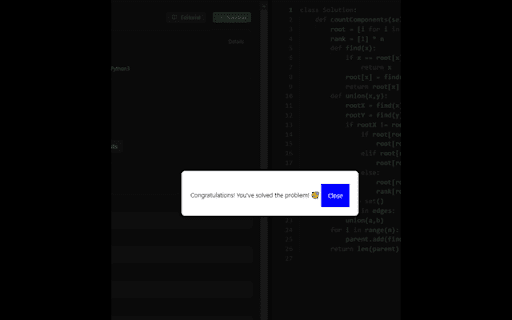
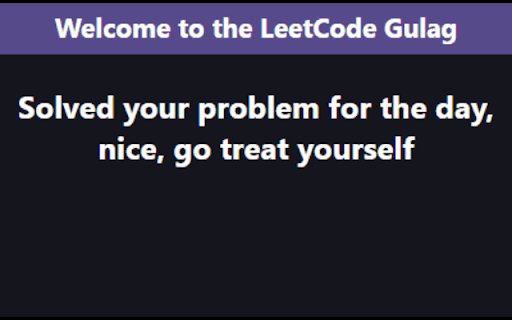
An extension to torture you with LeetCode problems and force you to solve them. An extension where the user can't access any websites until they solve a randomly assigned LeetCode problem

Leetcode Enhancer
A browser extension to improve productivity on Leetcode. It is a light-weight browser extension which boosts your productivity by hiding unnecessary visual elements from the screen, enabling you to focus on what is important. You can change your preferences form the popup menu and find out what best suits your needs. Its has the following features: **[Supports new UI]** - Hide locked problems from the table - Hide / Show any table column - Highlight solved problems - Hide difficulty count - Hide solved problems STOP getting intimidated by difficulty and FOCUS on problem-solving!

Leetcode Explained
Enhances Leetcode problems with solution code, video explanations, and GPT code analysis. Key features 🚀 Added into the Leetcode problem page 1️⃣ Code solutions in Python, Java, C++, and Javascript. 2️⃣ Top 5 popular youtube solution videos. 3️⃣ Top 5 companies asking that problem. Click the company tag to view all problems asked by that company GPT Features 🤖 Pin and open the extension and open to access 1️⃣ Generates the solution code using the problem description, constraints, hints, etc. 2️⃣ Gets the time and space complexity of your code Additional Features ⭐ 1️⃣ Elo rating added to 1500 problems. Number difficulty instead of Easy, Medium, Hard 2️⃣ Open settings in the popup to hide Leetcode examples and difficulty to simulate a real interview environment. Tutorial 📚 This extension only works with the new Leetcode UI. 1️⃣ Solution videos & code are available in the "Solutions" tab 2️⃣ Company tags are available in the Description tab Privacy 🔒 Everything is stored locally in your browser. No API key needed for GPT functionality. Simply login to chat.openai.com in your browser.

Leetcode format
Adds Format code button on leetcode to format the code using Prettier code formatter This Google chrome extension adds the Format button to the LeetCode code editor. Currently supported programming languages are Java, C++, JavaScript, TypeScript and Dart. Supports LeetCode old and new UI both, including dynamic layout. Release Notes 1.9: * Bug fix with dynamic layout Release Notes 1.7: * Bug fixes for new UI * Add hotkey support for old UI as well Release Notes v1.5: * Added support for both old and new UI.

Leetcode Difficulty Rating
Replace Leetcode problem's difficulty with a more precise contest rating. Support both "leetcode.com" and "leetcode.cn". The green/yellow/red text color is preserved, so you can still tell the official difficulty. *** Problems in 1st-62nd weekly contests and problems that did not come from contests don’t have rating data and "N/A" is shown by default. *** To show the original rating, click the extension icon on the top right of the browser and disable "Show N/A if no rating is available". For more details and source code, please visit: - https://github.com/boenshao/leetcode-difficulty-rating-extension
