
biabdadioeaahclcmbanadkaklgaomec
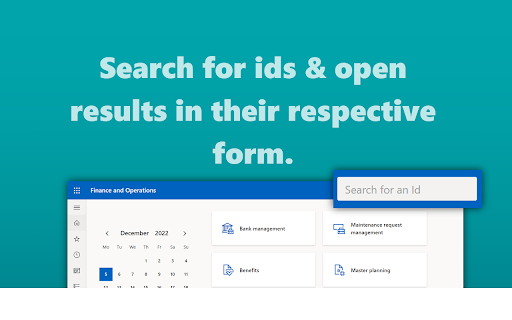


Access BE-terna Search from the navigation bar in Microsoft Dynamics 365 for Finance and Operations This browser extension places an input field for BE-Search in the navigation bar of all supporting cloud environments of Microsoft Dynamics 365 for Finance, Supply Chain Management & Commerce. This browser extension only works in concert with BE-Search for Microsoft Dynamics 365 for Finance, Supply Chain Management & Commerce.

Table Browser Caller for D365FO
Arineo Table browser caller for Microsoft Dynamics 365 for Finance and Operations. The extension provides a convenient method to list and access tables in Microsoft Dynamics 365 for Finance and Operations (D365FO) via the Table Browser. It simplifies the process of searching for and opening tables in 'table browser mode,' making it an invaluable tool for developers and power users. Additionally, it aggregates and displays a complete list of data entities with fields from an instance. A new feature includes a detailed view for OData entities, presenting a comprehensive list of fields including enum values. Prerequisites: - Access to a D365FO instance. - Adequate permissions to access the 'SysTableBrowser' menu item. The extension comes with a built-in table list. Currently based on D365FO - V 10.0.40/PU64. The table list does not include tables with property 'Visible=No' and deprecated (DEL_*) tables. Note: This is the new version of the former Table Browser Caller (https://chrome.google.com/webstore/detail/table-browser-caller-for/nahbldacmaibopfiiaoboloegpobpccn) now powered by Arineo.com.

D365 Finance & Operations Dev Tools
**Introducing the Dynamics 365 Finance & Operations Dev Tools Extension: Elevate Your Development Workflow** Are you a developer working with Dynamics 365 Finance & Operations and tired of the manual URL manipulation that often comes with the territory? Say goodbye to those cumbersome tasks and welcome a powerful solution into your development arsenal. The Dynamics 365 Finance & Operations Dev Tools extension is here to revolutionize your development experience, making it more efficient and productive than ever before. **Key Features:** - **Table Browser:** Access a user-friendly table browser with ease, allowing you to explore and interact with your tables effortlessly. - **Class Runner:** Execute your classes effortlessly with the simple input of class names, streamlining your development process. - **Form Opener:** Quickly open forms by specifying the form name, reducing time spent searching and navigating through menus. Whenever you open the extension's popup, you will find the Base URL field pre-populated with the current tab's URL, sparing you from the tedious task of manual URL manipulation. Moreover, the extension intelligently captures the legal entity from the current tab's URL (if available), further enhancing your workflow efficiency. We are proud to offer this extension as an open-source project. You can explore and contribute to its development on our GitHub repository at https://github.com/huzaima/D365FODevTools. Your feedback and collaboration are welcome as we work together to continually enhance and refine this essential tool for Dynamics 365 Finance & Operations developers. Experience a seamless and productive development journey like never before. Download the Dynamics 365 Finance & Operations Dev Tools extension and embrace a new era of development efficiency today.

DevTools for D365F&O
Chrome extension for D365 F&O: colors the nav bar, shows DB field names, and more An Extension that is compatible with Google Chrome and Microsoft Edge, allowing users to change the color of the navigation bar to show the database names of forms, fields, and more. Now you don’t have to be confused ever again! Personalize navigation bar colors, this extension works with Dynamics 365 Finance and Operations (not affiliated with or endorsed by Microsoft) : • According to URL • By legal entity names • Database form names You can also add screenshot capturing to the task recorder. It can be installed in Microsoft Edge and is fully compatible with the browser. Applications This Extension allows the user to change the color of the D365FO (not affiliated with or endorsed by Microsoft) navigation bar according to the environment. The latest version of the tool can instantly show database form names. For more information, please visit this link: https://devanalytic365.com/blog/f/how-change-d365-fo-navigation-bar-color-in-chrome Features • Instantly show database form names • Allows users to distinguish environments by legal entity names • Adds screenshot capture feature to task recorder (Screenshot capturing chrome extension) • Adds task recorder screenshot (task recorder with screenshot) Update V 7.0 • Added a checkbox to show an environment banner at the bottom right of the screen • Revamped the Chrome extension with a brand-new design, improving usability and aesthetics. Update V 5.1.1 • Enhanced Database form name function The tool now displays more fields in the Database form names function, including some missing headers in previous versions. Disclaimer The product is not provided with any warranty by the developer and comes “as it is.” Note We do not collect any usage, analytics, or personal data in any capacity for any purpose.

D365 Plugin Code Generator
Generate plugin code based on entity name and action The "Plugin Code Generator for MS CRM" Chrome extension likely provides a streamlined and automated way to generate code snippets or templates for plugins in Microsoft Dynamics CRM.
