
bgmpfihhcbfmldalkcbeoiahkgicdcel

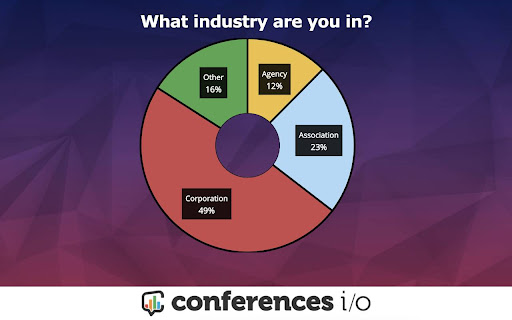

Conferences i/o is an easy-to-use live audience engagement platform that is perfect for virtual, hybrid, and in-person meetings. Millions of attendees at thousands of events, primarily across North America, have used Conferences i/o technology to make presentations more interactive. Engaged attendees are better attendees — they learn more, and they give higher ratings to sessions and events that add elements of audience participation. How does this extension work? This extension is built for existing Conferences i/o customers. It automatically decodes live content slides within Google Slides, PowerPoint Online and Prezi. These decoded slides will be replaced with interactive slide content while being displayed during a presentation. How is this extension supported? This extension is fully supported by the Conferences i/o support team. Customers can reach out at any time with questions about how the product works, and how they can get the most out of it. I'm not currently a customer. How can I try Conferences i/o? Reach out to the Conferences i/o team via our website, https://www.conferences.io Audience Q&A Enjoy a world-class Q&A experience from the inventors of crowdsourced meeting Q&A. Before your event, collect questions in one convenient place. Audience members can upvote questions, allowing Q&A time to be used efficiently. Download questions after your event and share internally or with attendees. Polling Engage your audience with a variety of poll types (multiple choice, open ended). Try our exclusive brainstorming poll, where participants can submit and then vote for ideas. Collect responses beforehand, or run live polls during your meeting. Download a well formatted report afterward. Session Evaluations Skip messy email feedback and capture an evaluation while it's fresh in mind for attendees. No need to use any other survey tool. And more! Check-ins and check-outs for continuing education sessions. Audience games for doing something a little different than a normal presentation. Single sign-on integration (if you need it). Fully customizable branding.

Pear Deck Power-Up
Ensures that videos, animations, and GIFs embedded in your Pear Deck slides play at full resolution—exactly the way they should! Using Videos, Animations, and GIFs in your Pear Deck? Get ready to power up! The Power-up is a free Google Chrome extension. Installing it ensures that videos, animations, and GIFs embedded in your Pear Deck slides play at full resolution—exactly the way they should! To use, simply install the Power-up from the Chrome Web Store on the device you use in class. Now when you present with Pear Deck, the Power-up magically enables the display of your videos, animations, and GIFs on the projector and student devices. For more information about Pear Deck, visit www.peardeck.com.

Wakelet
Save, organize and share content from across the web! The Wakelet Browser Extension makes saving, organizing, and curating content from the web easier than ever! Hit the blue Wakelet icon to capture content as you browse, organize it into collections, and share those collections with whoever you want. All of this is done through the Wakelet side panel, which allows you to quickly capture the website you’re visiting, edit the description and cover image, and save it directly into a collection. You can even create new collections from within the side panel itself! 💥 Bookmark any content instantly 🗂️ Organize content into collections 📸 Capture text, screenshots and images 🚀 Curate faster than ever with the Wakelet side panel! 📋 Capture X Links (Tweets) with one click Wakelet is the ultimate curation tool, empowering you to save the things you love, and share them with the people who matter. Don’t forget to share your feedback, ideas and suggestions with us on social @Wakelet!

Slides Timer
Create timers using placeholders. ie >, >, >, >, >, > Slides Timer is a powerful extension that automatically brings your Google Slides to life with dynamic timers and clocks. Whether you're running a classroom activity, a business presentation, or a workshop, Slides Timer provides a seamless and beautiful way to keep your audience engaged and on track. Simply place your timer configuration between > and let the extension do the rest! 🚀 KEY FEATURES (FREE) Countdown & Count-up: Use - to count down or + to count up (e.g., >). 🕰️ Live Clock & Date: Display the current time or date with > or >. ♾️ Continuous Timers: Use ~ to keep your timer running across different slides. ⏭️ Slide Triggers: Automatically advance slides (-+) or go back (--) when a timer hits zero. 🔔 Audio/Video Alarms: Trigger your inserted audio (@) or video (!) files at specific times. 💎 PREMIUM FEATURES (PRO) Unlock powerful tools to customize your experience: 🎨 Custom Formatting: Full control over time/date displays using common indicators (e.g., >). 🍅 Pomodoro Cycles: Infinite work/break chaining for ultimate productivity (e.g., >). ⏱️ Analog Clock Faces: Beautifully rendered analog clocks using |analog. 📊 Dynamic Progress Bars: Visual progress bars that fill or empty as your timer runs (|bar). 💯 Scoreboards: Track points between slides with shared IDs and custom increments. 🏷️ Custom Tags: Personalize your starting and ending markers (default >). 🖌️ Custom Clock Interfaces: Get access to exclusive, advanced clock visual interfaces. ⏰ Advanced Alarm Scheduling: Take deeper control over when and how your alarms trigger. 🔄 Data Synchronization: Keep your custom settings and tags synced across your devices. ⭐ Priority Support: Dedicated and faster assistance when you need help. ⌨️ KEYBOARD CONTROLS (PRO) Enhance your presentation flow with premium quick hotkeys: Pause/Start: Press y to pause or resume the active timer. Reset: Press r to reset the timer to its starting value. 🛑 Manual Start: Use $ in your tag (e.g., >) to start the timer in a paused state. ⚙️ Custom Hotkeys: Personalize all of your keyboard shortcuts directly in the extension popup. 📖 COMMON EXAMPLES > : 5-minute countdown. ⏱️ > : 10-minute count-up. 🍅 > : A cycle of 25m work and 5m break. 📊 > : A 30-second progress bar. 🕰️ > : Current time without seconds or AM/PM. 📅 > : Countdown to a specific date! 💯 > : Scoreboard starting at 0, press [ for +1 and ] for +5. 🛠️ FORMATTING REFERENCE Customize your > and > tags with these indicators: 🕛 hh : 12-hour format (double digit) 🕒 HH : 24-hour format (double digit) mm : Minutes ⏱️ ss : Seconds 📆 dddd : Day of the week (long) 🗓️ MMMM : Month (long) 📅 yyyy : Year (4 digits) 💳 SUBSCRIPTION & MANAGEMENT Manage your PRO subscription directly through the extension popup. Click "Manage Subscription" to view invoices or update payment methods via our secure portal at https://slidestimer.web.app 🔒 PRIVACY This extension does not collect or handle personal user data beyond your Chrome Profile ID for subscription verification. 💡 Tip: Be sure to refresh your Google Slides tab after installation for the timer to activate!

Remote for Slides
Remote for Slides allows you to control Google Slides on any device, remotely, without the need of any extra hardware. ✔️ Control presentation slide (Next/Previous slide) ✔️ View speaker notes with adjustable font size ✔️ View timer ✔️ Control YouTube playback ✔️ Control Google Slides using Game Controller ✔️ Dark mode & Black Mode ✔️ Multiple languages support ✔️ Add to home screen ✔️ Easy to use 1. Install Remote for Slides Chrome Extension from the Chrome Web Store. 2. Open your Google Slides in Editor Mode, then click on the “Present with Remote” button. 3. Next, click on the “Start Remote” button to show the 6-digit code. 4. Enter the 6-digit code in the Remote for Slides Progressive Web App (s.limhenry.xyz) or in the Remote for Slides Lite Android App (bit.ly/slides-lite), and you are ready to go! - Now you can control your Google Slides presentation using your game controller (Xbox Controller, PlayStation Controller, Joy-Con, etc.). - How? Just connect your game controller to your computer (via Bluetooth or USB). That's it. You are good to go. 📱 Remote for Slides Apps • Remote for Slides Progressive Web App: https://s.limhenry.xyz • Remote for Slides Lite Android App: https://bit.ly/slides-lite What's Remote for Slides: https://go.limhenry.xyz/what-is-remote Twitter: https://twitter.com/remoteforslides YouTube: https://www.youtube.com/channel/UCQ3tNfjAlGqMP6P5Vg-OblQ
