
pojijacppbhikhkmegdoechbfiiibppi

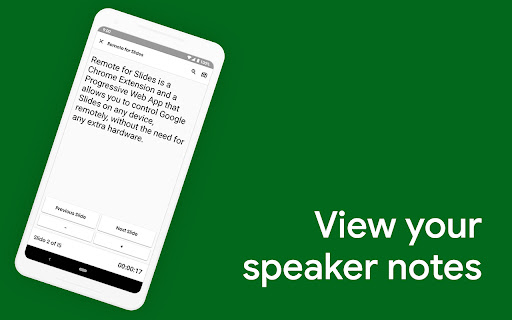


Remote for Slides allows you to control Google Slides on any device, remotely, without the need of any extra hardware. ✔️ Control presentation slide (Next/Previous slide) ✔️ View speaker notes with adjustable font size ✔️ View timer ✔️ Control YouTube playback ✔️ Control Google Slides using Game Controller ✔️ Dark mode & Black Mode ✔️ Multiple languages support ✔️ Add to home screen ✔️ Easy to use 1. Install Remote for Slides Chrome Extension from the Chrome Web Store. 2. Open your Google Slides in Editor Mode, then click on the “Present with Remote” button. 3. Next, click on the “Start Remote” button to show the 6-digit code. 4. Enter the 6-digit code in the Remote for Slides Progressive Web App (s.limhenry.xyz) or in the Remote for Slides Lite Android App (bit.ly/slides-lite), and you are ready to go! - Now you can control your Google Slides presentation using your game controller (Xbox Controller, PlayStation Controller, Joy-Con, etc.). - How? Just connect your game controller to your computer (via Bluetooth or USB). That's it. You are good to go. 📱 Remote for Slides Apps • Remote for Slides Progressive Web App: https://s.limhenry.xyz • Remote for Slides Lite Android App: https://bit.ly/slides-lite What's Remote for Slides: https://go.limhenry.xyz/what-is-remote Twitter: https://twitter.com/remoteforslides YouTube: https://www.youtube.com/channel/UCQ3tNfjAlGqMP6P5Vg-OblQ

Pear Deck Power-Up
Ensures that videos, animations, and GIFs embedded in your Pear Deck slides play at full resolution—exactly the way they should! Using Videos, Animations, and GIFs in your Pear Deck? Get ready to power up! The Power-up is a free Google Chrome extension. Installing it ensures that videos, animations, and GIFs embedded in your Pear Deck slides play at full resolution—exactly the way they should! To use, simply install the Power-up from the Chrome Web Store on the device you use in class. Now when you present with Pear Deck, the Power-up magically enables the display of your videos, animations, and GIFs on the projector and student devices. For more information about Pear Deck, visit www.peardeck.com.

Sir Links-a-Lot
This extension will modify Google Apps URL. Do you like to manipulate Google app URL's to meet the needs of your students? Well, you are in luck because Sir Links-a-Lot extension has your Back with big round buttons in your face to do all the work for you! Templates ~ Force a copy ~ Preview ~ PDF ~ Templets ~ Demo Mode with just a click check this out! Update 1.5.7 ~ Bug fixes ~ Repetitive Splash Page Fix & few other annoying Bugs ~ NEW Additions ~ Demo action & Tabs Support ~ In the works ~ Custom short link Special thanks for always being an inspiration: Dee Lanier @deelanier & Special thanks for help with the great name: Marcus Painter @marcusep1

Draftback
Watch the writing process unfold - play back a Google Doc as if it were a movie Draftback is a Chrome extension that lets you replay the revision history of any Google Doc you can edit. It’s mostly used by teachers to detect plagiarism and to find out when students are using ChatGPT. It has more than 500,000 users. * Draftback lets you play, pause, and rewind a Google Doc’s revision history. It can be used retroactively on existing documents. * After you install the extension, a Draftback button appears in the toolbar in Google Docs. Click to see the doc's full replay. Pause, rewind, skip ahead—you can even play back at actual speed, as if looking over the author's shoulder. * A page shows you at-a-glance insights into writing patterns and time spent. For more information, see draftback.com You can try Draftback free for 30 days, with no credit card required. Just try it right away and take your time seeing whether it's useful to you. “I have been relying on draftback for the past couple of years as a tool to monitor my student writing - to say that this app has been a game changer, not just for me, but for my colleagues AND students, is not giving it enough credit. Students have become better writers as they realize that their work is being checked for AI use, and my colleagues and I have seen huge increases in their learning and skills as a result.” “My teachers, especially my English teachers, use your Draftback Chrome extension and it has become invaluable to their teaching and their student's learning. It is a wonderful way for them to keep up with students' writing to evaluate the writing process, not just the final outcome.” “At the school where I teach, we have determined that it is the only tool we can find that allows us to determine if AI plagiarism using Grammarly or ChatGPT is taking place, by seeing whole blocks of text be replaced faster than they could be re-written. We are considering requiring all typed work to be submitted in the original Google Doc so Draftback can see the changes. Congratulations on inventing exactly the tool every teacher needs now.” Draftback was designed to be as careful as possible about user privacy. No document data is collected by or sent to any remote service by the extension. All such data is stored locally on the user’s own computer, by their Chrome browser, and is only stored there so that future replays of an already-replayed document will go faster. (Draftback is a Chrome Extension instead of a standalone app specifically so that it doesn't get access to sensitive document data.) No one, including the extension’s developer, has access to any document processed by Draftback or to its revision history. The extension uses Google Analytics; this data is anonymized and doesn't include personally identifiable information. To manage subscriptions and free trials, the extension does collect the active user’s email address and a unique id identifying their browser, but only after the user has explicitly consented to share their email. Draftback will then “phone home” when it loads to find out if the given email address / id is a subscriber or within a free trial window. (Note that the extension does not collect the email address of document authors, if these are different from the active user.) - With Draftback, your data is kept entirely private. Draftback was purposely designed so that you could play back your own docs without having to share them with a third party. This is -your- data; Draftback just lets you see it in a new way. - Draftback only needs access to docs.google.com to get the revision data for playback—but that data never leaves your own browser. It also uses this access to get your email address from the Docs page if the regular "Sign in with Google" flow fails. SUPPORT AND FEEDBACK

edpuzzle
Import your favorite educational YouTube video into Edpuzzle with a click! The extension lets you make any YouTube video interactive, by embedding questions (either manually or instantly with Teacher Assist AI), and safe, with no ads, no tracking, and no recommended videos. The extension also includes an amazing screen recording tool so you can create your own educational videos! Record your screen and take your students through a presentation they can watch at their own pace, walk them through a math problem using the interactive whiteboard complete with drawing tools, or use the camera to record a science experiment or any other creative classroom ideas you dream up.
