
cggpkbnlnicoanmphgkkcmidbpdacepn
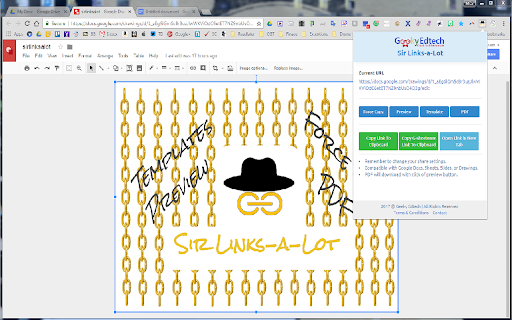
This extension will modify Google Apps URL. Do you like to manipulate Google app URL's to meet the needs of your students? Well, you are in luck because Sir Links-a-Lot extension has your Back with big round buttons in your face to do all the work for you! Templates ~ Force a copy ~ Preview ~ PDF ~ Templets ~ Demo Mode with just a click check this out! Update 1.5.7 ~ Bug fixes ~ Repetitive Splash Page Fix & few other annoying Bugs ~ NEW Additions ~ Demo action & Tabs Support ~ In the works ~ Custom short link Special thanks for always being an inspiration: Dee Lanier @deelanier & Special thanks for help with the great name: Marcus Painter @marcusep1

Text Spotlight
Put text front and center or share it instantly. Make text impossible to miss during screen shares, presentations, or live demos. Text Spotlight displays any text you type as large centered text on your screen, and includes a built-in URL shortener and QR code generator for fast sharing. Works on top of any web page. Features • Display large centered text instantly • Generate short URLs in one click • Create QR codes for rapid sharing • Perfect for presentations, training, demos, and classrooms • Clean, lightweight, and simple to use Whether you are presenting or sharing information quickly, Text Spotlight makes it fast and clear.

Bitly | Short links and QR Codes
Create short, powerful links and QR Codes and share them with the world. Connect with your audience and drive more viewers to your content with Bitly’s powerful connection platform. Create short links and QR Codes right from any page. Shorten links with one click Click the Bitly button in your toolbar to create a unique link to the current URL. Your shorter, more memorable link is copied to your clipboard and ready to paste into a post, message, or document. Customize for click-worthy links Is that bit.ly link too generic for you? Customize it by editing the back-half. Then take it to the next level by upgrading your account and replacing the generic "bit.ly" domain with your own brand. Generate QR Codes Create QR codes for print, outdoor, and other ad campaigns. With Bitly, a static QR Code will never get stale—just redirect it when your content changes.

Pear Deck Power-Up
Ensures that videos, animations, and GIFs embedded in your Pear Deck slides play at full resolution—exactly the way they should! Using Videos, Animations, and GIFs in your Pear Deck? Get ready to power up! The Power-up is a free Google Chrome extension. Installing it ensures that videos, animations, and GIFs embedded in your Pear Deck slides play at full resolution—exactly the way they should! To use, simply install the Power-up from the Chrome Web Store on the device you use in class. Now when you present with Pear Deck, the Power-up magically enables the display of your videos, animations, and GIFs on the projector and student devices. For more information about Pear Deck, visit www.peardeck.com.

Remote for Slides
Remote for Slides allows you to control Google Slides on any device, remotely, without the need of any extra hardware. ✔️ Control presentation slide (Next/Previous slide) ✔️ View speaker notes with adjustable font size ✔️ View timer ✔️ Control YouTube playback ✔️ Control Google Slides using Game Controller ✔️ Dark mode & Black Mode ✔️ Multiple languages support ✔️ Add to home screen ✔️ Easy to use 1. Install Remote for Slides Chrome Extension from the Chrome Web Store. 2. Open your Google Slides in Editor Mode, then click on the “Present with Remote” button. 3. Next, click on the “Start Remote” button to show the 6-digit code. 4. Enter the 6-digit code in the Remote for Slides Progressive Web App (s.limhenry.xyz) or in the Remote for Slides Lite Android App (bit.ly/slides-lite), and you are ready to go! - Now you can control your Google Slides presentation using your game controller (Xbox Controller, PlayStation Controller, Joy-Con, etc.). - How? Just connect your game controller to your computer (via Bluetooth or USB). That's it. You are good to go. 📱 Remote for Slides Apps • Remote for Slides Progressive Web App: https://s.limhenry.xyz • Remote for Slides Lite Android App: https://bit.ly/slides-lite What's Remote for Slides: https://go.limhenry.xyz/what-is-remote Twitter: https://twitter.com/remoteforslides YouTube: https://www.youtube.com/channel/UCQ3tNfjAlGqMP6P5Vg-OblQ
