
kjgfnioibniobfkjcjjfikmhecajpcio
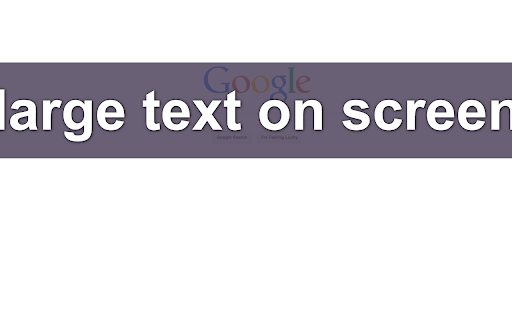
Put text front and center or share it instantly. Make text impossible to miss during screen shares, presentations, or live demos. Text Spotlight displays any text you type as large centered text on your screen, and includes a built-in URL shortener and QR code generator for fast sharing. Works on top of any web page. Features • Display large centered text instantly • Generate short URLs in one click • Create QR codes for rapid sharing • Perfect for presentations, training, demos, and classrooms • Clean, lightweight, and simple to use Whether you are presenting or sharing information quickly, Text Spotlight makes it fast and clear.

Copyright Free Images Filter
See only images you can safely reuse. Avoid copyright issues with a single click. Copyright Free Images Filter shows only images in Google search that are licensed for reuse, including Creative Commons and other non-restricted categories. Features • Filter Google Images to display only copyright-free or reuse-friendly results • Automatically hide images that aren’t safe to reuse • Ideal for students, teachers, bloggers, designers, and content creators • Lightweight, fast, and simple • Reduces risk of accidental copyright misuse Find images you can safely use with Copyright Free Images Filter.

Google Docs Quick Create
Create new Documents for Google Drive from your browser bar. Add a simple menu to your browser bar to quickly create new Documents, Spreadsheets, Presentations, Forms, and Drawings for Google Drive.

Brisk Teaching – AI Assistant for Teachers
Brisk Teaching is your AI-powered teaching assistant designed to save teachers 10+ hours a week. It works seamlessly with your… Brisk Teaching is your AI-powered teaching assistant designed to save teachers 10+ hours a week. It works seamlessly with your favorite tools—Google Docs, Classroom, Slides, PDFs, and more. Install the extension and get immediate access to over 20 built-in tools including creating curriculum, rubrics, lesson plans, quizzes, sub plans, math word problems, teacher exemplars, state practice tests, and more. Use it to give targeted feedback, differentiate lessons, and tackle everyday teaching tasks — right where you already work. ➤ What Can Brisk Do for Teachers? Create Content Generate lesson plans, quizzes, Google Docs, Forms, and Slides in over 30 languages—auto-saved to your Google Drive. Give Feedback Deliver fast, clear feedback in Google Docs with four powerful methods. Level Resources Adjust reading levels on articles and docs to support every student. Inspect Writing Replay students’ edits to track progress and insights in real time. Brisk Boost Design safe, interactive AI-powered activities that align with learning objectives and deepen student engagement. ➤ Getting Started Is Easy 1. Install: Add the Brisk extension to Chrome and pin it. 2. Brisk It: Click the Brisk icon to start creating, giving feedback, and boosting engagement. 3. Relax: Let Brisk handle the heavy lifting while you focus on teaching. ➤ Why Teachers Love Brisk * Works Where You Do: Compatible with Google Docs, Forms, PDFs, Slides, and more—no exporting, just instant saves to Google Drive. * AI That Saves Time: Cut down on your workload with tools that work in just seconds. * Free Tools Galore: Access over 20+ AI-powered features for free to help you teach more effectively. * Real-Time Generation: Enter your prompt and watch in real time as Brisk AI generates the resources you need. ➤ Get Brisk Today—For Free! 1. Download the Brisk Teaching Chrome extension. 2. Pin it to your toolbar. 3. Use it wherever you work online—Google Docs, Slides, YouTube, and more. ➤ Ready to save time and boost your teaching game? Visit www.briskteaching.com and join the 1 million+ teachers who’ve made teaching Brisk! ➤ Want to see Brisk in action? Connect with us on social media @briskteaching.

Poll Everywhere for Google Slides
Poll Everywhere allows you to transform one-way presentations into a lively conversation with everyone in the meeting. With the smartphones and devices they use every day, participants can submit live responses and watch them update directly on the shared screen. Here’s how it works: - Create or log in to your Poll Everywhere account. - Create the questions you’d like to ask the audience. - Embed live activities in your Google Slides presentations. - Invite the crowd or class to respond via the web or SMS. - Watch responses appear instantly on the slide in real time. Over 75% of the Fortune 500 and 300,000+ educators have trusted Poll Everywhere to facilitate impactful discussions. Lead meaningful meetings, classes, and events from anywhere and generate actionable results that wow the audience.
