
amocbejhlhhpdoiojimopjffkmobimml
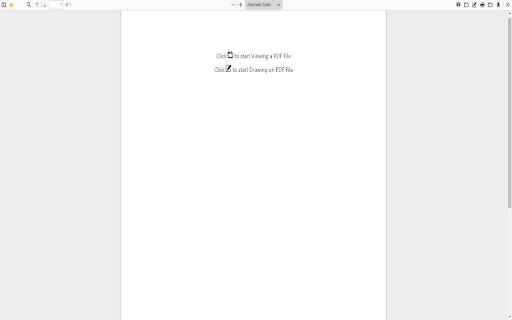
Read PDF File and highlight/make edits to the PDF File Want to view and edit PDF files quickly? Use this software extension to view PDF files instantly in your browser. If you wish to make any edits to the PDF file, you can do so via View and edit PDF files today with this software browser. This is a simple to use PDF Viewer. Disclaimer: Please note this extension is NOT made by Google and is made by an independent development team. All copyrights belong to their respective owners. Google doesn’t endorse or sponsor this extension. PDF Viewer for Google Chrome™ is not owned by, is not licensed by and is not a subsidiary of Google Inc.

Easy PDF Viewer
Efficiently View and Interact with PDFs: Easy Navigation, Zooming, and Annotations! Experience the Comfort of PDF Browsing with Easy PDF Viewer! The art of reading and interacting with PDFs has never been more efficient, thanks to our Easy PDF Viewer browser extension! Perfect for professionals, students, and tech-enthusiasts—our extension focuses on delivering a smooth, user-friendly PDF navigation experience straight from your browser. - Multi-purpose PDF Viewer: Effortlessly open, view, and interact with PDFs. Whether they already live in your tabs or are stored locally, our extension has got you covered! - High-Customizability: Set your preferred viewing defaults or adjust the settings for each PDF—you decide! - Dark Mode: Flip to dark mode for a pleasant, eye-friendly browsing experience during the night or in low-light conditions. - Zoom & Auto-Rotate: Choose your comfort. Zoom in or out, rotate your viewing angle, and adapt your reading to your needs. - Contains Various Settings: From controlling the view, zoom level, to your preferred mode—it’s all a click away! - Local PDF File Openings: Not only does it handle online PDFs, but our extension also supports local files for your offline needs. - Annotations: Add notes, highlight text, or draw—make your PDFs interactive

Soda PDF Viewer: Edit, Convert, Compress PDF files
Edit and read any PDF files in Chrome. Soda PDF is the ultimate online PDF editor and viewer for any device! Get the most out of your PDFs with the Soda PDF Chrome extension. This powerful PDF viewer and editor integrates smoothly into your browser, offering a complete solution for all your PDF needs. With Soda PDF, viewing, reading, and editing PDFs is a breeze. You can add text, edit text, edit images, rearrange pages, and even create forms. Plus, you can easily upload files from the extension to our online tool, giving you access to a wide range of powerful features. Enjoy seamless performance and productivity, no matter where you are. Key Features: Online PDF Viewer & Reader: Quickly open and read PDF files with our user-friendly PDF reader. Online PDF Editor: Modify your documents with ease. Add text, edit text, and include images directly in the PDF. Rearranging Pages: Organize your documents by rearranging pages with just a few clicks. Create Forms: Design and create forms within the app for easy data collection.

PDF Reader and Editor
This extension uses Mozilla's pdf.js library to display PDF files in your browser. It will be used as a replacement for the default PDF viewer. This extension supports rendering remote and local PDF files on top frames. The extension provides the same experience as you open PDF files in the Firefox browser. To allow the extension to parse local PDF files, you need to enable "Access Local Files" in the extension manager. If you prefer the extension to parse PDF files in frame elements use the right-click context menu checkbox Features: 1. Provides both light and dark theme options 2. Facilitates page navigation using the "page" hash 3. Allows customization of the PDF viewer's appearance 4. Enables the display of both signed and unsigned PDF signatures 5. Permits the opening of PDF files by dragging and dropping them into the viewer 6. Offers partial support for executing PDF scripts 7. Allows for the insertion of text and images 8. Enables drawing functionality, such as digitally signing the PDF with a pen or mouse. 9. Crop part of the document and store it as a new PDF 10. Extract some pages from the document and store it as a new PDF Available Rendering Options: Disable Page Labels Enable Permissions Enable Print Auto-Rotate Enable WebGL History Update URL Ignore Destination Zoom PDF Bug Enabled Render Interactive Forms (AcroForm/XFA) Use Only CSS Zoom Disable Auto Fetch Disable Font Face Disable Range Disable Stream Version Log: 0.1.2: 1. Updates pdf.js library to v1.9.426 2. Favicon detection is improved 3. There are two context menu items to open PDF links in a new tab and in a new background tab 0.1.4 1. Updates pdf.js library to v2.2.228 2. Handles *.PDF files in Chrome OS 3.Allows opening of local PDF files either by dropping them or by using the open button on the user-interface

Flexi PDF Reader
Customizable PDF Viewing Made Effortless – Discover the Flexi PDF Reader Introducing Flexi PDF Reader: Your Ultimate Browser Extension for Effortless PDF Viewing. Experience the freedom of tailored PDF reading with Flexi PDF Reader. Whether you're a dedicated researcher, a diligent student, or a busy professional, our browser extension is designed to enhance your productivity and streamline your reading experience. Features That Empower You: 🔍 Highly Customizable PDF Viewer: Tired of the one-size-fits-all approach? Flexi PDF Reader lets you mold your viewing experience exactly as you prefer. Adjust layouts, fonts, and more to match your unique reading style. 📑 Default or Tab PDF Viewing: Seamlessly integrate Flexi PDF Reader into your browsing routine. Choose to view PDFs by default or within tabs, ensuring uninterrupted browsing. 🌙 Dark Mode for Eye Comfort: Whether it's late-night research or a preference for dark interfaces, our dark mode ensures strain-free reading in any lighting condition. 🔎 Zoom and Auto-Rotate: Dive into the details with customizable zoom options. And with auto-rotate, Flexi PDF Reader adapts to your screen orientation, keeping your reading smooth and hassle-free. 📂 Open Local PDF Files: Access your local PDFs directly within your browser. No more juggling between applications – Flexi PDF Reader makes it effortless. 🖋️ Annotations at Your Fingertips: Mark up your PDFs with ease using our annotation tools. Highlight, underline, and jot down notes directly within your browser, streamlining your research and collaboration. Flexi PDF Reader is more than a viewer; it's your reading companion tailored to your preferences. Whether you're a student, researcher, or professional, we invite you to explore the world of customizable PDF viewing. Elevate your productivity – get Flexi PDF Reader today.
