
gmpignfmmkcpnildloceikjmlnjdjgdg
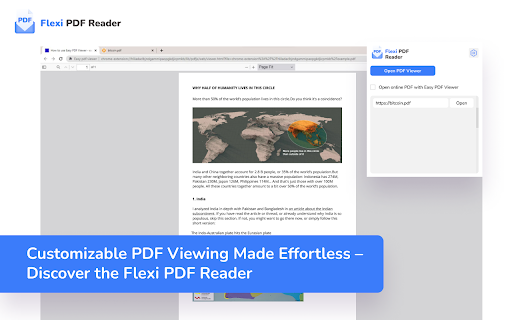
Customizable PDF Viewing Made Effortless – Discover the Flexi PDF Reader Introducing Flexi PDF Reader: Your Ultimate Browser Extension for Effortless PDF Viewing. Experience the freedom of tailored PDF reading with Flexi PDF Reader. Whether you're a dedicated researcher, a diligent student, or a busy professional, our browser extension is designed to enhance your productivity and streamline your reading experience. Features That Empower You: 🔍 Highly Customizable PDF Viewer: Tired of the one-size-fits-all approach? Flexi PDF Reader lets you mold your viewing experience exactly as you prefer. Adjust layouts, fonts, and more to match your unique reading style. 📑 Default or Tab PDF Viewing: Seamlessly integrate Flexi PDF Reader into your browsing routine. Choose to view PDFs by default or within tabs, ensuring uninterrupted browsing. 🌙 Dark Mode for Eye Comfort: Whether it's late-night research or a preference for dark interfaces, our dark mode ensures strain-free reading in any lighting condition. 🔎 Zoom and Auto-Rotate: Dive into the details with customizable zoom options. And with auto-rotate, Flexi PDF Reader adapts to your screen orientation, keeping your reading smooth and hassle-free. 📂 Open Local PDF Files: Access your local PDFs directly within your browser. No more juggling between applications – Flexi PDF Reader makes it effortless. 🖋️ Annotations at Your Fingertips: Mark up your PDFs with ease using our annotation tools. Highlight, underline, and jot down notes directly within your browser, streamlining your research and collaboration. Flexi PDF Reader is more than a viewer; it's your reading companion tailored to your preferences. Whether you're a student, researcher, or professional, we invite you to explore the world of customizable PDF viewing. Elevate your productivity – get Flexi PDF Reader today.

Fastest PDF Chrome Reader
A general-purpose Portable Document Format (PDF) viewer based on Mozilla's PDF.js library PDF Reader для удобства чтения файлов в формате PDF в браузере

dark.pdf
Simple Dark Mode PDF Extension, User can toggle between dark and normal mode using this extension in chrome. Simple Dark Mode PDF Extension, User can toggle between dark and normal mode using this extension in chrome.

PDF Dark Theme
Applies a dark theme to your PDF viewer ⚠️IMPORTANT⚠️: This extension won't work until you give it permission to access file URLs. You can do so by heading to your browser's extension page and enabling file access there. ⚠️IMPORTANT⚠️: This extension will only work on PDFs that you have installed locally on your computer. If you want it to work on PDFs you find online as well i.e. http://www.africau.edu/images/default/sample.pdf, I recommend you use Arshpreet Buttar's DarkPDF extension instead @ https://chrome.google.com/webstore/detail/darkpdf/cfemcmeknmapecneeeaajnbhhgfgkfhp?hl=en. ⚠️IMPORTANT⚠️: Your PDF viewer should be set to light theme for this extension to work. If you try to open up a light PDF document in a dark PDF viewer, this extension is going to invert the colors for both of them. Leaving you with a dark PDF document and a light PDF viewer. You need to have both of a light PDF document and a light PDF viewer for the desired results. EDIT: As pointed out in the reviews, you can't change the theme for chrome's default PDF viewer without changing the theme of your browser (as of May 2024 at least). I use the Vimium C PDF Viewer chrome extension instead, which gives me a different PDF viewer that can have a theme independent of the browser. Put chrome in dark theme, put vimium C pdf viewer in light theme, and it should work out. You can find that extension here. https://chromewebstore.google.com/detail/pdf-viewer-for-vimium-c/nacjakoppgmdcpemlfnfegmlhipddanj This extension is a fork of Buttar's extension (from above) except it's one file only. EDIT: I ended up switching to Buttar's extension myself, but in case people still want this one I'll leave it up. If anyone wants to use my logo, it's public domain no attribution required (no warranty). Code is GPLv3.

PDF Dark Mode
Can make any pdf dark mode so it is comfortable on your eyes.
