
fkoplomeapglnfadekcaamlehndlpkfa
A general-purpose Portable Document Format (PDF) viewer based on Mozilla's PDF.js library PDF Reader для удобства чтения файлов в формате PDF в браузере

PDF Reader and Editor
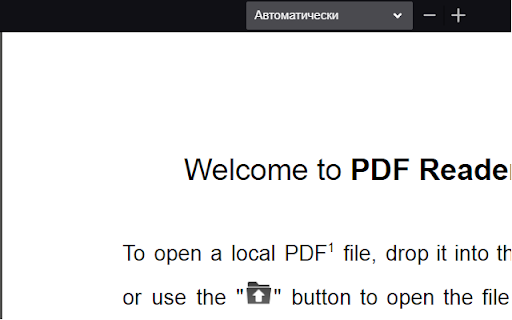
This extension uses Mozilla's pdf.js library to display PDF files in your browser. It will be used as a replacement for the default PDF viewer. This extension supports rendering remote and local PDF files on top frames. The extension provides the same experience as you open PDF files in the Firefox browser. To allow the extension to parse local PDF files, you need to enable "Access Local Files" in the extension manager. If you prefer the extension to parse PDF files in frame elements use the right-click context menu checkbox Features: 1. Provides both light and dark theme options 2. Facilitates page navigation using the "page" hash 3. Allows customization of the PDF viewer's appearance 4. Enables the display of both signed and unsigned PDF signatures 5. Permits the opening of PDF files by dragging and dropping them into the viewer 6. Offers partial support for executing PDF scripts 7. Allows for the insertion of text and images 8. Enables drawing functionality, such as digitally signing the PDF with a pen or mouse. 9. Crop part of the document and store it as a new PDF 10. Extract some pages from the document and store it as a new PDF Available Rendering Options: Disable Page Labels Enable Permissions Enable Print Auto-Rotate Enable WebGL History Update URL Ignore Destination Zoom PDF Bug Enabled Render Interactive Forms (AcroForm/XFA) Use Only CSS Zoom Disable Auto Fetch Disable Font Face Disable Range Disable Stream Version Log: 0.1.2: 1. Updates pdf.js library to v1.9.426 2. Favicon detection is improved 3. There are two context menu items to open PDF links in a new tab and in a new background tab 0.1.4 1. Updates pdf.js library to v2.2.228 2. Handles *.PDF files in Chrome OS 3.Allows opening of local PDF files either by dropping them or by using the open button on the user-interface

PDF Viewer
Display any PDF files in the Chrome browser with HTML5. Online editor, viewer and PDF converter tool. PDF Viewer for Chrome is a free and very useful tool that allows you to view and edit files directly in your browser. To see the file with this Reader simply hit the icon installed in the browser's toolbar or just click the Chrome's context menu and select "Open with PDF Viewer". Reader is the industry-leading solution. Use this tools right in Google Chrome to get the best viewing experience and get more done while browsing. You can add comments to file, including sticky notes, text, and highlights—all for free. What’s NEW: • Dark and light mode. • Read your document aloud • View file offline Other functions: • Displays both signed and unsigned PDF signatures. • Opens PDF files through drag-and-drop functionality. • Allows insertion of text and images into the document. • Includes drawing tools, making it possible to sign PDFs with a pen or mouse. To operate with this extension, please right-click on any link and then click on - Open and Download with Viewer - item from the context menu. The files will first be "downloaded" and then "opened" in a default viewer (the one which is set on the options page). Please note that the file will be downloaded in the "default" download folder on your machine. Leave feedback and ask questions about our product Viewer! We are developing new features and always listen to feedback.

doqment PDF Reader
Mozilla's HTML5 PDF Viewer with Reader-mode add-on. doqment is a modified version of the PDF.js viewer used by Firefox, with a Reader Mode add-on that allows you to view PDFs in different colour themes. It has both Light & Dark themes to make long-time reading more comfortable on your eyes. It also adds some other handy features like Smart zooming text and hiding the toolbar to assist reading, especially on smaller screens. Features: • Choose reader theme • Annotate and highlight PDFs • Fill out interactive PDF forms • View document thumbnails or outline • Present, print and get link to pages • Rotate, change scrolling and spreads How to use: • Right/Ctrl click a link or embeded PDF and choose 'Open in doqment' • Open a PDF in Chrome and click the toolbar button • Click the toolbar button in New Tab to open local PDF files • Right/Ctrl click the toolbar button to set as default viewer and for other options • When set as PDF default viewer, Right/Ctrl click links to open them in built-in viewer • Allow access to file URLs in Manage Extension to open also local PDFs by default • PDF viewer and reader mode settings can be changed in the Options page Keyboard shortcuts: • `Alt+Q`: Open current tab in doqment: (`^Q` on macOS) • `Z`: Smart zoom text under mouse pointer • `F3`: Toggle the main toolbar All PDF.js shortcuts can be viewed at https://github.com/mozilla/pdf.js/wiki/Frequently-Asked-Questions#what-are-the-pdfjs-keyboard-shortcuts. Notes: • To open PDFs in Chrome without downloading them, you may need to check if it is enabled first (go to Settings => Privacy and security => Site Settings => Additional content settings => PDF documents; or open `chrome://settings/content/pdfDocuments`). If you set it to Download, you can still use doqment via the right-click menu. • Changing the colours of PDFs needs some processing and that may slightly slow down the rendering in Reader Mode. Feel free to report if it is annoyingly slow for a PDF you are trying to read. • Please do not report your issues with this extension to the Firefox viewer team. This is a separate extension, so post your issues/feedbacks directly at the Support tab, by mail or over at the GitHub page. This software is fully open-source and does not collect any user data.

Docs Online Viewer
Open and view any online file in your browser. Supports almost all major file and document formats. Fast, easy to use and free. Docs Online Viewer introduces a convenient way to view documents on the web. It uses third party online services like Google docs API (or other services when available) to open links with extension PDF, DOC, DOCX, XLS, PPT, RTF, ODT, ODS, ODP, CSV and many more file formats online in the browser itself without need for any third party software installed on your computer. This extension reduces the need for additional software required to open documents such as Acrobat reader plugin, Microsoft Office and so on. This is less resource intensive compared to using external software/plugins which are a bloat on your system and may cause browser / system crashes. It also reduces the risk of downloading malicious documents. Docs Online Viewer is lightweight and tightly packed so that it does not slow down your browser. If there are any bugs or if there are any missing features, please report in the "SUPPORT" section. I will try fixing them. For more information, visit: http://dov.parishod.com/ Privacy Policy: https://dov.parishod.com/privacy/
