
aikddpkehjfmhgjkbkicaeikmmkklhfd
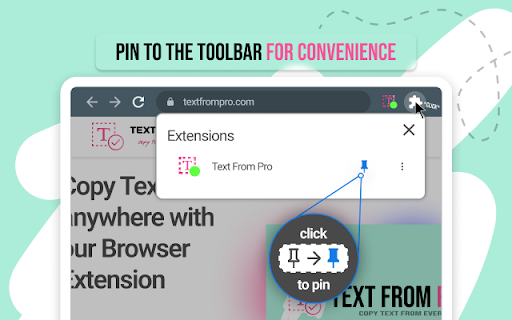
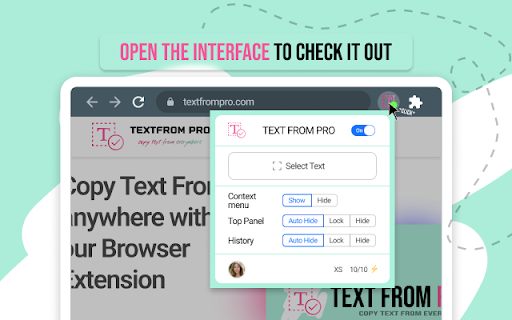


Copy text from images videos PDFs YouTube Google Books protected docs web pages. Copy, grab, extract text for best productivity. Introducing "TextFrom PRO" – The Ultimate Text Copy Chrome Extension Text From PRO is a cutting-edge browser extension that revolutionizes the way you extract text from various sources across the web. With its AI-powered capabilities, it enables seamless text copying from any webpage, making it an indispensable tool for researchers, writers, e-commerce professionals, dropshippers, and anyone working with digital content. Unleash the Power of AI: TextFrom PRO harnesses the power of artificial intelligence to effortlessly extract text from a multitude of sources, providing you with quick and accurate results. Whether it's text from videos, YouTube content, protected websites, Google Books, PDF documents, or even locked Google Docs, this extension tackles them all with ease. Gone are the days of tedious manual transcription or endless copying and pasting. With TextFrom PRO, you can simply activate the extension and watch as it swiftly captures the desired text from virtually any online resource. From image captions to subtitles, insightful quotes to critical information, extracting text has never been easier. By streamlining the text extraction process, Text From PRO empowers you to focus on what truly matters – your work. Spend less time on repetitive tasks and more time on analysis, writing, or creative endeavors. This extension seamlessly integrates into your browser, delivering efficiency and boosting your productivity to new heights. Unlock the full potential of your browsing experience with Text From PRO. Extract text from protected websites, Google Books, and locked Google Docs effortlessly. No longer limited by access restrictions, you can delve into the valuable insights and knowledge hidden within these platforms.

Allow Copy +
🤩 If you like "Allow Copy +" rate 5 stars to extension 🤩 FEATURES: - remove copy protection, enable copy text, remove block selection; - allow right mouse click and turn on context menu; - activate / deactivate for specific domain; - sync with all chrome browsers with the same google account; - free and easy to use. 🚨🚧🚨BETA FEATURES: (Please, do not be scrupulous about these features, they are still in test mode) - grab text from image https://youtu.be/0rgolOJs_7g (extract text from images on linkedin wall, from instagram wall and some other websites); - extract text from google docs, and extract text from same technology used websites HOW TO USE: Just click ICON. GREEN - activated copying. ORANGE - deactivated copying. Activization works for the website(domain). HOW TO USE, DETAILY: Its turned off by default, and you can see ORANGE icon. To activate text selection and copying: - open copying protected web site; - click on extension's icon. After this the icon should be GREEN, it means that "Allow Copy +" is activated on current website. If you close and reopen current website the "Allow Copy +" will be activated. To deactivate for website just click icon one more time (the icon must changed to ORANGE color). - How do I copy a copy protected web page? - How can one copy text from a site in which the copy function is disabled? - How do I copy text from a protected webpage on Chrome? - How do I copy text from a content-protected website? - How can I copy text from a web page where the text is copy protected? - How do I copy text from a website that cannot be copied? - How do I copy text from websites that don’t allow it? - Why can't I copy text from some websites? - How do you force copy text from a website? - How do I copy past an unselectable text? - How do I absolute enable right click & copy if disabled? - How do I copy text when right click is disabled? - How do I enable right click copy in Chrome? - How do you copy and paste without right clicking? - Why can I not right click to copy and paste? I'm happy to help. Please, add review to "Allow Copy +" extension. Thank you.

OCR Editor - Text from Image
Online OCR editor to extract the text from images, pdf and word files. OCR Editor, a powerful Chrome extension, utilizes advanced OCR technology to seamlessly convert text from images, scanned documents, tables, graphs, and screenshots into plain, editable text with ease. From students typing up papers, to business professionals working on documents, to anyone needing to convert scanned documents to text, this tool saves time and effort in 2025. Accurate Text Extraction: The OCR Editor guarantees precise recognition of text from images and scanned documents. Multi-format Support: It works seamlessly with JPEGs, PNGs, and PDFs, making text extraction from PDF and images as simple as a screenshot. Multi-language Support: Need to work in a language other than English? The OCR Editor detects and translates text in various languages. Preserves Formatting: It keeps the original formatting intact, ensuring smooth PDF to editable text conversions. User-Friendly Interface: The intuitive design makes it easy to work with this online OCR editor, requiring no extensive training. Time Saver: Say goodbye to tedious retyping—this OCR text converter digitizes text quickly and efficiently. Oh, how many times have you needed to copy text from a scanned document or image, only to struggle with retyping it? The OCR Editor makes this process seamless. It’s perfect for: Students and Teachers: Digitize notes, textbooks, and even diagrams in just a few clicks. Professionals and Businesses: Extract text from reports or presentations with ease. Doctors and Lawyers: Quickly convert scanned documents to text, including patient records or legal documents. Content Creators: Capture text from screenshots or convert image to text for your projects. Plus, the tool doubles as a screenshot to text tool and lets you effortlessly extract text from images or PDFs while preserving their formatting. It's a game-changer for anyone working with digital or scanned files regularly. Install the OCR Editor extension from the Chrome Web Store. Open any image, PDF, or screenshot with text you want to extract. Click the OCR Editor icon in your toolbar and select the area or file for text extraction. Copy and edit the extracted text instantly or save it to your clipboard for further use.

Text Copier
Introducing the Text Copier extension – Your smart solution for auto fast copy right now! If you're tired of spending time selecting and copying text manually, then Text Copier is here to change the game. This simple, yet powerful extension is designed to make copying text faster and more efficient. Whether you're working on multiple web pages or simply need to grab a piece of information quickly, this tool saves you time and effort. 🖨 Why Choose Text Copier? In today's fast-paced world, speed is essential. With the extension, you can streamline your workflow and get things done faster. This fast copying tool works seamlessly on all web pages, letting you capture everything you need without the hassle of right-clicking or navigating through menus. Once installed, you’ll wonder how you ever managed without it. Here’s why Text Copier stands out: ☑️ Text copy with a single click. ☑️ Autocopy selected text directly to your clipboard. ☑️ Faster select and copy extension helps save time. ☑️ Your mouse is like a shortcut for copy - grab text in an instant. ☑️ Quick copy ensures you don’t lose any time. 🚀 How to Use the Text Copier Extension ➤ Allow select and copy features of the extension to work. ➤ Highlight the text you want to duplicate. ➤ It automatically grabs the text and stores it in your clipboard. ➤ It’s like a cursor has a copy hotkey for even quicker text capture. – That’s it! The text copier - select text extension makes the entire process effortless. Whether you need quickcopy for personal use or a professional project, the tool gives you the power of efficiency. This extension is more than just a shortcut copy and paste tool. It’s built to help you work smarter, not harder. 🖥️ Key Features of Text Copier 1. Fast paste functionality to reduce repetitive actions. 2. Copy mode ensures you don’t miss any selected text. 3. Smart copy feature that adapts to your work habits. 4. Works as a text grabber, automatically copying and storing content for later use. ⚙️ Easy Installation and Use • Download the extension from the Chrome Web Store. • Install it with a few clicks and you're ready to go. • Highlight words and let the automatic feature handle the rest. 📋 Boost Your Productivity with Text Copier - Copy shortcuts for fast and easy word grabbing. - Web select that allows you to highlight and reproduce text on web pages. - Super fast copy speeds up your workflow and saves time. - Automatic copy paste means you don’t even have to press additional keys. - Fast key copy adds convenience to your browsing experience. Effortless Copying and Pasting 🔳 Copy selected text to clipboard without interruptions. 🔳 Auto copy paste functionality ensures a seamless experience. 🔳 Supports automatic copy and paste, eliminating extra steps. 🔳 Activate the extension to grab all the words you select. 🔳 Allows copy faster with minimal effort. 💡 Who Can Benefit from Text Copier? ‣ A student doing research. ‣ A professional working on reports. ‣ A developer copying code snippets. ‣ An online shopper copying product descriptions. ‣ Or simply someone who browses the web frequently. Additional Features of Text Copier ☯ Capture capability that grabs exactly what you highlight. ☯ Autocopy feature that instantly stores content in your clipboard for later use. ☯ Copy paste short cut for easy transfer of information between applications. ☯ Fast copies to keep you moving efficiently through your tasks. ☯ Only mouse for maximum productivity without repetitive manual input. Frequently Asked Questions ❓ Q: Does the tool work on all websites? 📌 A: Absolutely! The extension works across all websites. ❓ Q: Can I use a keyboard shortcut to reproduce contents? 📌 A: No. The extension features makes it easy to reproduce and paste using a mouse for added convenience. ❓ Q: Is the extension free to use? 📌 A: Yes, the extension is completely free and helps you streamline your text copying process without any hidden costs. ❓ Q: How do I enable this function? 📌 A: Just install the extension, and once activated, the auto paste feature will work automatically when you select contents. ❓ Q: How does the extension improve my copying process? 📌 A: By enabling automatic copying of selected words, the extension eliminates the need for right-clicking or pressing additional keys. The copy quick function ensures smooth operations. 🛠️ Text Copier is a handy tool The automatic tool and fast copy paste features ensure you won’t need to look elsewhere for a better tool, your copy and paste chrome copy paste tasks become smooth and effortless. If you need a faster copy solution, the tool is exactly what you’re looking for. Start simplifying your web browsing experience today! Whether it’s grabbing snippets for a project or copying lengthy paragraphs for research. Download the text copier now and enjoy the benefits of copying faster than ever before!

Quick Text Extraction
This innovative Google Chrome extension empowers users with the ability to extract and interact with text from any webpage,… This innovative Google Chrome extension empowers users with the ability to extract and interact with text from any webpage, enhancing their browsing and research capabilities. Key features and reasons to install: 1. Text Extraction from Webpages: Harnessing the power of Optical Character Recognition (OCR), the extension allows users to recognize and extract text from any part of a webpage. This can be especially useful for academic research, data collection, or when dealing with non-editable web text. 2. User-Friendly Selection Tool: Users can easily specify the area of text extraction using intuitive vertical and horizontal lines that can be drawn directly on the webpage. This precise selection tool ensures users extract exactly what they need. 3. Convenient Text Display and Interaction: Extracted text is displayed in a floating box that can be moved and resized according to user preferences. This makes it simple to reference the extracted text while continuing to browse. 4. Clipboard Copy Functionality: With just one click, users can copy the extracted text from the floating box to the clipboard, making it effortless to paste and use the text in other applications or documents. 5. Broad Compatibility: The extension is compatible with all URLs, making it a versatile tool for text extraction across various websites and platforms. 6. Continuous Improvement: The extension is under active development with regular updates aimed at improving user experience and performance. Future updates are planned to move OCR processing to the background for even faster and smoother performance. By installing this extension, users can enhance their browsing experience, streamline their research process, and interact with web content in a more dynamic and efficient way.
