
bjjiifmjommikifhpnaemcndgdoaggon
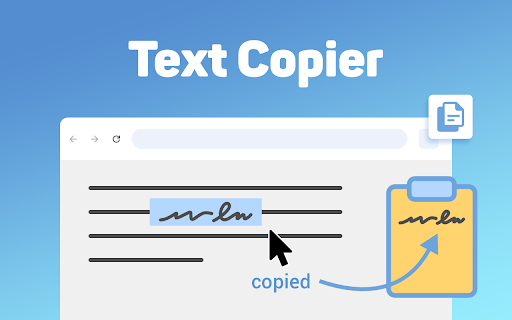
Introducing the Text Copier extension – Your smart solution for auto fast copy right now! If you're tired of spending time selecting and copying text manually, then Text Copier is here to change the game. This simple, yet powerful extension is designed to make copying text faster and more efficient. Whether you're working on multiple web pages or simply need to grab a piece of information quickly, this tool saves you time and effort. 🖨 Why Choose Text Copier? In today's fast-paced world, speed is essential. With the extension, you can streamline your workflow and get things done faster. This fast copying tool works seamlessly on all web pages, letting you capture everything you need without the hassle of right-clicking or navigating through menus. Once installed, you’ll wonder how you ever managed without it. Here’s why Text Copier stands out: ☑️ Text copy with a single click. ☑️ Autocopy selected text directly to your clipboard. ☑️ Faster select and copy extension helps save time. ☑️ Your mouse is like a shortcut for copy - grab text in an instant. ☑️ Quick copy ensures you don’t lose any time. 🚀 How to Use the Text Copier Extension ➤ Allow select and copy features of the extension to work. ➤ Highlight the text you want to duplicate. ➤ It automatically grabs the text and stores it in your clipboard. ➤ It’s like a cursor has a copy hotkey for even quicker text capture. – That’s it! The text copier - select text extension makes the entire process effortless. Whether you need quickcopy for personal use or a professional project, the tool gives you the power of efficiency. This extension is more than just a shortcut copy and paste tool. It’s built to help you work smarter, not harder. 🖥️ Key Features of Text Copier 1. Fast paste functionality to reduce repetitive actions. 2. Copy mode ensures you don’t miss any selected text. 3. Smart copy feature that adapts to your work habits. 4. Works as a text grabber, automatically copying and storing content for later use. ⚙️ Easy Installation and Use • Download the extension from the Chrome Web Store. • Install it with a few clicks and you're ready to go. • Highlight words and let the automatic feature handle the rest. 📋 Boost Your Productivity with Text Copier - Copy shortcuts for fast and easy word grabbing. - Web select that allows you to highlight and reproduce text on web pages. - Super fast copy speeds up your workflow and saves time. - Automatic copy paste means you don’t even have to press additional keys. - Fast key copy adds convenience to your browsing experience. Effortless Copying and Pasting 🔳 Copy selected text to clipboard without interruptions. 🔳 Auto copy paste functionality ensures a seamless experience. 🔳 Supports automatic copy and paste, eliminating extra steps. 🔳 Activate the extension to grab all the words you select. 🔳 Allows copy faster with minimal effort. 💡 Who Can Benefit from Text Copier? ‣ A student doing research. ‣ A professional working on reports. ‣ A developer copying code snippets. ‣ An online shopper copying product descriptions. ‣ Or simply someone who browses the web frequently. Additional Features of Text Copier ☯ Capture capability that grabs exactly what you highlight. ☯ Autocopy feature that instantly stores content in your clipboard for later use. ☯ Copy paste short cut for easy transfer of information between applications. ☯ Fast copies to keep you moving efficiently through your tasks. ☯ Only mouse for maximum productivity without repetitive manual input. Frequently Asked Questions ❓ Q: Does the tool work on all websites? 📌 A: Absolutely! The extension works across all websites. ❓ Q: Can I use a keyboard shortcut to reproduce contents? 📌 A: No. The extension features makes it easy to reproduce and paste using a mouse for added convenience. ❓ Q: Is the extension free to use? 📌 A: Yes, the extension is completely free and helps you streamline your text copying process without any hidden costs. ❓ Q: How do I enable this function? 📌 A: Just install the extension, and once activated, the auto paste feature will work automatically when you select contents. ❓ Q: How does the extension improve my copying process? 📌 A: By enabling automatic copying of selected words, the extension eliminates the need for right-clicking or pressing additional keys. The copy quick function ensures smooth operations. 🛠️ Text Copier is a handy tool The automatic tool and fast copy paste features ensure you won’t need to look elsewhere for a better tool, your copy and paste chrome copy paste tasks become smooth and effortless. If you need a faster copy solution, the tool is exactly what you’re looking for. Start simplifying your web browsing experience today! Whether it’s grabbing snippets for a project or copying lengthy paragraphs for research. Download the text copier now and enjoy the benefits of copying faster than ever before!

魔法复制
一键复制网页中已选中的文本,一键破解禁止右键、破解禁止选择、破解禁止复制、破解禁止粘贴,启用复制,启用右键,启用选择,启用粘贴。 应用场景: 在浏览网页时,是否曾因「网页限制复制功能」或因为「未登录而无法复制」感到沮丧? 现在,我们为您提供了一款神奇的 Chrome 插件——「魔法复制器」。 产品使用: 1. 启用插件:在网站中点击右上角插件图标,当图标颜色为绿色时,插件开启成功。 2. 复制内容:在网页中选中内容,按下键盘快捷键 Windows(Ctrl+C)/Mac(Command+C),可以轻松复制所选内容。 产品特色: 复制的内容将完美保留网页中的原始样式,无论是精美的排版、鲜艳的颜色还是各种文字效果,一切都将与网页中完美呈现。 无需再为复制问题烦恼,魔法复制器为您提供最为流畅、高效的复制体验。 多平台兼容: 无论您是使用Windows、Mac,我们的产品都能够轻松运行,确保您在任何设备上都能享受到便捷的复制体验。 隐私保护: 我们注重您的隐私安全,不会收集或存储您复制的内容,确保您的信息始终安全。 立即安装,释放复制的魔法吧! 版本更新: 2024-12-05:增加一键开启全局复制功能。 将鼠标移动到浏览器右上角扩展图标上,鼠标右击->选项->开启/关闭全局复制

Copy As Plain Text
Copy selected text as plain text, with an option to preserve new lines. Easily copy text as plain text, removing all formatting directly from your browser. How it works: - Select any text you see online - Right-click and choose "Copy as plain text" from the context menu - The selected text is copied to your clipboard without any formatting Features: - Removes all formatting (bold, italic, fonts, colors, etc.) from copied text - Option to preserve or remove line breaks - Works on any website - Fast and lightweight - won't slow down your browsing - All text processing happens on your device - your data stays private - Customizable through a simple popup interface - Compatible with both light and dark browser themes Additional benefits: - Saves time by eliminating the need to paste and reformat text - Ensures consistency when copying text from various sources - Ideal for copying code snippets, removing unwanted formatting - Perfect for writers, developers, students, and professionals who frequently work with text from the web No account needed, no complicated settings. Just install and start copying text without the hassle of unwanted formatting.

Allow Copy +
🤩 If you like "Allow Copy +" rate 5 stars to extension 🤩 FEATURES: - remove copy protection, enable copy text, remove block selection; - allow right mouse click and turn on context menu; - activate / deactivate for specific domain; - sync with all chrome browsers with the same google account; - free and easy to use. 🚨🚧🚨BETA FEATURES: (Please, do not be scrupulous about these features, they are still in test mode) - grab text from image https://youtu.be/0rgolOJs_7g (extract text from images on linkedin wall, from instagram wall and some other websites); - extract text from google docs, and extract text from same technology used websites HOW TO USE: Just click ICON. GREEN - activated copying. ORANGE - deactivated copying. Activization works for the website(domain). HOW TO USE, DETAILY: Its turned off by default, and you can see ORANGE icon. To activate text selection and copying: - open copying protected web site; - click on extension's icon. After this the icon should be GREEN, it means that "Allow Copy +" is activated on current website. If you close and reopen current website the "Allow Copy +" will be activated. To deactivate for website just click icon one more time (the icon must changed to ORANGE color). - How do I copy a copy protected web page? - How can one copy text from a site in which the copy function is disabled? - How do I copy text from a protected webpage on Chrome? - How do I copy text from a content-protected website? - How can I copy text from a web page where the text is copy protected? - How do I copy text from a website that cannot be copied? - How do I copy text from websites that don’t allow it? - Why can't I copy text from some websites? - How do you force copy text from a website? - How do I copy past an unselectable text? - How do I absolute enable right click & copy if disabled? - How do I copy text when right click is disabled? - How do I enable right click copy in Chrome? - How do you copy and paste without right clicking? - Why can I not right click to copy and paste? I'm happy to help. Please, add review to "Allow Copy +" extension. Thank you.

Auto Copy
Automatically copy selected text to the clipboard. Has many configurable options for controlling the behavior. When text is selected using the mouse it will automatically be copied to the clipboard. *** With Version 5 you may have to update your settings. Please check them to make sure things are working as expected. *** *** Once this extension is installed you must reload any open tabs in order for it to work *** Features: - Notification on copy - Options are sync'd across browsers - Remove selection on copy - Enable / disable in text boxes - Enable / disable in content editable elements - Paste on middle click - Use modifier key(s) to enable / disable auto copy - Use modifier key(s) to copy as a link - Always copy as a link - Copy without formatting - Trim whitespace - Copy delay - Clear clipboard - Include informational comment with optional formatting items - Use modifier key(s) to enable / disable informational comment - Blacklist websites to automatically disable the extension - Works with all URL types Go to the options screen to configure the features you'd like to use. Note: - This extension now works all URL types. In order for it to work with file:/// URLs you must check 'Allow access to file URLs' on the Extensions page. Content-scripts are automatically disabled in the Extension Gallery. Therefore, the extension will not work on this page or any page in the Gallery, so please test it on another page. See website for release notes.
