
ahibepkhmaepihjpbddebpdhfoecghfd


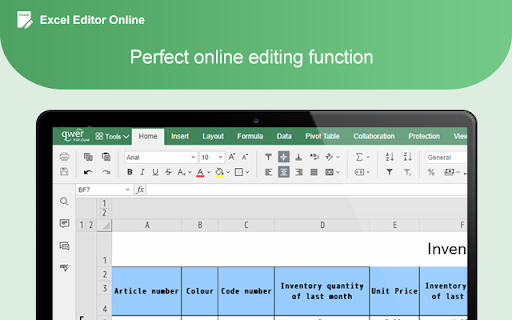
Select your Excel XLSX document into the Excel online editor, edit your Excel documents and add Images, text to a Excel file. Collaborate for free with an online version of Excel. Create or edit Excel documents online you can use any device connected to the internet. You can save your documents as Excel documents, PDF, and other popular files. Open and edit your Excel documents without install any software.

Google Drive Mini
Create and manage Google Drive files. This extension helps you manage Google Drive files, create docs, spreadsheets, or forms. All actions are performed locally in your browser, ensuring no data is sent to third-party servers. When you click the extension icon, it opens your Google Drive in a pop-up window. From there, you can rename, download, delete, and transfer files. The interface is similar to Google Drive, intuitive, and user-friendly, without unnecessary features. For managing Google Drive , you can: • Create new files • Rename files • Download or delete files • Search for specific files • Browse different Google Drive sections like a Shared With You or Starred. Google Drive is a cloud service of Google Inc., registered in the U.S. and other countries. This is an independent project developed by the community and has no relationship to Google Drive or Google Inc. in any way.

Office online OfficeWork for XLS DOC and PPT
Create and edit DOC, XLS and PPT files with an Office Suite online OfficeWork is an office online suite that provides a Document Editor, a Presentation Editor and Spreadsheet Editor where you can perform editing operations like in any desktop editor over documents, excel spreadsheets and powerpoint slides. Moreover, it scans and collects the webpages you browse in the Internet. These webpages are uploaded to our servers in order to know if they contain Office files that can be edited using our extension integrated with our online app. - Owncloud app integrated with OnlyOffice Community Edition, which provides all the functionality. - Create a new document or open an existing one - Create a new presentation or open an existing one - Create a new spreadsheet or open an existing one - Multiple file formats supported: * Word processing documents created with Microsoft Word * Slides used by Microsoft PowerPoint * Spreadsheet files created by Microsoft Excel * Text files - Page formatting - Change color scheme - Copy/paste text passages, undo/redo your actions - Insert section breaks - Insert headers and footers - Insert page numbers - Insert footnotes - Show/hide nonprinting characters - Set slide parameters - Apply slides transitions - Preview your presentation - Align your text in a paragraph - Select background color for a paragraph - Change paragraph indents - Set paragraph line spacing - Insert page breaks - Add borders - Set tab stops - Create lists - Apply formatting presets - Set font type, size, and color - Apply font decoration styles - Copy/clear text formatting - Add hyperlinks - Cell text formatting - Set font type, size, style, and colors - Add hyperlinks - Format in a cell - Editing cell properties - Add borders - Align data in cells - Merge cells - Change number format - Insert or delete cells, rows, and columns - Sort and filter data - Insert functions - Insert tables - Insert images - Insert charts - Insert text objects - Fill objects and select colors - Manipulate objects on a slide - Align and arrange objects on a slide - Merge Math equations - Insert equations - Document co-editing - Collaborative document editing - Save/download/print your document, presentation, spreadsheet - Search and replace function - Spell-checking

Qwer PDF
Qwer PDF extension is Online Convert PDF To Word & Excel, PPT & PDF Editor - 100% Free. Power Up Your Productivity. Qwer PDF extension is Online Convert PDF To Word & Excel, PPT & PDF Editor - 100% Free. Power Up Your Productivity. QwerPDF extension is a 100% free all-in-one PDF tool We’ll power up your productivity with our useful PDF converter toolkit and online office suite. Free PDF Converter: Convert PDF to Word - Online Convert PDF to Word for Docx online editing your word it’s free Convert PDF to Excel: Convert PDF to XLS online, view and edit the document after converted. Convert PDF to PPT: Convert PDF to PowerPoint PPT online, directly edit it after converted Convert JPG to PDF: Convert images online and adjust the size. Convert HTML to PDF: Convert webpages in HTML to PDF and vice versa. Free Online PDF Editor: Merge, Split and Edit PDF Pages Free Online Office Suit: Docx & Word online Editor, You can still use PDF To word for online Editor tools editing your Docx Files Xlsx & Excel online Editor. Excel files online View, You can still use PDF To excel for online excel editor tools Create PPT online. View Word and Excel files online. - Protect your personal information: Protect, unlock and add watermarks on PDF files. By installing this extension you agree to the data protection regulations (https://qwerpdf.com/privacy-policy.html).

XlsCloud - editor for xls & xlsx
Create or edit spreadsheets that use OpenDocument format (ODF) and Microsoft Excel xls/xlsx formats. This XlsCloud extension allows users to create and edit any XLS or XLSX spreadsheet like Microsoft Excel because it is an editor that can handle such spreadsheets in multiple formats, including the standardized OpenDocument format (ODF), and the mentioned Microsoft Excel .xls and .xlsx formats. • Is it like a Microsoft Excel online but all the XlsCloud features are available using a web browser. • XlsCloud provides you with functions, including statistical and banking functions, that you can use to create formulas to perform complex calculations on your data. • You can also use the Function Wizard to help you create your formulas. • It provides What-If Calculations, an interesting feature is to be able to immediately view the results of changes made to one factor of calculations that are composed of several factors. For instance, you can see how changing the time period in a loan calculation affects the interest rates or repayment amounts. Furthermore, you can manage larger tables by using different predefined scenarios. • It provides database functions. Use spreadsheets to arrange, store, and filter your data. • It allows arranging data. With a few mouse-clicks, you can reorganize your spreadsheet to show or hide certain data ranges, or to format ranges according to special conditions, or to quickly calculate subtotals and totals. • It includes dynamic charts. XlsCloud lets you present spreadsheet data in dynamic charts that update automatically when the data changes. • It allows to opening and save Microsoft Excel Files. Use the XlsCloud filters to convert Excel files, or to open and save in a variety of other formats. This extension XlsCloud also includes access to a file manager to upload and download the spreadsheets created or to be edited.
