
agfkmegpfjkphpdpjkajccpcgmackcgm
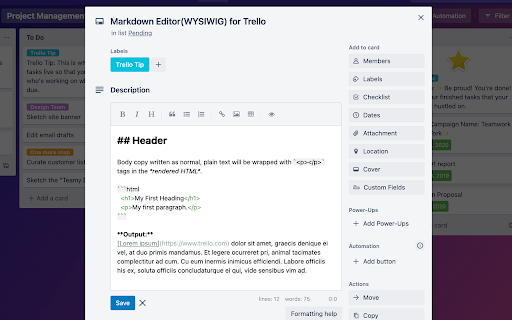

Use Markdown Editor(WYSIWYG) to write down the description easily Mardown Editor(WYSIWYG) for Trello, which helps writing the description easily.

Markdown Editor for Chrome™
Create and view markdown files easily from anywhere with our simple, GitHub-flavored markdown editor. Say hello to your new favorite Markdown editor, designed to make your writing experience smooth and enjoyable on Google Chrome. With our editor, you can write in Markdown and see your text transform in real-time. Plus, converting your work to HTML is just a click away! It supports various file formats to keep things flexible for you. What's special about our editor? We respect your privacy, no data tracking here. Enjoy a simple and secure Markdown editing experience. Oh, and we hid some fun stuff in the settings. 🌟 Features 🔹 Real-time Preview: See your changes as you type. 🔹 Drag and Drop: Easily import your .md files. 🔹 Print to PDF: Use Safari's native printer. 🔹 Local Downloads: Save your files directly to your device. 🔹 Github Flavored Markdown: Full support for Github Markdown syntax. 🔹 Code Highlighting: Supports multiple languages in both editor and preview modes. 🔹 Offline Mode: Works perfectly even without an internet connection. 🔹 8 Themes: Night, Dracula, Synthwave, Coffee, Nord, Sunset, Cupcake, and Dim. 🎉 What's New 🔹 Matrix Rain: Toggle a cascading green katakana rain background. 🔹 Vaporwave Mode: CRT scanlines, hue-shifting, and full aesthetic vibes. 🔹 Pet Cat: A pixel cat roams your editor. Click it for random reactions. 🔹 Rage Quit Detector: Delete a bunch of text and the editor notices. 🔹 Confetti, Emoji Rain, and Combo Counter in the Chaos Zone. 🔹 Bug fixes and performance improvements.

MultiTabs Markdown Editor
Markdown Editor with Multiple Tabs - Markdown editor with multiple tabs - Rendering math equations, flowcharts, and sequence diagrams is available. - Section-by-section scroll synchronization - Hash functions for preventing attachment filename duplicates - Direct import/export to cloud storage such as Google Drive or Github - Support custom stylesheet - Support local storage with attachment management and its backup and restoring functionalities. - Enable to use external source of font style

Markdown Editor
Features ================== * Save your data at real time * Open local markdown file * Save content as markdown file * Print to pdf with Chrome native printer * Support Github Flavored Markdown syntax * Almost same as Github editor & preview format

QuickPad: fast Markdown notepad
An in-browser Markdown notepad. Optimize for writing experience. Free, plus your data doesn't leave you computer ≡ Why do I build this extension 🤔 When reading cool stuffs on the net, I often want to take some notes, but opening my noting applications such as Notion/Obsidian takes much time. So I built this extension to quickly jot down my idea, then later copy to whatever noting systems. ≡ What it does really well 💪 - Fast & Clean - Markdown support - Writing should feel pleasant (sth like Notion editor) - Your data stays in your computer ≡ What it *will* do well in the future ⚙️ - Pasting image into the editor - Searching - Exporting notes - Data backup ≡ Feedbacks 💙 If you have any feedbacks or suggestions, I'm really happy to hear that, feel free to leave me a review
