
ekdcaddpmiodcipjfmffhhefijpdckaf


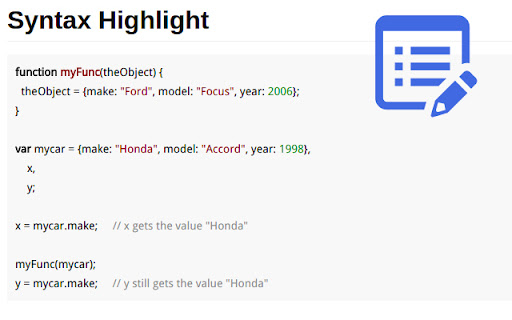
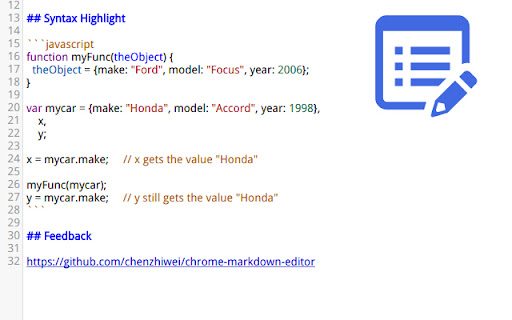
Features ================== * Save your data at real time * Open local markdown file * Save content as markdown file * Print to pdf with Chrome native printer * Support Github Flavored Markdown syntax * Almost same as Github editor & preview format

Copy as Markdown
Copy as Markdown is a browser extension that helps you copy the following things as Markdown to your system clipboard: On the web page: - Selection Text as Markdown - A Link on the Page - An Image on the Page, with or without wrapping link Exporting tabs in the current window, either all or highlighted tabs: - Current Tab as Link - List of Links - Task List (for GitHub-Flavored Markdown) - Including your tab grouping You can add Custom Formats to satisfy your needs! You can also specify keyboard shortcuts to speed up your workflow. - Cannot grab image.alt when copying image - On Microsoft Windows, copied page link doesn't come with the link title When using certain features such as tab exporting, you will be promoted to grant optional permissions, so that Copy as Markdown may read data from your browser. You may revoke permissions anytime on the Options page, from Extensions > Copy as Markdown > Extension Options. Copy as Markdown respects your privacy. It does NOT collect your browsing history, and will only access tabs when you use tab exporting features. - 3.7.0 - [FIX] Improved reliability of writing text to system clipboard - [BREAKING] This version requires minimum Chrome M116 or later. Users under M116 please use 3.5.0 or lower. - [NOITCE] You will see a permission warning about clipboard writing during upgrade progress. This is to grant the extension proper permission to write to the clipboard. To be clear, this extension has been writing to the OS clipboard since the very beginning using workarounds that did not require clipboardWrite permission, but now it requires. For past release notes please see https://github.com/yorkxin/copy-as-markdown/releases

Copy as Markdown
Browser extension to copy hyperlinks, images, and selected text as Markdown The extension allows you to copy selected text on a page as Markdown with support for features including the following - Ability to copy links, images, and selected text as Markdown. - Linked images, will have options to individually select link or images. - Formatted text such as Italic, bold, strike-through, and inline code. - Unordered and ordered lists, with task lists support. - Tables, with respect to GFM. - Fenced code blocks, with language detection using info strings. Note: When copying links and images, Chrome doesn’t let you extract images alt text or anchors text content to be used in Markdown, instead the links themselves are used as link title. Firefox doesn’t have this limitation though. The extension requires the following permission from you for working. 1. `contextMenus`: to show option when right-clicking. 2. `activeTab`: to be able to access content on page. The extension can only write to your clipboard and not read from it in any way. File an issue at https://github.com/notlmn/copy-as-markdown/issues for bug reports or requesting new features.

HTML to Markdown
Select and convert headers, paragraphs, images or links on the web into Markdown text quickly and effortlessly

Markdown Preview Plus
Converts and previews markdown files (.md, .markdown) to HTML(include TOC) right inside Chrome and support live reload Automatically parses markdown files (.md) into HTML with live reload 1. Install extension from webstore (creates no new UI) 2. Check "Allow access to file URLs" in chrome://extensions listing: 3. Open local or remote .md file in Chrome. 4. See nicely formatted HTML! Note: The auto reload feature is disabled default. * Support auto reload. * Support external css file. * Customize theme for every md file. * Support github flavored markdown. * Export nicely formatted HTML. * Support render Katex, Mermaid. The extension is open source. https://github.com/volca/markdown-preview Fix a bug for the tag style * Fix a bug for load fonts of Katex * Fix a bug for "table of contents" * Compatible with Chrome 136 * Update mermaid lib * Update marked lib * Update marked lib * Fix a bug for clear custom CSS paths * Supports add custom CSS path. See #19 * Fix a bug for render mermaid. See #158
