
phkphcgcnlnnjijmdihnijbleiicljld

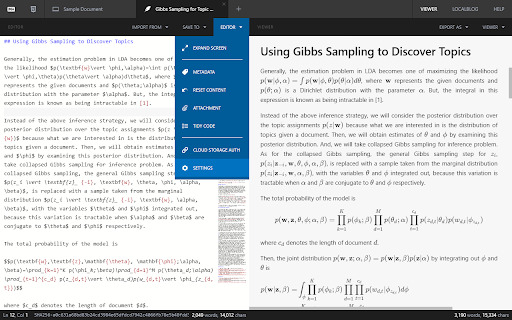


Markdown Editor with Multiple Tabs - Markdown editor with multiple tabs - Rendering math equations, flowcharts, and sequence diagrams is available. - Section-by-section scroll synchronization - Hash functions for preventing attachment filename duplicates - Direct import/export to cloud storage such as Google Drive or Github - Support custom stylesheet - Support local storage with attachment management and its backup and restoring functionalities. - Enable to use external source of font style

Copy as Markdown
Browser extension to copy hyperlinks, images, and selected text as Markdown The extension allows you to copy selected text on a page as Markdown with support for features including the following - Ability to copy links, images, and selected text as Markdown. - Linked images, will have options to individually select link or images. - Formatted text such as Italic, bold, strike-through, and inline code. - Unordered and ordered lists, with task lists support. - Tables, with respect to GFM. - Fenced code blocks, with language detection using info strings. Note: When copying links and images, Chrome doesn’t let you extract images alt text or anchors text content to be used in Markdown, instead the links themselves are used as link title. Firefox doesn’t have this limitation though. The extension requires the following permission from you for working. 1. `contextMenus`: to show option when right-clicking. 2. `activeTab`: to be able to access content on page. The extension can only write to your clipboard and not read from it in any way. File an issue at https://github.com/notlmn/copy-as-markdown/issues for bug reports or requesting new features.

Save To Obsidian
Extension To save Website to Obsidian @Dan Monceau This is an unofficial Chrome extension for Obsidian. Our extension allows you to quickly and easily save any website you visit using a specific format and specific information defined in our extension template. You can then easily export your saves to the Obsidian application for organization and future use. Use this extension to save blog posts, product pages, research references and more, for future reference or professional use.

TabNotes
Take the notes in your new Tab. Press CMD + T (Mac) or Ctrl + T (Windows) to take a note. Let the new tab keep you focused on what you want to do. Increase your productivity. - Markdown Preview Take notes in markdown, and preview as HTML. Press esc key to toggle HTML Preview. - Dark mode Developer loves the dark mode. So we have the one. Default theme is white. - Auto Save You don't need to save your text note. When you open new tab start from where you were left. - Multiple notes. Chrome allows you to store up to 5MB. It's enough to save 5,000 notes of small size. - Offline Storage Notes are stored directly in your browser. So only you can access your notes.

Markdown Sticky Notes
Markdown Sticky Notes web extension - Create new notes by clicking on the extension icon - Auto save content and position in the web page - Nice markdown editor & result - Draggable, resizable - Customizing note colors - Multiple editor theme and font styles - Shortcut: alt + m (mac: option + m)
