
aandnjmckilnalnkmbmodifapcedaofn

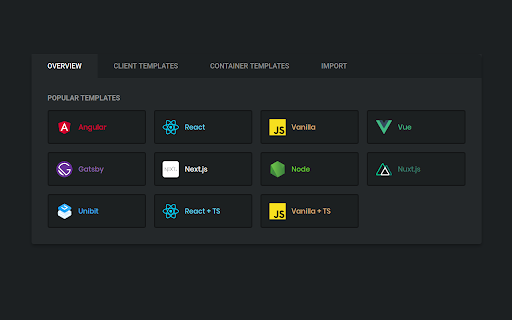
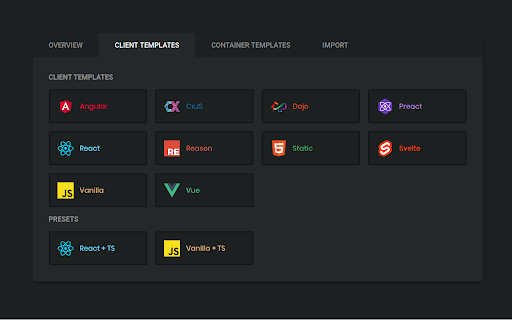

Instance execute the GitHub project via "CodeSandbox" online Supported most popular Libraries: ~ ReactJS | AngularJS | VueJS | GatsbyJS | NextJS | NuxtJS ~ and other relevant contains package.json file Installation: 1) Add extension to your browser 2) Find any github project you would like to execute* 3) Click the icon * there are some permissions executing projects at CodeSandbox ** you have to be logged in to your github Account to use CodeSandbox

Cacher
Save code snippets from anywhere on the web. Companion extension to Cacher, the code snippet organizer for pro developers. Save code snippets from anywhere on the web! Save any code block – Use the "Save to Cacher" button it to quickly save code examples from sites like StackOverflow and Medium. Save any selected text – Select a block of text, right-click and save it with the Cacher context menu. Save any Gist – Save any GitHub Gist as a snippet with the "Save to Cacher" button. Cacher is a cross-platform, cloud-based app used to curate a snippet library for you and your team. – Desktop clients for Windows, macOS and Linux. – Full-featured web app: app.cacher.io – Support for editing and viewing 100+ programming languages. – Flexible, nest-able color-coded labels to categorize snippets. – Shareable snippet pages via Cacher's code-sharing community: snippets.cacher.io – Team and organization features like shared libraries, notifications, role management and code reviews. Supercharged with integrations for: Note that certain features of Cacher require a plan subscription. View plans and features at: https://www.cacher.io/pricing

Octohint
IntelliSense hint for GitHub With Octohint installed, when you view code at GitHub (For example this demo), you'll get features as follows: - Mouse Hover: Show information of current token - Left Click: Show all references of current token - [⌘] + Click: Go to definition of current token (For Windows and Linux user, use [Ctrl] instead) Octohint is a pure client thing. All code analysis are performed at your browser, which means your code and actions log like click, mousemove will never be sent to any server.

Open with Visual Studio Code - Github
Overrides Open in Visual Studio button on GitHub with Open in Visual Studio Code This extension overrides the "Open in Visual Studio" button on GitHub with Open in Visual Studio Code.

Gitako - GitHub file tree
File tree for GitHub, and more than that. Features - 📂 File tree for repository, commits, and pull requests - 🔎 Instant file search and navigation - 🕶️ Support private repositories - 🧩 Support GitHub enterprise, Gitea, Gitee, and more - 🏎 Always performant, even in gigantic projects - ⌨️ Intuitive keyboard navigation - 📋 Copy snippets and file content - 🎨 Various icons and official themes support - 🗂 Support git submodule - 📏 Fold source code NO BS POLICY: Gitako doesn't share about your privacy data at all. GitHub access tokens are required only when you access private repositories or exceed GitHub API rate limit. Gitako stores access tokens in your chrome extension storage (not the LocalStorage) and uses them only when authenticate with GitHub.
