
aaeabcgbgecghppmbdicibacppidehoo
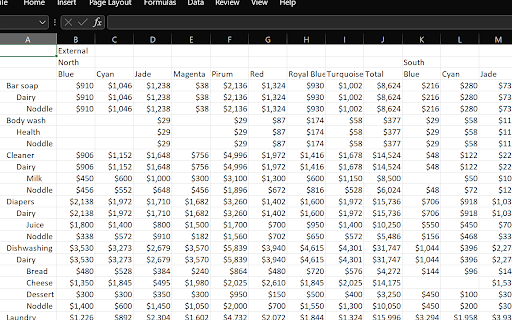
export the report to export Power BI matrix in the current report format.

Power BI Report Tools
A plugin for Power BI that adds a couple of nifty features to reports that are either lacking or straight up missing. *Now works with the new redesign of Power BI!* You can: -Display a report in fullscreen mode. -Rotate between pages in a report based on a (per page) timer. -Refresh a report automatically. These options will stay active even if you switch to another tab, refresh the browser or even restart the browser. *The refresh option will only work if you are making use of a live dataset*

Power BI Navigator
An easier way to navigate Power BI! This extension helps you get to any workspace, reports, dataflow, or dataset more quickly, and adds some color back into Power BI. Open the Navigator and - [New Permission] Can now save some settings, like the theme toggle, needs Storage permission to save preferences - Go to your Home page with "Home" - Commands looking weird? Run "Refresh Metadata" to make sure you have what you need - Adds colors to the icons in resource listings ** You can hold shift or control when you press enter or click your mouse to open the selected item in a new tab ** Default shortcut key (use Command instead of Control on Mac, and/or customize your options at chrome://extensions/shortcuts) Contribute to this extension at https://github.com/dannysummerlin/powerbi-navigator ## Privacy Policy This extension only runs locally in communication with your Power BI tenant. No data is collected from any user, nor is extension activity tracked or reported to a third-party. ## Terms of Service This extension is not intended to support the work of any individual or organization that is discriminatory or outright illegal.

PowerBI Matrix Export
export the report Export PBI Matrix in the current format by clicking "ExportReport" button.

PowerBI Direct Report Redirector
Redirects the user to the Power BI Report Viewer URL found in the iframe src attribute. [PowerBI Direct Report Redirector] is a powerful and user-friendly Chrome extension designed to streamline your experience when working with Power BI Report Server (On-Prem Version). With a single click, this extension allows you to directly access the source URL of the embedded Power BI report, opening it in a new tab for an enhanced and focused Full-Screen view. - Automatically detects Power BI Report Viewer iframes within the active web page. - Provides a direct link to the source URL of the Power BI report in case you want to only copy & Paste the URL to users. - Opens the Power BI report in a new tab with just one click, allowing for a more in-depth analysis. - Compatible with any website containing a Power BI Report Server even inside Company internal Networks. 1. Install the [PowerBI Direct Report Redirector extension]. 2. Navigate to a web page containing a Power BI Report Server Portal. 3. Click the [PowerBI Direct Report Redirector] extension icon in your browser toolbar. 4. The extension will display a direct link to the Power BI report, or a message indicating that no Power BI Report Viewer iframe was found on the current page. 5. Click the "Open Power BI Report" button to open the Power BI report in a new tab. Whether you're a data analyst, business professional, or simply someone who needs quick access to Power BI reports, PowerBI Direct Report Redirector is the perfect tool to enhance your productivity and optimize your data visualization experience. This is used for enterprises who prefer to share only direct Report links to users instead of full access to the portal and folders.
