
ppdnifgflcfnbifeppjhbjapadejgndb
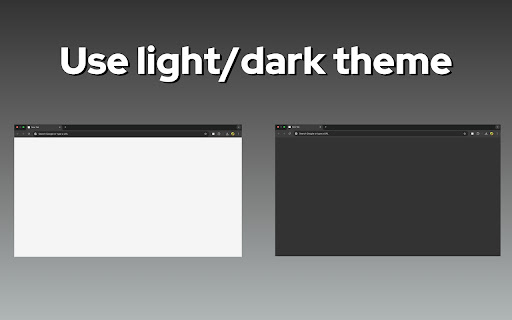


Open a blank screen in a new tab; toggle light/dark and use a built-in text editor. Simple, fast, distraction-free. Blank White Screen – The ultimate minimalistic workspace for your browser 🖥️ Do you ever need a simple blank white page without distractions? The Blank White Screen Chrome extension is designed exactly for that purpose. Open a clean and distraction-free white blank page in one click and focus on what matters. Whether you want to test your monitor brightness, concentrate on writing, or just enjoy a white screen online, this tool provides simplicity and clarity. ✨ The main feature of this extension is its simplicity. Unlike complicated tools that overload you with unnecessary options, here you get a true empty white screen that loads instantly. No clutter, no ads, no pop-ups. Just a white blank screen or, if you prefer, a blank black screen for low-light environments. 📑 With Blank White Screen, you can also turn your white page blank into a minimalistic text editor. This built-in online text editor gives you the option to type instantly without needing external apps. You can create notes, lists, or even drafts right on your blank typing page. For those who need the best text editor for mac alternatives or a lightweight text editor online, this is the perfect quick solution. 📝 Key functions of the integrated text editor include: 1️⃣ Word and character counter you can toggle on or off 2️⃣ Multiple sheet organization for separating your notes 3️⃣ Option to expand your blank page to full screen mode 4️⃣ A clean, minimal interface that transforms a blank page white into a useful workspace 5️⃣ Saves time by working directly inside your browser 🌙 For users who prefer darker themes, the extension also includes a blank dark screen. You can switch to a dark blank screen or even a completely black blank screen depending on your preference. This blank page black mode is especially useful when working at night or to reduce eye strain. 📖 Here are just a few ways you can use Blank White Screen: • Use it as a blank page to type when you need quick notes • Create a blank page to write down ideas without opening heavy software • Turn it into a blank page type workspace for minimal writing • Enjoy a empty white page for testing design contrasts • Switch to a empty screen black for presentations or background use 💡 The simplicity of a blank page for typing is underestimated. Many creative professionals, writers, and developers use a blank typing page to brainstorm freely. The absence of distractions lets you focus better. With the option to arrange your notes across blank pages, you get flexibility while maintaining clarity. 🎨 Design and usability are at the core of this extension. You can open a white blank screen in seconds and expand it to full screen mode. Or, if you prefer, open a blank black screen with one click. This versatility makes Blank White Screen ideal for both productivity and relaxation. Some users even use a white blank page as a clean background for videos or screen recording. 🚀 Why choose this extension instead of others? ➤ It is lightweight and fast ➤ Provides both a white blank screen and a blank black screen ➤ Includes a simple but powerful online text editor ➤ Works perfectly as a blank page to write or type ➤ Offers the best text editor experience without unnecessary complexity 📋 Example use cases: 1. A writer who needs a blank page for typing new ideas. 2. A teacher who wants a white page blank as a digital whiteboard. 3. A designer testing contrasts against a white blank screen. 4. A programmer using a blank screen white for coding previews. 5. A student making quick notes with the text editor online. 🔍 The versatility of this extension goes beyond writing. You can use a white blank page to check monitor color calibration, or open a blank page white to serve as a neutral workspace during screen sharing. The black blank screen mode is also perfect when you need a dark background without distractions. 🌐 Because it works directly in your browser, you don’t need to install extra apps or programs. No matter if you’re on Windows, Linux, or looking for the best text editor for mac alternatives, Blank White Screen runs smoothly in Chrome. It transforms a simple blank page into a productive tool instantly. 📊 Feature list recap: • White blank screen for maximum clarity • Blank page for typing with integrated text editor • Dark blank screen and black blank screen modes for eye comfort • Expandable to full screen for presentations or focus sessions • Online text editor with word and character counter • Multiple sheet management for organizing empty pages • Works as both a blank screen white and a blank screen black tool 🕹️ Whether you need a white page blank or a blank dark screen to relax your eyes, this extension adapts to you. It is the ultimate combination of minimal design and useful functionality. Unlike traditional software, it doesn’t distract you with menus or complex layouts. Instead, it delivers a clean blank page white or a dark blank screen when you need it most. 📌 In summary, Our Extension offers: 1️⃣ A white blank page for writing, designing, or testing 2️⃣ A blank typing page with an integrated text editor online 3️⃣ Multiple display modes including blank screen white and blank screen black 4️⃣ Flexibility to use it as a blank page for typing, blank page to write, or simply a blank white screen background 5️⃣ A user-friendly interface that puts simplicity first ⚡ Open your browser, click the extension, and instantly enjoy a blank white screen or blank black screen. Turn it into a blank page to type, use it as the best text editor alternative, or simply keep it as a clean background. No matter the use case, this extension delivers. 🌟 Start using this tool today and discover how a simple blank page can transform your workflow. From a white screen online to a blank black page at night, from a blank page type workspace to a fully functional online text editor, this tool adapts to your needs. Stay minimal, stay focused, and work smarter.

FocusBoard — New Tab Whiteboard
Organize your custom whiteboard to facilitate and boost your activity: studying, working, planning, daily routine, etc. Be focused! Since the New Tab page constantly appears before your eyes, it is the perfect place to display information that you need to focus on or memorize. - Planning tasks, goal lists, habit tracking. A visual board that regularly appears before your eyes is an excellent place for reminders of your planned tasks or goals, as well as for daily monitoring and tracking of habits you're building. - Studying a topic, memorization. For example, you can place key concepts, theses, and ideas of the topic you're studying on the board, draw structural diagrams, and display relationships for a better understanding of the subject area. - Vision board. It really works. No, it’s not magic, and a luxurious mansion won’t appear just because you placed it on your board. A vision board doesn’t perform miracles on its own, but it helps you focus on your goals and tasks, constantly reminding you of what’s important and what you aspire to. - Learning foreign languages. On the board, you can write down new words, phrases, and expressions in the foreign language you’re learning. It’s also useful to jot down grammar rules and other concepts that require memorization. The regular appearance of the interactive board before your eyes will help you memorize the necessary information quickly and effectively. - Design and planning. You can use the interactive board for design in any field: designing application logic, business processes, work planning, structuring texts, etc. - Creative work. Use the interactive board during your creative process for quick sketches and idea development. Or, on the contrary, take a break from work by immersing yourself in a spontaneous creative flow or creative relaxation. Create whatever comes to mind on the board — simply express yourself through your creativity. - Come up with your own use case! - Customize your activity with various widgets: Todo List, Search Bar, Quick Links, Quotes; - Multiple boards: switch between tasks easily; - Unlimited board: the board size is not limited — you can freely move and expand the boundaries of the workspace; - Drawing shapes: line, ellipse, rectangle, arrow; - Freehand drawing with a brush; - Adding text and images; - Styling elements: color, size, style, rotation angle, etc.; - Save the interactive board to a file and import it back later; - Exporting the board as an image; - Action history and undo functionality; - Snap grid for better arrangement of the elements on the board; - All data is stored locally in your browser. 💡 IMPROVEMENTS AND FEATURE EXPANSION If you think that this extension is missing some features or you'd like to see certain changes, please don't hesitate to share your comments using the contact button in our app to reach out to the developers. We will definitely review and implement your ideas and requests.

White Screen
Helps you to access White Screen tool Quickly access the White Screen tool with a click! The White Screen Chrome extension simplifies your workflow by opening the White Screen tool in a new tab whenever you click on the extension icon. No more manual typing or searching—effortlessly initiate a blank canvas for your creative ideas. Experience a seamless transition to www.whitescreen.online with just one click! * Instantly open White Screen in a new tab. * Streamlined access for creative brainstorming. * Simplifies your workflow with a single click. * Install the White Screen extension. * Click on the extension icon in your Chrome toolbar. * Enjoy a new tab with www.whitescreen.online ready for your ideas! Enhance your creative process with the White Screen extension. Open a world of possibilities in a blank canvas effortlessly.

Words Counter
Words Counter – a simple word counter for Chrome. Instantly view word count and character count without leaving your current tab. Words Counter is the ultimate tool designed for simplicity and speed. No buttons, no pop-ups, no unnecessary steps — just select the text and get your word and character count instantly. Whether you're writing a blog post, checking your Common App essay word, or optimizing web content, Our extension is the perfect word count checker to stay efficient and accurate. ✅ Forget switching tabs or pasting into other tools. This online word counter works directly in your browser, showing results on the fly. Just highlight any text and immediately see the word count and character count — even count with or without spaces! 🖱 Why Choose Our Extension? 🚀 Here’s what makes our word counter online tool stand out: 1️⃣ No clicks needed — just select and count 2️⃣ Works seamlessly on any webpage 3️⃣ Customize your view: with or without spaces 4️⃣ Accurate word character count for every need 5️⃣ Works for essays, blogs, novels, and websites Perfect for Writers, Editors, and SEOs 📚 Whether you're tracking your novella word count or polishing an article for SEO, Our extension helps professionals count with ease. This free word counter is your assistant for: •Essay writers needing to meet strict essay word counter limits •Novelists tracking book progress •Marketers optimizing pages •Students checking the essay number of words •Bloggers writing content with perfect word counts No more guessing or manual counting. Just count and go! 🧠 Smart Features for Every Use Case ⚙️ Our extension includes everything you need in a word count counter: •Instant display of words count and characters •Choose between including or excluding spaces •Support for multi-language content, including as a Chinese word counter •Handles both short snippets and full-length content 📄 Ideal for SEO Specialists and Web Developers 🌐 Need the perfect tool to fine-tune your on-page SEO? Our extension is your answer. Accurately count words online on any web content — even your competitors'. See how many words appear on product pages, blog posts, or landing pages in real-time. 🕵️ No more copy-pasting into another word count calculator. Stay in your tab, keep your workflow smooth, and count words and characters instantly. How It Works – Simplicity in Action 🎯 ➤ Select text ➤ Instantly see word count and characters ➤ No need to click anything ➤ Adjust settings for counting words with or without spaces ➤ Keep writing, editing, or browsing — we do the counting for you! 🖋 Common Scenarios Where You Need our extension: 🧾 1. Need a quick check word count on a college essay 2. Want to count characters to meet social media limits 3. Compare word count fiction between competitor blogs 4. Confirm your website count content meets Google recommendations 5. Set goals using our novel word count insights Whether you're writing an essay, preparing a book, or just doing a quick word check —Our extension is your go-to solution. All the Counting Power in One Lightweight Extension 🔍 No bloat, no lag — just precise, real-time word counting. With support for: • Blogs and articles • Novels and novellas • Academic essays • Web content and landing pages • Emails and documentation The word.counter experience is sleek, professional, and reliable. Install once and you’ll never want to work without it. 🖥 Get Accurate Counts with Full Customization 🧩 Customize your word counter tool to suit your workflow: ▸ Include or exclude spaces ▸ Supports multiple languages ▸ Instant calculations with no clicks required ▸ Works with dynamic web content (e.g. pop-ups, tooltips, etc.) Who Is It For? Everyone! 👥 • Writers needing a real-time word count online • Editors using a number of words for accuracy • Developers looking for a quick website word counter • SEO pros using a smart online count to optimize meta descriptions • Students with strict limits using our tool Supported Use Cases Include: 📊 •Novelists tracking book word count •Bloggers analyzing fiction content •SEO specialists with strict word counter needs •Students using a quick essay number of words •Teachers reviewing student papers using our tool Why Number Of Word Matters More Than Ever 🕒 In an age of limited attention and algorithm-driven content, knowing your number of word is essential. To optimizing blog posts and social ads, a reliable word counter is no longer optional — it's vital. And our tool makes it easier than ever. 🔧 Free, Fast, and Easy to Use — No Clutter, No Fuss 🆓 1. Install the Words Counter Chrome extension 2. Select text anywhere 3. Instantly see your number of word and character 4. Adjust for spaces, if needed 5. Enjoy stress-free counting at all times No logins. No tracking. Just clean, fast, effective and free features. Use It as Your Trusted Writing Companion ✨ • Accurate tool online • Trusted word count calculator • Helpful tool for every workflow • Smart extension to keep you efficient • Handy number of word counter in your browser bar 🔍 From student essays to professional documents, Our Extension keeps you on track, one word at a time. Make Words Counter your #1 choice for: •Lightning-fast counting words •Real-time character count •A reliable tool on every site you visit •The best word counte tool in your workflow 🧮 ✅ Start using the best free extension now! It's time to count words online the smart way.

Text Editor
Plain Text Editor: a simple online notepad to quickly edit the text, jot bloc note and make txt file effortlessly. Looking for a good text editor that combines simplicity with convenient functionality? This extension provides a wide range of features – whether you need a simple text editor for writing ideas or online notepad for quick notes. With instant access and ability to save, it’s the perfect tool for writers, developers, students and professionals. 🚀 How to Get Started with this online text editor? 1️⃣ Add the extension to Chrome in seconds 2️⃣ Click the notepa icon to launch your workspace 3️⃣ Begin typing or paste existing content into the field 4️⃣ Use formatting tools for headings, lists and emphasis 5️⃣ Export in multiple formats 🌟 How is this software useful? Not all text editors are simple. This good text editor is useful because: ▸ Zero Installation Required – Works instantly in your browser as an online note pad ▸ Minimal & Lightweight – A basic text editor focused on simplicity and efficiency ▸ Multi-Format Export – Save as txt, word ▸ Instant Auto-Save – Never lose work with this reliable text online editor ▸ Word Count + Stats – Track progress in the panel ▸ Offline Mode – Keep working in edit pad without internet 🔥 Powerful Features of This Tool ⚡ Symbol Count – Real-time tracking for writers and content creators into edit pad ⚡ Saving Files State – Access your files anywhere ⚡ Quick Search – Find and replace words instantly ⚡ Minimal Lag Typing – Enjoy smooth, responsive editing for a seamless writing experience ⚡ Quick Formatting Tools – Bold, italicize, underline with and strikethrough one click ⚡ Session Recovery – Automatically restores unsaved work in your note pad online ⚡ Multi-Tab Editing – Efficiently manage several files in one session ⚡ Column/Block Editing – Advanced features for writers 🧑💻 Who Should Use Tool? ✅ Content Creators – A notes pad for drafting blogs, scripts, and articles ✅ Academic Users – A notepad - for research notes and paper writing ✅ Business Professionals – A solution for contracts and reports ✅ Everyday Users – A notepa replacement for shopping lists and reminders ✅ System Administrators – A software for editing config files and logs with precision ✅ Technical Writers – A lightweight plain text editor for creating documentation ✅ Personal Organizers – Ultimate tool for shopping lists, journals and recipe collections 📁 Effortless File Management System 📄 Make txt file with a single click 📄 Generate professional word documents via online text editor 🛠️ Create & Modify TXT Files in Seconds Skip bloated word processors – this .txt file maker enables you to: ⚙️ Create txt file online instantly ⚙️ Edit the text without limitations ⚙️ Save locally your notes 🔝 Superior to notepad online & Alternatives If you currently use notepad, software editpad, you'll appreciate: ➖ No notepad installation required ➖ File format support (TXT, WORD) in notepad ➖ Real-time features for textedit ➖ Zero Latency Typing – Experience blazing-fast response 📝 Perfect for Your Needs ✏️ A bloc note for quick thoughts ✏️ A textedit alternative for Mac users ✏️ A notepadd replacement for Windows ✏️ This online editor text adapts to your requirements ✏️ A writing studio for authors drafting novels, short stories 📌 Frequently Asked Questions: ❓ What is this text editor? 💡 This is a simple text editor - a lightweight tool that works right in your browser. It gives you all the essential otepad functions for writing and organizing notes without any installations on your computer. A text edit enables instant in-place editing. ❓ Can I create a plain .txt file? 💡 Yes! You can quickly make txt file with one click. Notepad supports saving a file in the following formats: txt, word. ❓ How do I save my notes? 💡 You can download notes in different formats at the touch of a button. ❓ Can I use it offline? 💡 Yes, after loading the page the editor works without internet. ❓ Can I recover accidentally deleted symbols? 💡 Notepad allows you to undo the last action, as well as repeat the canceled action. ❓ What languages does it support? 💡 The software supports more than 50 languages. 🛫 Get Started with this tool today! Experience the plain text editor online solution that combines the simplicity of textedit with powerful modern features. Perfect for anyone who needs to make txt file quickly or work with formatted documents. Why compromise with outdated software? This basic text editor combines security and sophistication in one package. The editpad: the ultimate tool for fast and secure text editingInstall now and transform software!
